
/pic4778229.jpg)
Qual é a sua dúvida sobre City of the Big Shoulders: Burden of Destiny?
Pergunte antes de baixar o manual: o assistente foi treinado neste arquivo e responde na hora, citando a página exata.
Tire dúvidas sobre o jogo
Pergunte qualquer coisa sobre City of the Big Shoulders: Burden of Destiny: regras, preparação, componentes, complexidade, preço ou se combina com seu grupo.
Escreva sua pergunta primeiro. Você criará sua conta grátis para ver a resposta — leva 20 segundos.
Manual completo
Navegue pelo manual ou baixe o PDF originalTexto completo do manual disponível para leitura Abrir texto
STORMY, HUSKY, BRAWLING,
City of the
Big Shoulders
RAYMOND CHANDLER, III
EMILY R. DEARRING
---
CHICAGO
Hog Butcher for the World,
Tool Maker, Stacker of Wheat,
Player with Railroads and the Nation's Freight Handler;
Stormy, husky, brawling,
City of the Big Shoulders:
They tell me you are wicked and I believe them, for I have seen your
painted women under the gas lamps luring the farm boys.
And they tell me you are crooked and I answer: Yes, it is true I have
seen the gunman kill and go free to kill again.
And they tell me you are brutal and my reply is: On the faces of
women and children I have seen the marks of wanton hunger.
And having answered so I turn once more to those who sneer at this
my city, and I give them back the sneer and say to them:
Come and show me another city with lifted head singing so proud to
be alive and coarse and strong and cunning.
Flinging magnetic curses amid the toil of piling job on job, here is a
tall bold slugger set vivid against the little soft cities;
Fierce as a dog with tongue lapping for action, cunning as a savage
pitted against the wilderness,
Bareheaded,
Shoveling,
Wrecking,
Planning,
Building, breaking, reBuilding.
Under the smoke, dust all over his mouth, laughing with white teeth,
Under the terrible burden of destiny laughing as a young man laughs,
Laughing even as an ignorant fighter laughs who has never lost a
battle,
Bragging and laughing that under his wrist is the pulse, and under
his ribs the heart of the people,
Laughing!
Laughing the stormy, husky, brawling laughter of Youth, half-naked,
sweating, proud to be Hog Butcher, Tool Maker, Stacker of
Wheat, Player with Railroads and Freight Handler to the
Nation.
~ Carl Sandburg (1914)
---
CITY OF THE BIG SHOULDERS
A game by: Raymond Chandler III
Illustration & Design by: Emily R. Dearring
Edited by: Jan Bednarczuk & Ted Dickinson
Published by: Parallel Games
ParallelBoardGames.com @ParallelSpiel f ParallelBoardGames
Gold Rules - November 2018
Copyright 2018 Parallel Games, Inc. - All rights reserved
GAME OVERVIEW
After the great Chicago Fire of 1871, the people of
Chicago set out to rebuild their once-great city. Over
the next 50 years Chicago experienced an economic
golden age, making such great progress that it hosted
the World's Columbian Exposition in 1893, followed not
long after by a celebration of its Century of Progress at
The World's Fair in 1933.
Many of the household brands we've come to know and
love today had their start in Chicago during this time
period; Oscar Mayer, Quaker Oats, Swift & Co. Armour
& Co, Schwinn Bicycles, Cracker Jack, and many others
made a home here in this tall, bold slugger.
In City of the Big Shoulders you will take on the role of
an investor. You will start new companies, trade in shares,
hire employees, equip factories, produce Goods and sell
them to be delivered to homes across the Midwest.
You will experience Chicago's rebirth over five Decades.
Each Decade consists of five unique phases: A Stock
Phase in which you buy and sell stock; a Building Phase
in which you place new action spaces on the board; an
Action Phase in which you send out your Partners across
the city to make deals on behalf of your companies; an
Operating Phase in which your companies buy resources,
produce Goods, and ship them out of Chicago; and
finally a Cleanup Phase in which the board is set up for
the following Decade. At the end of the fifth Decade,
the game ends. You then exchange shares that you have
purchased over the course of the game for cash, receive
rewards for public goals you have accomplished, and
tally your money to determine who is Chicago's greatest
resident, the winner of the game.
GAME OBJECTIVE
The goal is simple: Get as rich as you can, as fast as you can. You start the game with a small amount of money.
Over the course of the game you will use your personal money to start new companies and to invest into companies
belonging to other players. As those companies grow they will Pay Dividends to the players who hold shares in them;
accordingly, the value of those shares will improve. You will then use that money to purchase more shares and the cycle
repeats throughout the game. At the end of the game, you will sell your shares to the bank according to each company's
final share value. Then the player with the most money wins the game.
1
---
COMPONENTS
1 Game Board
Elgin National Watch Co.
BRUNSWICK-BALKE-COLLENDER CO.
A.G. SPALDING AND BROS.
N.K. FAIRBANK & CO.
THE CRACKER JACK CO.
LIBBY, MCNEILL & LIBBY
SWIFT AND COMPANY
Anglo-American Provision Co.
C. M. Henderson's & Co.
Doggett, Bassett & Hills Co.
10 Company Charters
4 Stock Bump Guides
20 Company Tokens
2 Per Company
THE CRACKER JACK CO.
DIRECTOR'S
STOCK
30%
10 Director's (30%)
Stock Certificates
1 Per Company
A.G. SPALDING AND BROS.
PREFERRED
STOCK
20%
10 Preferred (20%)
Stock Certificates
1 Per Company
BRUNSWICK-BALKE-COLLENDER CO.
COMMON STOCK
10%
50 Common (10%)
Stock Certificates
5 Per Company
4 Players Aids
Red, Blue, Green, Yellow
70 Resource Cubes
20 (Pink) Livestock
18 (Blue) Steel
16 (Brown) Wood
16 (Black) Coal
24 Partner Meeples
6 Red, 6 Blue,
6 Green, 6 Yellow
1 Decade Marker
1 Phase Marker
10 Appeal Bonus
Goods Tokens
CITY OF THE
BIG SHOULDERS
1 Resource Bag
24 Demand Tiles
6 of Each Level 1-4
2
---
44 Building Tiles
12 Era I Buildings
16 Era II Buildings
16 Era III Buildings
10 Goal Tiles
16 Capital Assets
500
CARL SANDBURG
40 $500 Bills
($20,000)
25
IDA B. WELLS
60 $25 Bills
($1,500)
5
JANE ADAMS
40 $5 Bills
($200)
Priority Deal Marker
60 Goods
Tokens
20 Sales
People
100
WILLIAM LEBARON JENNEY
40 $100 Bills
($4,000)
10
ENRICO FERMI
40 $10 Bills
($400)
1
DANIEL HALE WILLIAMS
40 $1 Bills
($40)
TABLE OF CONTENTS
GAME SETUP 4
Component Overview 6
Appeal Bonuses 8
Company Charters 10
Starting A Company 12
Important Concepts About Money 12
PLAYING THE GAME 13
Turn Order 13
THE STOCK PHASE 13
(Buy & Sell Stocks)
Transfer of Directorship (Advanced Game) 15
THE BUILDING PHASE 16
THE ACTION PHASE 17
(Hiring Workers, Salespeople & Managers)
General Action Spaces 19
THE OPERATING PHASE 22
(Purchasing Resources, Producing Goods, Distribution)
Emergency Fundraising (Advanced Game) 22
Paying Dividends 26
Adjusting Stock Value 27
THE CLEANUP PHASE 29
END OF GAME SCORING 30
Variants & Alternate Game Play 31
Goal Tile Index 32
Building Index 33
Capital Assets Index 37
Designer's Notes 39
Credits 40
3
---
GAME SETUP
1. Place the game board on the table
and place the Decade marker on
the Decade marked 1875 on the
game board.
2. Place the Phase marker on
the Stock Phase space on the
game board.
3. Separate the 24 Demand Tiles
into 4 separate piles of 6 tiles,
based on the number of pips on
the back of each tile. Shuffle each
pile separately. Place the #4 pile
face down next to the game board.
Place the #3 pile face-down on top
of the #4 pile. Repeat this for the
#2 and #1 piles to form a single
face-down Demand deck. Place
this deck somewhere near the left
side of the board.
2 Player Games: Remove all the
Demand Tiles labeled for 3 and 4
players as indicated on the bottom of
the tiles.
3 Player Games: Remove all the
Demand Tiles labeled for 4 players as
indicated on the bottom of the tiles.
4 Player Games: Play with all the
provided Demand Tiles.
4. Starting with the top-right space
in the Demand Area fill each
column as shown, by drawing
cards from the Demand deck
and placing them face up on
each space.
5. Separate the 5 starting
Capital Asset tiles from the rest.
Place the Capital Asset titled
"Brilliant Marketing" onto
the $80 space, then shuffle the
remaining 4 tiles and randomly
place them face-up on the spaces
labeled $40 through $70. Finally,
shuffle the remaining Capital
Asset tiles into a single deck and
place them on the Capital Asset
deck space on the game board.
6. Shuffle the 10 Goal cards, and
randomly draw 5 of them, placing
them face-up near the game board.
7. Separate the Buildings according
to their era (as listed by the pips on
the back of the tiles) into 3 separate
Building decks. Then shuffle each
deck and place each of them on the
appropriate draw deck space on the
game board.
2 Player Games: Remove all of the
Buildings labeled for 3 and 4 player games
as indicated on the bottom of the tiles.
3 Player Games: Remove all of the
Buildings labeled for 4 player games as
indicated on the bottom of the tiles.
4 Player Games: Play with all the
provided Buildings.
---
1
$10
$15
$20
$25
$35
$50
$60
$80
$100
$120
$140
$160
$180
$220
$250
$280
$320
$360
$400
$450
7
Bank Pool
Payments
Stock Round
25
100
500
Doggelt, Bassett & Hills Co.
2
10 10 10
8
Set aside two resources of each
type and place them on the
Haymarket Square space on
the game board. Then place all
remaining resources in the bag.
9
Give the bag a good shake.
Then draw 3 resources from the
bag and place them onto each
resource space near the top of the
game board, including the space
marked with an X.
10
Place 4 Workers on the 4
darkened Worker spaces on the
Job Market near the $40 space.
11
Place the Workers, Managers,
Salespersons, Goods and
Automation Token supplies near
the board within range of all
players. Place the Appeal Bonus
Goods Tokens near the board.
12
Place the money from the bank
near the board within range of
all players.
13
Deal 3 Buildings from the Era I
Building deck to each player.
14
Give each player $175 from
the bank, a player aid and two
Partners in their preferred color.
Place one Partner of each player's
color onto the 3rd empty space of
the Building track.
15
Give each player a Stock Bump
Guide. Then each player will
choose their starting companies
as described on page 12.
5
---
COMPONENT OVERVIEW
DEMAND TILES
During the Operating Phase of each Decade, your
company will sell Goods that it has produced to these
Demand Tiles. The number of octagons on the Demand
Tile indicates how many Goods can be sold to it.
A maximum of
three Goods can
be sold to this
Demand Tile.
FRONT
BACK
CITY OF THE
BIG SHOULDERS
This Demand Tile will be
shuffled into the first pile.
The number of pips on the back of the Demand Tile
indicates which pile this tile should be shuffled into
during the game's setup. Tiles with fewer Goods spaces
are available earlier in the game, and as the game
progresses tiles with more Goods spaces
become available. One of the Demand Tiles
is marked with a red X, indicating that no
Goods may be sold to it. This tile will be
removed from the game board during the
first Cleanup Phase of the game.
The number on the bottom of the tile
indicates the minimum number of
players required for this Demand Tile
to be used in the game.
CAPITAL ASSETS
During the Action Phase of each Decade, Your company
may purchase Capital Assets to give it special abilities.
Capital Assets can be activated as a free action on
your turn either during the Action Phase or when
your company operates during the Operating Phase.
Additionally, when your company purchases a
Capital Asset it will receive an immediate one-time
bonus indicated by the icon in the bottom right. Any
company may purchase Capital Assets (and receive
their immediate one-time bonus) but only some
companies have the space available for repeated use
of their longer-term benefits. Each company may only
accommodate a single capital asset for each capital asset
space on their charter.
Some Capital Assets require your company
to pay a fee to the bank, this is indicated in
the top, left corner on each tile.
FRONT
$10
UNION STOCKYARDS
The immediate bonus
of each Capital Asset
is always shown in the
bottom, right corner.
The cost of using a Capital
Asset on your turn is always
listed in the top, right corner.
BACK
The S on the back of the tile
indicates that the tile is available
from the start of the game.
The abilities of each Capital Asset are listed in the
reference section at the end of this rulebook.
6
---
BUILDINGS
During the Building Phase of each Decade, you will
have a hand of three Buildings. You will select one
Building and place it face down on the game board in
the lowest-numbered available Building space of your
color. You will then choose one Building from your hand
to discard face-down from the game. This will leave you
with one Building that you will keep with you until the
next Building Phase.
During the Action Phase, Buildings become action spaces
where players may send their Partners to take actions on
behalf of their companies.
Once all players have selected their Buildings, all of the
Buildings will be turned face up. The number of Workers
indicated in the bottom right of each tile represents the
number of Workers that will be added to the Job Market
area on the game board.
The pips on the back of each Building indicate the deck the
Building should be shuffled into during game setup.
BACK FRONT
This Building will be shuffled
into the first deck when the
game is set up.
This Building will add one
Worker to the Job Market.
The abilities of each Building are described in the
reference section at the end of this rulebook.
PUBLIC GOAL OBJECTIVES
During game setup, randomly draw 5 Goals and place
them face-up somewhere near the game board. Each
Goal has a condition that must be met for it to score. If
you complete a Goal you will add $200 to your score at
the end of the game. If you and another player are tied
for completing a Goal, then each of
you will earn the $200 reward for
completing the goal.
The details of each Goal are
described in the reference section
at the end of this rulebook.
THE APPEAL TRACK
When you start a company you will place one of your
company tokens on the Appeal Track, according to the
starting Appeal indicated on that Company's Charter.
A company's starting Appeal is
indicated by the star in the
top, right corner.
N. K. FAIRBANK & CO.
7
---
THE APPEAL TRACK CONTINUED
Over the course of the game, you will increase your
company's Appeal by moving its token along this track.
Appeal determines turn order during the Operating
Phase. The company with the highest
Appeal will go first, followed by the
company with the
second highest,
and so on until all
companies have
operated. Appeal
markers are stacked
on top of each other
when occupying the same space. When
this happens, the Appeal marker on top
will go first, followed by the company
directly below it, and so on.
When your company raises its Appeal,
and enters a space occupied by at least
one other company, place your company's
Appeal marker on top of your competitors'
Appeal markers in the same space.
If there are any Appeal markers
belonging to other companies on
your starting space, then your
company's Appeal marker is
placed underneath the existing
markers occupying the space.
Sometimes, when a company gains
Appeal and enters a new Appeal space,
that company will receive one of several
various Appeal Bonuses, which are
described to the right. All Appeal Bonuses
are gained immediately. If the company
cannot receive the bonus, or does not
wish to gain the bonus, it may take $25
from the bank into its treasury instead.
Later in the game you may find yourself
operating 2 or 3 different companies.
You may never give a bonus that one
company gained to another company.
When your company's
Appeal token enters an
occupied space
your token is
placed on top.
APPEAL BONUSES
GAIN A WORKER: Your company may gain
a single Worker from the General Supply. This
Worker may be placed in any factory on that
company's Charter.
AUTOMATION: Your company may automate a Worker
within one of its factories, by moving the left-
most automation token below that factory to any
Worker space in that factory which currently
has a Worker employed. The Worker automated
in this way may be moved to any other open Worker
space within the same company. Otherwise the Worker is
returned to the Job Market on the Game Board. If the Job
Market is full the Worker returns to the General Supply.
You may choose any factory in your company
to automate; but each factory must automate
its Workers from left to right.
As you automate Workers you will sometimes uncover
bonuses (hidden by the automation tokens) which produce
additional goods for you.
GAIN A SALESPERSON: Your company may
gain one Salesperson from the General Supply
and place them in the topmost Salesperson
space on its Charter.
EXTRA GOOD PRODUCTION: Your company may
gain an Appeal Bonus Goods token. At
the end of that company's production step,
during the Operating Phase, it immediately
produces 1 Good.
When your company Appeal token enters the Extra Goods
bonus space, immediately add an Appeal Bonus Goods token
to your Company Charter. This will indicate that you should
receive an additional Good each time your company operates.
STOCK VALUE INCREASE: Your company
may increase its share value one step along the
Stock Track.
GAIN A PARTNER: You immediately receive one
additional Partner. This new Partner may be used
in the same Action Phase it is acquired in. This
bonus can only be gained once per player.
8
---
STOCK CERTIFICATES
City of the Big Shoulders is an 18xx-style stock
manipulation game. A large part of the gameplay is
based on investing in the right companies at the right
time. You can invest into your own companies and
your opponents' companies. When you invest into a
company, you will own part of that company. When
that company "operates" during the Operating Phase
it will Pay Dividends to you based on the number of
shares you hold in that company.
Doggett, Bassett & Hills Co.
COMMON
STOCK
18%
The Name of the Company is
always listed at the top.
The stock share percentage
is indicated by text and the
number of gold emblems.
The type of Stock
Certificate is listed in
the bottom corner.
Each company in the game has 10 shares. Each share is
worth 10% of the company. You will track who owns
which shares using Stock Certificates. There are three
kinds of Stock Certificates:
THE CRACKER JACK CO.
DIRECTOR'S
STOCK
30%
THE CRACKER JACK CO.
COMMON
STOCK
10%
THE CRACKER JACK CO.
PREFERRED
STOCK
20%
The first is the Director's Certificate, which is owned by
the player who controls the company. The player who
starts a company becomes its first Director. This special
certificate is worth 3 shares, or 30% of the company.
The second kind of certificate is the Common
Certificate. This certificate is worth 1 share, or 10% of
the company, and can be owned by anyone.
The last kind of certificate is the Preferred Certificate. This
special certificate is worth 2 shares, or 20% of the company.
You cannot own both the Director's Certificate and the
Preferred Certificate in the same company. Additionally,
you must buy a Preferred Certificate "outright" in a single
action. That is to say, if you own a Common Certificate
in the company, you cannot purchase another Common
Certificate in that company and then exchange the two
Certificates for the 20% Preferred Certificate.
You may never own more than 60%
(6 shares) of any one company.
The total number of Stock Certificates that you can
own is limited. Thus, it is more advantageous to
own Director and Preferred Certificates than to own
Common Certificates. This restriction is called the
certificate limit and can be found printed on the game
board in the Bank Pool area. The certificate limit is
based on the number of players, as follows:
PLAYER COUNT
CERTIFICATE LIMIT
2
10
3
12
4
14
BASIC GAME: You may never sell the Director's
Certificate. Once you start a company, you remain that
company's Director until the end of the game.
ADVANCED GAME: There are two ways in
which it is possible to lose or give up Directorship of a
company.
GIVE UP: You may sell the Director's
Certificate if any single opponent owns 30% or
more of your company.
LOSE IT: Your opponent can take over your
company if they ever own more shares than you in
that company.
When either of these conditions occurs, you must
exchange your Director's Certificate for a combination
of Preferred Certificates and Common Certificates
that your opponent holds in that company and then
you must give your opponent the Company Charter
and everything on that Company Charter. This
process is called a "Transfer of Directorship" and is
described in more detail on page 15.
9
---
THE STOCK TRACK
The Stock Track keeps track of the share value of each
company in the game. When you purchase one or more
shares in a company, you will pay the corresponding
amount shown on the Stock Track for each share you
have purchased. Similarly, when you
sell shares in a company, you will
be paid the corresponding amount
shown on the Stock Track for each
share that you have sold.
You can par (start) a new company at $35,
$40, $50, or $60 a share-anywhere in the
shaded area on the Stock Track.
When you start a company, you will
set the company's initial share value
by placing one of the company tokens
on a share value space in the darkened
area on the Stock Track.
As your companies operate during
the Operating Phase, you will
adjust their share value on the Stock
Track depending on whether you
decided to have that company Pay
Dividends to its shareholders, or
Withhold the money in its treasury.
When you choose to Pay Dividends
your company will increase its
share value. When you choose to
Withhold or do not sell Goods your
company will decrease its share
value.
When you choose to Pay
Dividends your company
may single, double, or
triple jump along the track
depending on how much
money is paid out.
$10
$15
$20
$25
$35
$40
$50
$60
$80
$100
$120
$140
$160
$190
$220
$250
$280
$320
$360
$400
$450
When you sell Stock Certificates to the bank during the
Stock Phase, you will place those certificates into the
Bank Pool and receive money from the bank in return.
When you do this, the corresponding company's share
value will decrease one step along the Stock Track for each
share that you sold. Additionally, at the end of each Stock
Phase, if your company stock is completely owned by
players it will increase one step along the Stock Track.
When Stock Certificates are
sold to the bank the share
price of the company will
decrease on the Stock Track
for each share sold.
When your company
pays dividends less
than its share value your
company's share price
does not move.
Some Capital Assets and other bonuses in the game also
affect the share value of companies in various ways.
COMPANY CHARTERS
A Company Charter is the game's representation of a
company. Each Company Charter has a treasury. Here
you will store any unsold shares in the company as well as
the company's money, resources, and unsold Goods. There
is no limit to the number of resources, money, or unsold
Goods a company may keep within its treasury.
In the far left-hand column of this Company Charter is
its sales department. The dollar amount in the topmost
money icon represents the price this company will sell
each of its Goods for. Hiring new Salespeople increases
this amount.
10
---
A The Company Name
B The Type of Company:
Meat Packing
Dry Goods
Shoes
Food and Dairy
C The company's starting Appeal
D The sale price of each Good the
company produces.
E When a Salesperson is employed,
the sale price of Goods it produces
will increase. Salespeople are
added from top to bottom.
F When a Manager is employed, a
special effect will occur each time
that factory produces.
G Each company consists of 2-3
factories, this block is the first
factory.
H If this is your first company,
place a Partner here. The first
time your company produces,
in all of its factories, you will
receive this Partner.
I The number of spaces indicates
how many Workers are required
to fully run this factory.
J These are the resources this factory
consumes to produce Goods.
K This is the company treasury.
Place all money, resources,
unsolid Goods and unpurchased
shares here.
L When starting a company, place
black automation tokens on each
octagon shown at the bottom of
each factory.
M This is the number of Goods this
factory will produce.
N Once this factory is completely
automated, and the additional
Goods symbol is revealed, this
factory will produce an
additional Good.
O Capital Assets this company
purchases will be placed here.
BRUNSWICK-BALKE-COLLENDER CO.
D
$80
E
$90
F
$100
G
$110
M
1
M
1
On the right of this Charter are spaces where you can
install Capital Assets. Capital Assets give your company
various special powers. Some companies do not have any
spaces available to keep Capital Assets. All companies
may purchase Capital Assets for their immediate one-time
bonuses, but if your company does not have space on its
Charter for a Capital Asset then it cannot use that Capital
Asset's ongoing abilities and must discard it immediately
after purchasing it. Your company may discard its Capital
Assets at any time. Additionally each Capital Asset may
only be used once per Decade and they are described in
more detail on page 37.
The star icon at the top right of this Company Charter
is the company's starting Appeal. During the Operating
Phase the company with the highest Appeal on the Appeal
Track will have the first chance to purchase resources,
operate factories, produce Goods, and sell Goods to
market demand.
Factories for the company are displayed in the center.
Each factory requires a specific number of Workers
and resources in order to produce Goods. Companies
produce Goods in their factories from left to right.
In order to produce in your second factory, you must
have produced in the first one. If you hire a Manager
into your factory, that Manager's ability will trigger
immediately after that factory produces Goods.
Managers help your company produce more Goods, gain
resources, or increase its Appeal.
11
---
STARTING YOUR FIRST COMPANY
Before each player starts their first company, each player
should be given the chance to examine each Company
Charter. Players should also familiarize themselves with
the Demand Area on the board, their starting Buildings,
and the resources available.
Randomly select a player who will have the first choice
to start a company. Starting with that player and
continuing counter-clockwise (i.e. to that player's right),
each player must start a company of their choice by
following the procedure as described in the Stock Phase
section on page 14. In addition to the normal procedure,
add one of your Partners to the last factory space on the
Charter of your starting company.
The last player to choose a starting company should be
given the Priority Deal marker. Then, starting with the
player holding the Priority Deal marker, and continuing
clockwise (i.e. to that player's left), place one of each player's
Partners onto the Action Phase turn order track on the
game board. The player with the Priority
Deal marker places their Partner
in the space labeled 1, the player
to their left in the space labeled 2,
and so on. The player who had first
choice of starting a company will be
last in turn order.
You only set this turn order at the
start of the game. You can modify
this turn order by visiting the
Advertising & Start Player space on
the game board with one of your
Partners during the action phase.
(See Page 19 for details.)
The red player has the
Priority Deal marker so they
will place their Partner on the
first space. The blue player
is to the left of the red player
and will place their Partner
on the second space.
IMPORTANT CONCEPTS ABOUT MONEY
In City of the Big Shoulders player money is independent
from the money a company holds within its treasury. It
may be useful to think about this in terms of having two
different kinds of players: the players themselves, who
take turns during the Stock and Building Phases of each
Decade; and the Companies, which take turns during
the Action and Operating Phases of each Decade.
When players invest into companies, their money
transfers to the various companies' treasuries in exchange
for shares in those companies. As Partners take actions on
behalf of companies on the game board, the companies
pay for the use of those actions.
During the Action and Operating Phases
of each Decade, do not spend your personal
money to take actions on behalf of your
companies.
The money that is spent to take actions is
always paid from the company treasury.
During your first couple of plays with this
game, watch this very closely. Mixing money
is the single most common mistake new
players make in 18xx-style economic games.
12
---
PLAYING THE GAME
When setting up the game, please be sure to refer to the
section, 'Starting Your First Company,' on the opposite
page. As part of game setup each player must start a
company.
There are different types of turn orders throughout the
game. Each phase has the turn order indicated with the
blue symbols next to the phase.
Play will continue clockwise,
starting with the person who
has the Priority Deal marker.
Players will go in a set order, starting
with number 1. See Page 19 for how
this order can change.
Play is simultaneous;
all players act at the
same time.
Companies produce in Appeal
order, starting with the company
highest on the Appeal Track see
page 22 for an example.
No turn
order.
THE STOCK PHASE
The first phase of each Decade is the
Stock Phase. Starting with the player
holding the Priority Deal marker and
continuing clockwise, each player may do any or all of
the following, in order:
1. Sell Stock (as many as you want)
2. Then Buy Stock (one certificate)
OR:
• Start a new company (after the first Decade)
• Decline to perform a stock action.
SELLING STOCK
On your stock action, you may sell any number of Stock
Certificates from any number of companies to the bank.
When you do, you will receive from the bank an amount
equal to the number of shares sold multiplied by the
current share value as indicated on the Stock Track for
that company. Then you will place the Stock Certificates
sold in this manner into the Bank Pool area next to the
Stock Track on the game board.
Finally, each company's share value decreases once along
the Stock Track for each share that you sold in that
company. Thus, selling a Preferred Certificate causes
that company's share value to decrease twice. In the
advanced game, selling the Director's Certificate causes
the company's share value to decrease three times.
Any stock that is sold is
placed in the Bank Pool.
Bank Pool
Players | Stock Max
2 | 10
3 | 13
4 | 14
Payouts
Full 1x Share Price
Full 2x Share Price
Full 3x Share Price
Withheld
Stock Round
Sold out
Sold to Bank
Shares in Bank Pool
BASIC GAME: The Director of the company may never
sell the 30% Director's Certificate.
ADVANCED GAME: The Director of
the company may not sell the 30% Director's
Certificate unless an opponent also owns 30% or
more of the company. If they do, this will trigger a
Transfer of Directorship (see Page 15 for details.)
13
---
THE STOCK PHASE CONTINUED
BUYING STOCK
After choosing whether or not to sell stock, you may
purchase one and only one Stock Certificate from the
bank or from any company.
When you purchase a Stock Certificate from the bank,
you pay the bank for it. When you purchase a Stock
Certificate from a company, you pay that company for it.
Once you have sold stock in a company, you may not
purchase any other stock in that same company for the
remainder of the Decade. However, in the next Decade
you may purchase shares in that company once again.
You may purchase the 20% Preferred Certificate as a
single action. If you do, you must pay twice the current
share value for it. You may NOT do this for a company
in which you are currently the Director (i.e., you own
the 30% Director's Certificate).
You may NOT purchase more than six shares
(60% ownership) in any one company.
STRATEGY Tip: Typically, stock value will
increase during the course of the game. If given
the option to either keep your personal money
at the end of a Stock Phase, or the option to buy
another share, you should almost always purchase
a share even if that company is controlled by an
opponent. That share will pay you money when
that company operates and pays dividends. It
will probably increase in value between Decades
as well. Money in your hand will not do that.
Thus, the better investment is to buy shares in
something, even if it's not the best company in
the game. You can always sell it later.
PROCEDURE FOR STARTING A
COMPANY
1. To start a company, select a Company Charter not
yet in play. Determine the initial share value for this
company by placing one of the
company tokens on a darkened
Share Value space ($35, $40, $50,
or $60) on the Stock Track.
2. You must purchase the 30%
Director's Certificate by paying
3 times the initial share value
of the company, which you set
in the previous step. Anytime
you purchase shares, including
when you start a company, you
always pay from your personal
treasury and place that money
directly into the company treasury.
Once purchased, place the 30%
Director's Certificate into your play area.
For example, if you start a company at a $40 initial
share value, you will pay $120 from your personal
money into that company's treasury in exchange for the
30% Director's Certificate. If you do not have $120 to
purchase the certificate, you cannot start the company
at that share value.
3. Place the Company Charter in the play area in front
of you. Then place a company token on the Appeal
Track as indicated by the star icon in the top-right
corner of the Company Charter. If your company's
Appeal Token is placed in an occupied space on
the Appeal Track, your token will be placed on the
bottom of the stack.
Next, take Automation Tokens (black octagons)
from the General Supply and place them on the
octagonal spaces at the bottom of each factory listed
on your Charter.
14
---
LIBBY, McNEILL, & LIBBY
DECLINING TO PERFORM A
STOCK ACTION
If you do not want to perform a stock action, you may
decline to take an action. Doing so does not prevent you
from taking a future action on the same phase in the same
Decade. The stock phase will end only once everyone has
passed their turn in succession. Once that happens, the
phase immediately ends and the Priority Deal marker
passes to the left of the last player that performed a stock
action other than passing.
At the end of the Stock Phase the Priority
Deal marker passes to the left of the last
player that performed a stock action.
Here is an example of a starting company that is
set up and ready to play.
Libby, McNeill and Libby was started by the red
player with a par value of $40 per share, thus $120 was
added to the company treasury from the red player's
personal treasury.
TRANSFER OF DIRECTORSHIP (ADVANCED GAME ONLY)
In the basic game, the Director is defined as the
player who starts the company, regardless of how
many shares are owned by other players. In the
advanced game, the Director of a company is
defined as the player who owns the most shares in
that company.
In the advanced game, it is possible for the
Directorship of a company to pass between players.
This can occur either when you sell your shares in a
company in which you are the Director and you now
own less than one of your opponents; or it can happen
when your opponent buys a share and now owns
more than you do. In either case, the Directorship
transfers between you and your opponent.
To perform the transfer, you must give your
Director's Certificate to the opponent who now owns
more shares than you do. In return, they will give
you either the Preferred Certificate (if owned) and
a Common Stock Certificate, or three Common
Stock Certificates. Then you must give the Company
Charter and everything on the Company Charter to
that opponent. Your opponent is now the Director
of that company and is responsible for performing
actions on behalf of that company during the Action
Phase, and for determining how that company
operates during the Operation Phase.
If you lose Directorship of your company, and more
than one opponent is tied for control (i.e. both own
30%), then the first of those opponents on your left,
becomes the company's Director.
When you lose Directorship of your starting company,
and have not yet gained the bonus from running
all the factories in that company, place your bonus
Partner into the Bank Pool. You will gain that Partner
the next time any one of your companies produces in
all of its factories.
15
---
THE BUILDING PHASE
While setting up the game, deal
each player three Era I (single-pip)
Buildings face-down.
At the start of the building phase in Decades 2 & 3, deal
each player two Era II (double-pip) Buildings face-down.
At the start of the building phase in Decades 4 & 5, deal
each player two Era III (triple-pip) Buildings face-down.
Then, each player simultaneously selects a Building they
wish to play and places it face-down on the Building
space matching their player color for the current Decade.
Then they will remove one of the two remaining
Buildings from the game (face-down), saving the last tile
to potentially play in a future Decade.
Players place their selected
Building on their space face down.
Once everyone has placed a Building down on the board,
turn them all face-up. Count the number of Workers
indicated on the bottom right of each Building played
this round and place an equal amount of Workers into
the most expensive spaces in the Job Market area on
the game board.
Once the Building Phase is complete, proceed to the
Action Phase.
At the start of
the game the
four darker
Worker spaces
are covered
with Workers.
3 Workers need
to be added
to the Job
Market from
the selection of
Buildings the
players have
chosen during
the first Decade.
ROUND 1
One Building will be kept
for future rounds so that on
all rounds you will have 3
Buildings to select from.
When Workers are
added to the Job Market,
they are placed in the most
expensive spaces first.
ROUND 2
+
Every round a player will be
dealt two new Buildings.
16
---
THE ACTION PHASE
Now that you've helped build small
businesses around the city of Chicago,
you'll be able to make deals with those
businesses to help grow your company.
Starting with the player who is
first in turn order, and continuing
according to the Action Phase
turn order track, each player will
send one of their Partners to a
Building location on the game
board to perform its action. Play
continues until all players have
placed all of their Partners.
You will start the game with just
two Partners, but various events in
the game allow you to gain more.
1. You will gain another
Partner when you operate
all the factories in the
company you began the game with.
2. You will automatically gain another Partner in the
third Decade.
3. You will gain another Partner the first time one of
your companies reaches the "Gain a Partner" bonus
space on the Appeal Track.
You may only gain a new Partner once in each of these
ways over the course of the game.
On your turn, you may send a Partner to any space on the
board to perform an action on behalf of your company.
This includes action spaces that are owned by the bank, by
other players, or by yourself.
Important! Any costs for an action must be
paid from your company's treasury, and not
from your personal treasury. You will only
spend money from your personal treasury
to buy shares during the Stock Phase.
Some locations on the game board are marked with a
green background and an infinity symbol. You, and your
opponents, may use these action spaces multiple times,
even if another player has already used the action earlier
in the phase. All other Buildings may
only be used once per Decade.
Your Partners are not directly
coupled to any particular company
and can be split however you want
among companies in which you are
the Director. When it is your turn
you decide which company you are performing an action
for. You are not required to use any of your Partners to
perform actions. (However, failing to do so is probably not
a good strategy!)
If you send a Partner to an action space you must perform
the entire action if you are able to.
You may only perform an action on behalf of a company
in which you are the Director (i.e., you hold the 30%
Director's Certificate in the company).
If you own multiple companies, you may not
use the funds from one company to perform
an action for another company. Each
company's treasury is independent from
each other company's. Similarly, you cannot
use the funds in your personal treasury to
perform an action for your company.
17
---
THE ACTION PHASE CONTINUED
YOUR COMPANY PAYS THE PLAYER: When you send
a Partner to an action space belonging to another player,
your company will pay that player for the use of that action.
When you send a Partner to an action
space belonging to you, your company
will pay you for the use of that action.
YOUR COMPANY PAYS THE BANK: When you send a
Partner to an action space belonging
to the bank, your company will pay
the bank for the use of that action.
THE BANK PAYS THE PLAYER: Some action
spaces indicate that the bank will pay the player who owns
the Building for the use of that action. The exceptions
to this are the Buildings that give your
company a discount for purchasing
Capital Assets.
NOTE: Using these Buildings will cause the
player who owns them to receive money from
the bank, but your company will still need to pay
to purchase the Capital Asset at the discounted
amount indicated on the Building.
THE BANK PAYS YOUR COMPANY: Some action
spaces indicate that the bank pays the company. These
are fundraising spaces that help
your company raise grants. These
fundraising buildings get better over
the course of the game.
YOUR COMPANY PAYS ITS SHAREHOLDERS:
Finally, some action spaces indicate that the company
will pay some amount of dividends
to its shareholders. This is covered in
more detail later in the rulebook.
In the example to the right, all the action
spaces outlined in red will be available
during the first action phase of the game.
On the game board all spaces shaded in green
and featuring the infinity symbol ∞ may be
used by any player, any number of times.
$50
$40
$30
$20
$20
1
$60
$70
$20
$100
$40
18
---
GENERAL ACTION SPACES
HIRE WORKERS
When you place a Partner here,
your company may hire any number
of Workers by paying the bank for
each Worker it hires. The price of
each Worker is listed within its
group and is therefore dependent on
how many Workers are available.
If there are no Workers available,
your company may still hire them
by paying the bank $50 for each
Worker it hires.
This group of Workers will cost
$30 each to hire.
This group of Workers will
cost $20 each to hire.
ADVERTISING & START PLAYER
When you place a Partner here and
pay $20, increase your company's
Appeal by 1 space on the Appeal
Track. If this awards an Appeal
Bonus for your company, that bonus
is gained immediately. Appeal
Bonuses gained in this way may be
forfeited to gain $25 into your company's treasury.
Additionally, you may become the starting player for the
Action Phase by moving your marker on the turn order
track to the first space. The player who was previously first
is now second, the player who was previously second is now
third, and so on. This change in turn order
takes effect immediately.
In this example the green player moves their
Partner to the first spot, shifting the red player
to second place, the blue player to third, and
the yellow player will stay in fourth place.
The yellow player will then take their next
action before the green player continues,
starting the next sequence of actons.
If there are no Workers available
from the Job Market you may
always hire them for $50 each
from the General Supply.
FUNDRAISING
When you place a Partner here, your company may raise
capital by taking the indicated money from the bank
and placing it into its treasury. The first space is worth
$40 and can be taken more than once, by any number of
companies each Decade.
As the game progresses, additional Fundraising spaces will
become available. These action spaces are worth higher
amounts but may only be taken once each Decade.
NOTE: In the first Decade, only the first Fundraising
action space is available on the game board. In the
third Decade, the second Fundraising action space will
become available on the game board. In the fifth and
final Decade, the third Fundraising
action space will become available on
the game board.
Dealt out in Decade 1
Dealt out in
Decades 2 and 3
Dealt out in
Decades 4 and 5,
revealing the last space
for the last Decade
19
---
HIRE MANAGER
You may spend $60 and place a Partner here to hire a
single Manager.
When your company hires a Manager you may place them
on any factory on your Company Charter. Each time a
factory with a Manager successfully
produces Goods, that factory will
perform its Manager ability.
$60
This Hire Manager action may
only be taken once each Decade.
HIRE SALESPERSON
You may spend $70 and place a Partner here to hire a
single Salesperson.
Salespersons must be placed on
the Company Charter in order
from top to bottom. Salespersons
increase the sale price of each
Good your company sells during
the Operating Phase.
$70
This action may only be taken once each Decade.
MAKE A CAPITAL INVESTMENT
When you place a Partner here, your company may
purchase a Capital Asset from the available Capital Asset
tiles on the game board. To do so,
your company will pay the bank
the amount indicated above the
Capital Asset tile and then you will
place that tile on the Company
Charter. Each remaining Capital
Asset shifts to the right and a new
one is drawn from the deck and
placed in the $80 space. This action may be taken more
than once, by any number
of companies, each Decade.
BRUNSWICK-BALKE-COLLENDER CO.
$80
$100
$110
1
1
When you purchase a Capital
Asset, your company will pay
the price indicated above the
Asset to be purchased.
20
---
After purchasing a Capital Asset, your company
immediately gains the one-time bonus as indicated at the
bottom right of the Asset. The possible bonuses are:
AUTOMATE A WORKER: You may choose which
factory you wish to automate, however you must
automate the Workers in that factory from left to right.
Similarly, automation tokens within that
Factory must be taken from left to right to
replace the Workers above them. You may
relocate a Worker automated in this way to
any other available Worker space within the
same company. Otherwise it is returned to the most
expensive space available on the Job Market.
HIRE A WORKER: You may hire a Worker into
your factory by taking that worker from
the General Supply and place them on an
available Worker space in a factory on your
Company Charter.
INCREASE YOUR COMPANY'S APPEAL: Increase
your company on the Appeal Track by the amount
indicated on the tile. If this awards an Appeal
Bonus to the company, that Bonus is gained
immediately. Appeal bonuses gained in this
way may be forfeited to gain $25 into your
company's treasury instead.
If the Capital Assets deck is empty, it
remains empty for the rest of the game.
EXTRA DIVIDENDS
You must have at least $100 in your company treasury
for you to be able to take this action. When you place
a Partner here your company may
pay an immediate dividend of $10
per share to its shareholders. Your
company then pays the bank $100
from its treasury, and each player who
holds a share in your company will
receive $10 for each share they own
from the bank. Then your company
will receive $10 for each share it still holds in its treasury
from the bank. Finally, you will adjust your company's
share price. (See page 27 for details.)
This action may be taken more than
once, by any number of companies
each Decade.
When you use this action, if your
company's current share price
is $50 or less its share price will
advance forward two spaces
along the Stock Track.
If your company's current share
price is $100 or less it will
advance its share price forward
one space along the Stock Track.
If your company's current share
price is more than $100 its share
price does not move at all.
$10
$15
$20
$25
$35
$40
$50
$60
$80
$100
$120
$140
$160
$190
$220
$250
$280
$320
$360
$400
$450
21
---
THE OPERATING PHASE
During the Operating Phase each
company will "operate" from highest
to lowest Appeal as indicated on the
Appeal Track. When you operate your company it will
purchase resources, produce Goods within its factories,
trigger Manager abilities, sell Goods to meet market
demand, Pay Dividends, and adjust its share value.
After each company has taken its turn, play proceeds to
the Cleanup Phase to set up for the following Decade.
TURN ORDER
First, the company with the highest
Appeal will take its entire turn, followed
by the company with the second-highest
Appeal, and so on until all companies
have had a chance to take their turn. If
two companies are tied, the company
whose marker is on top of all other
markers on that Appeal space takes its
turn first.
When your company increases its Appeal
and enters a space already containing
another company's Appeal marker, your
company's marker is placed on top of any
other markers already in the space.
In the example above
N.K. Fairbanks will
operate first, followed
by Cracker Jack and
then Anglo-American.
EMERGENCY FUNDRAISING
(ADVANCED GAME ONLY)
In the Advanced Game, the very first thing your
company may do on its turn during the Operating
Phase is to issue(sell) shares to the bank to raise
funds. This step is completely optional and is
typically a desperate, emergency measure. Your
company may issue one or more shares to the bank
by transferring those shares from its company
treasury to the Bank Pool area on the game board.
Your company then receives an amount of money
from the bank into its treasury equal to its current
stock value (as indicated on the Stock Track)
multiplied by the number of shares sold. Its stock
value then decreases one step on the Stock Track
for each share issued to the bank in this way. (See
page 27 for details) Finally, the Chicago Stock
Exchange penalizes your company by decreasing
your company's share value one more additional
step on the Stock Track.
$25
$35
$40
As an example, if
Cracker Jack is valued
at $35 per share and
you sell 2 shares to
the Bank, you will
then receive $70 from
the bank.
Bank Pool
Players | Stock Max
2 | 10
3 | 12
4 | 14
Payouts
Full 1x Share Price
Full 2x Share Price
Full 3x Share Price
Withhold
Stock Round
Soldout
Sold to Bank
Shares in Bank Pool
Emergency fundraising may only occur during the
Operating Phase. If your company does not have
shares in its company treasury it may not issue any
shares to the bank.
22
---
STRATEGY TIP: If you are faced with the situation where you cannot produce or sell Goods because
you lack funds during the Operating Phase, you should almost always choose to emergency fundraise. Even
though your company's share value initially decreases for issuing shares, it is likely the company will increase
its share value after it pays dividends to its shareholders at the end of its turn. Additionally, when the company
operates and pays dividends, it will pay you money that you can use to buy more shares during the next Stock
Phase. This may give you enough money to buy another share of this company, which in turn will give you a
way to inject more capital into the company during the Stock Phase.
PURCHASING RESOURCES
During the Purchasing Resources step on your
company's operating turn, your company may purchase
one or more resources from the Supply Chain area on
the game board. To do so, your company will pay
the bank the amount shown in the associated resource
space for each resource it purchases from that space. This
payment is always made from the company's treasury.
You may then take the purchased resources from the
Supply Chain area and place them into your company's
treasury on your Company Charter.
Your company cannot purchase resources from the Supply
Chain space labeled with the X. The purpose of this space
is to forecast what resources will soon be available.
TRADING AT HAYMARKET SQUARE
You may trade for any resources in Haymarket Square
by exchanging two identical resources for 1 of any
other resource currently available there. Your company
may exchange resources in this way any number of
times on its turn.
Anytime during
your turn on the
Action or Operating
Phase, you may
exchange any two
like resources for
any one of the
available resources
in Haymarket
Square.
Your company may warehouse any number of
resources, whether or not it uses those resources, from
Decade to Decade.
If your company needs two coal resources
and one steel resource, your company will
pay $40 to the bank for all three resources.
STRATEGY TIP: It is often a good idea to buy
all the resources from the $10 space, unless you
want to prevent other companies from being able
to purchase the resources they need to operate.
23
---
PRODUCTION
After your company purchases its resources, it will enter the
Production step. Starting with the leftmost factory on your
Company Charter, each factory may produce Goods from
left to right, once and only once, provided:
1. All the Worker spaces on the factory are occupied
by Workers or Automation Tokens (or some
combination thereof).
2. The company has all of the raw resources it
needs to consume in order to produce the Goods in
that factory.
3. All the factories to the left of the factory currently
producing Goods have also produced during this
company's turn.
In order for a factory to produce, you will first place the
required resources from your company's treasury into
5 The Manager triggers, increasing the
company's Appeal by 1 and allows
it to acquire another resource from
Haymarket Square.
Haymarket Square on the game board. Then you will
take the number of Goods Tokens indicated below the
factory, including from any automation bonuses, from
the General Supply and place them on your Company's
Charter. Then, if your factory has a Manager, that
Manager's ability immediately triggers. You may then
produce in your next factory.
Your Manager's special ability triggers
immediately after its factory produces. Not
at the end of the Production step.
At the end of the production step of your company's
operating turn, each Appeal Bonus Goods Token your
company has acquired produces one good.
You may opt to not produce any Goods, but if you don't
sell any Goods this Decade your company will decrease
in share value one step on the Stock Track during the
Distribution step, as described in the next section.
First, exchange your
raw resources for
Goods by returning
your resources to
Haymarket Square.
Haymarket Square
LIBBY. MCNEILL. & LIBR
When Goods are
produced, they are
then taken from the
General Supply and
added to your Charter.
The amount of Goods produced in
your factory is listed here. Libby
produces 3 Goods.
Since this factory is fully automated and the
additional Goods token is uncovered, Libby will
produce 4 total Goods when this factory runs.
6 The next
factory
operates.
7 Since this
company
acquired an
Appeal Bonus
Goods token, it
will now produce
an extra good.
24
---
DISTRIBUTION
During the Distribution step, your company will sell its
Goods by placing them on one or more Demand Tiles on
the game board. Your company may sell any number of
Goods to Demand Tiles anywhere in the row matching
the type of Goods that your company produces. Your
company may keep any Goods it does not sell until the
end of the game.
LIBBY, MCNEILL, & LIBBY
If you fill the last space on a
Demand Tile in the middle
column, you will get a $20
bonus, which is added to the
total profit after selling your
Goods.
If you fill the last space on a
Demand Tile in the right column,
you will get a $50 bonus, which
is added to the total profit after
selling your Goods.
Sell Goods, by placing tokens
on the darkened, octagonal,
spaces on each Demand Tile.
Your company can
only sell Goods to
the Demand Track
(row) matching your
company's industry.
Each Demand Tile has a limited number of Goods that
can be sold to it. Your company cannot sell Goods to a
Demand Tile if all the demand spaces on the Demand
Tile have been filled.
The value of each Good your company sells is determined
by the amount listed on the left of your Company
Charter. If your company has hired one or more
Salespeople then the value of each good you sell increases
as indicated on your company's Charter.
When your company fills the last space on a Demand
Tile, it will receive a bonus to its revenue. Completing
Libby has employed
one Salesperson, thus
when their Goods
sell, each good will
be valued at $30 each,
instead of the initial
value of $20.
LIBBY, MCNEILL, & LI
a Demand Tile in the rightmost column awards $50.
Completing a Demand Tile in the middle column
awards $20. There is no reward for completing a
Demand Tile in the leftmost column. If your company
completes the demand for both the rightmost and
middle tiles, it receives both bonuses.
As your company sells its Goods, you
should keep a tally of the total amount of
revenue your company gains, but DO NOT
take any money from the bank.
This symbol
indicates that
any Company
may sell an
unlimited
amount of
(meat packing)
Goods to this
space for half
their value.
If you deplete the Demand Tile Stack, do not reshuffle
the tiles, but reveal the spaces shown below on the
gameboard. You may sell to the two available spaces
indicated but not to the space with the red X.
If you fill the last space on the middle section
of the Demand Track you will receive the $20
bonus, even without using a Demand Tile.
25
---
The Operating Phase Continued
Pay Dividends
After your company has sold all of its Goods and
determined its operating revenue you will decide what
it will do with that revenue. Your company may either
Pay Dividends or Withhold its earnings. Money that is
earned either by Withholding or by Paying Dividends
comes from the bank, representing the revenue earned
from selling Goods to the consumer market.
If your company has failed to sell any
Goods this Decade, then your company
must Withhold.
If your company chooses to Pay Dividends, first calculate
your per-share earnings, which are one-tenth of the
revenue your company just earned.
If your company's total revenue is not evenly divisible by
10, it is rounded down.
If your company earned $150 from the
goods it sold and from its bonuses, then
determine your per-share earnings by
taking the total revenue ($150) and divide
it by 10. $15 is the per-share earnings.
Total Revenue ÷ 10 Shares = Per Share Earnings
Once you have calculated your company's per-share
earnings, announce to the other players that your
company is paying a dividend to its shareholders, and
what the per-share earnings are. For example, announce:
"Spalding is paying $15 per share."
Then each player will take an amount of money equal to
the company's per-share earnings from the bank into their
personal treasury for each share that they own of that
company.
We recommend that players take the dividends they have
earned from the bank simultaneously.
If you own 4 shares in
Spalding you (the player)
would take $15 from the bank
four times ($60) and place it
in your personal treasury.
Another player owns 2 shares in
Spalding so they will take $30
from the bank and place it in their
personal treasury.
Finally, for each share remaining in your company's
treasury, take an amount of money equal to the
company's per-share earnings.
Since Spalding still has 4 unsold
shares in its company treasury, you
would then take $15 four times ($60)
from the bank and place it in the
company treasury.
Shares in the Bank Pool do not pay any
players or your company. The bank pays
itself for the shares that it owns.
Withholding:
If your company chooses to Withhold its earnings,
then no players will receive a share of the revenue it
generated this Decade. Instead your company will
retain 100% of its earnings.
If your company chooses to Withhold, and
your total profit is $150, your company will
retain all $150 into its company treasury.
26
---
ADJUST STOCK VALUE
After your company has decided whether it will Pay
Dividends or Withhold its earnings, and thus either paid
its shareholders or captured its revenue into its treasury,
you will adjust its share value on the Stock Track.
If your company chooses to Pay Dividends it will have an
opportunity to advance its share value on the Stock Track.
If your company pays out at least its current share value, as
indicated by its current position on the Stock Track, then
it will increase one step along the Stock Track.
Cracker Jack is valued at $20 per share and
paid out a total of $30. Since Cracker Jack paid
out more than its current share value, but not
more than twice its share value ($40), it will
advance one space on the Stock Track.
N.K. Fairbanks is valued at $40 per share and
paid out its total revenue of $120. Since the
amount paid is three times the current share
value, N.K. Fairbanks would have advanced
3 times the Stock Track. Unfortunately, it
is behind the $60 threshold line, so it will
advance two spaces instead.
Anglo American is currently valued at $100 per
share and paid out a total of $300. Since Anglo
American paid triple its current share price, and
it has crossed the $60 threshhold, it will advance
3 times along the Stock Track.
A.G. Spalding is currently valued at $220 per share and
paid out a total of $200. Since Spalding paid out to its
shareholders, but did not pay out at least its current
share value, it will not move on the Stock Track.
Elgin is currently valued at $360 per share but the
player for Elgin decided to Withhold its earnings.
Since Elgin did not pay out, it will move back one
step on the Stock Track.
$10
$15
$20
$25
$35
$40
$50
$60
$80
$100
$120
$140
$160
$190
$220
$250
$280
$320
$360
$400
If your company pays out at least twice its current share
value, it will increase its share value two steps along the
Stock Track. If it pays out at least three times its current
share value, and its current share value is $60 or higher,
it will increase its share value three steps along the Stock
Track. If your company did not pay at least its share
value, it will not advance along the Stock Track and will
remain where it was at the start of the Decade.
If your company chooses to Withhold its earnings, then
regardless of how much money the company has earned
this turn, its share value will decrease, moving one step
backwards along the Stock Track.
Not selling any Goods causes your company to
Withhold and thus causes your company's share value to
decrease as a result.
Reference the stock Bump Guide by
finding your current share value in the
left column, and your Payout amount in
the middle or right column.
If your payout amount is at
least this much,
but less than this much,
your company will go up
twice on the Stock Track.
STOCK BUMP GUIDE
IX
$10
$15
$20
$25
$35
$40
$50
$60
$80
$100
2X
$20
$30
$40
$50
$70
$80
$100
$120
$160
$200
3X
-
-
-
-
-
-
$180
$240
$300
STOCK BUMP GUIDE
IX
$120
$140
$160
$190
$220
$250
$280
$320
$360
$400
2X
$240
$280
$320
$380
$440
$500
$560
$640
$720
$800
3X
$360
$420
$480
$570
$660
$750
$840
$960
$1,080
$1,200
After finding your current stock price in
the left column, if you paid out more than
what's listed in this column, you will move
up 3 times on the Stock Track.
27
---
END OF COMPANY TURN
At the end of each company's turn, if one or more spaces
within the Supply Chain area is completely empty, shift
all resources to the right, towards the lower-valued spaces.
The amount of resources drawn from the bag each Decade is
indicated beneath the Decade Track.
[Image of resource spaces with arrows]
1875 1885 1895 1905 1915
3 4 4 5 6
In this Decade, players should
draw 5 resources from the bag.
1. Check if the $10 resource space is empty. If it is,
shift all the resources from the $20 space into the
$10 space.
Repeat this process from the very beginning until all the
spaces in the supply chain hold resources. You should never
move resources from a higher valued space into a lower
valued space, unless that lower valued space is empty.
2. Check if the $20 resource space is empty. If it is,
shift all the resources from the $30 space into the
$20 space.
If at any time you attempt to draw resources
from the bag, and the bag is empty then
place all the resources from Haymarket
Square into the bag and continue drawing
normally. Once you are finished draw 2 of
each resource from the bag and place them
on Haymarket Square.
3. Check if the $30 resource space is empty. If it is, shift
all the resources from the X space into the $30 space.
4. Finally, draw a number of resources from the bag
equal to the number listed from below the Decade
marker on the game board and place them in the
space marked with the red X.
28
---
CLEANUP PHASE
During the Cleanup Phase, the game
board is reset for the following Decade.
1. All Demand Tiles that have been completely filled
are removed from the game and the Goods Tokens on
them are returned to the General Supply.
2. Each row of Demand Tiles is shifted inwards, toward
the center of the board from the left to the right.
Remove any filled Demand Tiles, and return
its Goods Tokens to the General Supply.
Shift any unfilled or partially-filled Demand Tiles toward
the center of the board. Do not remove Goods tokens from
partially-filled Demand tiles.
3. The right-most Capital Asset, located in the $40 spot is
discarded out of the game. Shift the Capital Assets to
the right, into the lower valued spaces, and draw a new
one to place on the $80 space.
4. Any resource tokens remaining in the $10 Supply
Chain spot are moved to Haymarket Square and
remaining resources are shifted one space to the right.
Draw new resources from the bag and place them on
the X space as described on page 28.
5. Finally, new Demand Tiles are drawn from the
Demand Deck and placed face-up from top to bottom,
right to left to fill in any gaps.
The Great Depression is right around the corner! If the
Demand Deck is empty, do not reshuffle and reuse Demand
Tiles. You may sell Goods to the left and center spaces of the
Demand track; however the right-most space in each row
cannot have any Goods sold to it for the remainder of the
game. See Page 25 for details.
Refill the Demand Track right to left, top to
bottom.
29
---
END OF GAME SCORING
On the last Decade, after all companies have operated
during the Operating Phase, the game ends.
1. Resolve each goal tile, checking each one
individually. In the event of a tie, all tied players
receive the full reward.
2. All players will sell their shares to
the bank according to their final
share value as indicated on the
Stock Track.
$120
$140
$160
As an example, at the end of the game Cracker Jack's final share price
is $140. If you own 20% of Cracker Jack You would cash out your 2
shares and receive $280.
3. Add up the money in your Personal Treasury.
THE PLAYER WITH THE MOST MONEY WINS.
IMPORTANT! During final payout, the
stock value of the companies does not
change. The money in each company's
treasury is returned to the bank and does
not impact a player's personal wealth.
TIES: In the unlikely event that players are tied at the end
of the game, the player who accomplished the most goals
wins. If still tied, then players rejoice in their shared victory!
30
---
VARIANTS & ALTERNATE GAMEPLAY OPTIONS
Paper money is provided, but we do not recommend you
use it unless you're desperate. Instead we recommend that
you use poker chips because they are easier to manage, stack
nicely and let players act as their own bankers. Poker chips
encourage more simultaneous play and this speeds up the
game considerably.
City of the Big Shoulders, like all 18xx-style stock games, is
a bit math-heavy. You will often find yourself doing some
multiplying, dividing by 10, or adding small numbers
together to calculate income and predict costs associated
with your actions. For some people this light mental math is
second nature, but for others (including the designers of this
game) a calculator can come in handy. If you find yourself
taking a while to do some calculations, don't be afraid to
pull out your phone.
The central "trick" to keep in mind is that
everything is evenly divisible by 10.
Let's assume that your company's Goods sold for $110
during the Operating Phase and you own 30% of your
company. To calculate dividends you will divide your total
earnings of $110 by 10 shares, resulting in $11 per share.
Since you own 3 shares (30%) you would pay yourself $11 3
times, or $33. Your company would receive $11 7 times into
its treasury, or $77.
$110 ÷ 10 = $11 Per Share
Your personal profit:
$11 Per Share × 3 Shares = $33
The amount your company receives:
$11 Per Share × 7 Shares = $77
As another example, let's pretend that your company sold
Goods for $150 during the Operating Phase and you own
60% of your company. Two other players own 20% each
of your company. We'll call them Bob and Sue. Since you
ran for $150, that means you ran for $15 a share. Bob and
Sue would each get $30, and you would get $90. Since the
company is completely owned by all the players, it wouldn't
get to keep anything for itself.
$150 ÷ 10 = $15 Per Share
Your personal profit:
$15 Per Share × 6 Shares = $90
Bob and Sue's profits:
$15 Per Share × 2 Shares = $30 each
We recommend that when Paying Dividends
you announce your "per share" earnings
to the table, and let each player take their
dividends from the bank simultaneously.
Additionally, whenever you get paid dividends for your
shares we recommend you place the money you earn on
top of your shares. This way, once every company is done
operating you can easily confirm that you got paid for
everything, and if not you can quickly correct the missing
money before moving onto the next Decade. "What did
you pay again? I missed that!" One thing you definitely do
not want to do while playing is to short-change yourself.
DRAFT YOUR BUILDINGS
On the Building Phase, before choosing which Buildings to
play and which to discard, choose a Building you may wish
to play this Decade and pass the remaining 2 to the player
on your left. Then of the two you received, choose one you
may wish to play and pass the final Building to the player
on your left. Finally choose a Building to play and one to
discard from the game. On rounds 2 and 4 pass to the
player on your right instead.
31
---
GOAL TILES
The player with the most Managers,
across all of their companies, will
receive $200.
The player with the most Salespeople,
across all of their companies, will
receive $200.
The player whose companies own the
most Capital Assets will receive $200.
The player who currently has the most
Workers employed will receive $200.
The player who has the most
automation tokens activated across all
of their companies, will receive $200.
Players with the companies that are
highest on the Appeal Track will
receive $200. For the purposes of this
goal, tokens occupying the same space
are tied.
The player who has the most money
in their Personal Treasury, prior to
cashing out their Stock Certificates,
will receive $200.
The player who has the most Partners
will receive $200.
The player who owns the most 10%
Stock Certificates will receive $200.
The player who owns the most 20%
Stock Certificates will receive $200.
32
---
BUILDING TILES
Era I BUILDINGS
The Bank pays the Player who owns this
Building $20.
The Company that uses this Building may
purchase a Capital Asset at a $10 discount.
Add 2 Workers to the Job Market.
The Company pays the Player who owns the
Building $10.
The Company that uses this Building will
move up 1 space on the Appeal Track. Receive
any bonuses immediately.
Only use this tile with 4 players. Add 2 Workers to
the Job Market.
The Bank pays the Player who owns this
Building $20.
The Company that uses this Building will
receive 1 steel(blue) and 1 wood(brown)
resource from Haymarket Square, if available.
Only use this tile with 3+ players.
The Company pays the Player who owns the
Building $20.
The Company that uses this Building
immediately produces 1 good.
Add 2 Workers to the Job Market.
The Company pays the Player who owns the
Building $20.
The Company that uses this Building will
receive 1 Salesperson.
Add 1 Worker to the Job Market.
The Bank pays the Player who owns this
Building $20.
The Company that uses this Building will
receive 1 wood(brown) and 1 coal(black)
resource from Haymarket Square, if available.
Only use this tile with 3+ players.
The Company pays the Player who owns this
Building $10.
The Company that uses this Building will
receive two unlike resources from Haymarket
Square, if available.
Only use this tile with 4 players.
The Company pays the Player who owns this
Building $20.
The Company that uses this Building will
receive a Manager.
Add 1 Worker to the Job Market.
The Company pays the Player who owns this
Building $40.
The Company that uses this Building may
automate 1 Worker in any of their factories. A
Worker must be employed in the space prior to
being automated.
Add 1 Worker to the Job Market.
The Company pays the Player who owns the
Building $30.
The Company that uses this Building will
move up 2 spaces on the Appeal Track. Receive
any bonuses immediately.
Add 1 Worker to the Job Market.
The Company pays the Player who owns the
Building $10.
The Company that uses this Building will
receive two like resources from Haymarket
Square, if available.
Only use this tile with 4 players. Add 2 Workers to
the Job Market.
33
---
BUILDING TILES CONTINUED—ERA II BUILDINGS
The Bank pays the Player who owns this
Building $20.
The Company that uses this Building will
receive 1 livestock(pink) and 1 steel(blue) resource
from Haymarket Square, if available.
Add 2 Workers to the Job Market.
The Bank pays the Player who owns this
Building $20.
The Company that uses this Building will
receive 1 coal(black) and 1 steel(blue) resource
from Haymarket Square, if available.
Add 2 Workers to the Job Market.
The Bank pays the Player who owns this
Building $20.
The Company that uses this Building will
receive 1 coal(black) and 1 livestock(pink)
resource from Haymarket Square, if available.
Add 2 Workers to the Job Market.
The Bank pays the Player who owns this
Building $20.
The Company that uses this Building may
purchase a Capital Asset at a $20 discount.
Add 1 Worker to the Job Market.
The Bank pays the Player who owns the
Building $30.
The Company that uses this Building will
receive 1 Manager.
Add 1 Worker to the Job Market.
The Bank pays the Player who owns this
Building $30.
The Company that uses this Building will
move up 2 spaces on the Appeal Track. Receive
any bonuses immediately.
Only use this tile with 3+ players. Add 1 Worker to
the Job Market.
The Company pays the Player who owns this
Building $10.
The Company that uses this Building will
receive two unlike resources from Haymarket
Square, if available.
Only use this tile with 3+ players. Add 1 Worker to
the Job Market.
The Company pays the Player who owns this
Building $10.
The Company that uses this Building will
receive two like resources from Haymarket
Square, if available.
Only use this tile with 3+ players. Add 2 Workers to
the Job Market.
The Company pays the Player who owns the
Building $90.
The Company that uses this Building may
automate 2 Workers in any of their factories. A
Worker must be employed in each space prior
to being automated.
Only use this tile with 4 players.
The Company pays the Player who owns this
Building $60.
The Company that uses this Building will
receive 2 Managers.
Only use this tile with 4 players.
The Company pays the Player who owns the
Building $80.
The Company that uses this Building will
receive 2 Salespeople.
Only use this tile with 4 players.
The Company pays the Player who owns the
Building $40.
The Company that uses this Building
immediately produces 2 Goods.
Only use this tile with 3+ players. Add 2 Workers to
the Job Market.
34
---
ERA II BUILDINGS CONTINUED
The Company pays the Player who owns this
Building $40.
The Company that uses this Building will
receive 1 Salesperson.
Add 1 Worker to the Job Market.
The Company pays the Player who owns this
Building $40.
The Company that uses this Building may
automate 1 Worker in any of their factories. A
Worker must be employed in the space prior to
being automated.
Add 1 Worker to the Job Market.
The Company pays the Player who owns this
Building $50.
The Company that uses this Building receives 2
Workers from the General Supply.
Only use this tile with 4 players.
The Company pays the Player who owns this
Building $50.
The Company that uses this Building will
move up 3 spaces on the Appeal Track. Receive
any bonuses immediately.
Add 1 Worker to the Job Market.
ERA III BUILDINGS
The Bank pays the Player who owns this
Building $30.
The company that uses this Building pays $150
from its treasury to its shareholders at $15 per
share. If the company does not have $150 in
its treasury it cannot use this space. Adjust the
Company's share value on the Stock Track after
dividends are paid.
Only use this tile with 4 players.
The Bank pays the Player who owns this
Building $40.
The company that uses this Building pays $200
from its treasury to its shareholders at $20 per
share. If the company does not have $200 in
its treasury it cannot use this space. Adjust the
Company's share value on the Stock Track after
dividends are paid.
Only use this tile with 4 players.
The Bank pays the Player who owns this
Building $50.
The company that uses this Building pays $250
from its treasury to its shareholders at $25 per
share. If the company does not have $250 in
its treasury it cannot use this space. Adjust the
Company's share value on the Stock Track after
dividends are paid.
Only use this tile with 4 players.
The Bank pays the Player who owns this
Building $60.
The company that uses this Building pays
$300 from its treasury to its shareholders at
$30 per share. If the company does not have
$300 in its treasury it cannot use this space.
Adjust the Company's share value on the Stock
Track after dividends are paid.
Only use this tile with 4 players.
The Company pays the Player who owns the
Building $40.
The Company that uses this Building will
receive 2 Managers.
Only use this tile with 3+ players.
The Company pays the Player who owns this
Building $40.
The Company that uses this Building will
receive 2 steel (blue) and 1 wood (brown)
resource from Haymarket Square, if available.
Add 1 Worker to the Job Market.
The Company pays the Player who owns the
Building $50.
The Company that uses this Building will
receive 2 Salespeople.
Only use this tile with 3+ players.
35
---
BUILDING TILES CONTINUED—ERA III BUILDINGS CONTINUED
The Company pays the Player who owns this
Building $40.
The Company that uses this Building will
receive 2 livestock(pink) and 1 steel(blue)
resource from Haymarket Square, if available.
Add 1 Worker to the Job Market.
The Company pays the Player who owns this
Building $60.
The Company that uses this Building will
move up 3 spaces on the Appeal Track. Receive
any bonuses immediately.
Add 1 Worker to the Job Market.
The Company pays the Player who owns this
Building $40.
The Company that uses this Building will
receive 2 coal(black) and 1 livestock(pink)
resource from Haymarket Square, if available.
Add 1 Worker to the Job Market.
The Company pays the Player who owns this
Building $40.
The Company that uses this Building will
receive 2 wood(brown) and 1 coal(black)
resource from Haymarket Square, if available.
Add 1 Worker to the Job Market.
The Bank pays the Player who owns this
Building $40.
The Company that uses this Building may
purchase a Capital Asset at a $30 discount.
Add 2 Workers to the Job Market.
The Company pays the Player who owns the
Building $60.
The Company that uses this Building will
immediately produce 3 Goods.
Add 1 Worker to the Job Market.
The Company pays the Player who owns the
Building $90.
The Company that uses this Building may
automate 2 Workers in any of their factories. A
Worker must be employed in each space prior
to being automated.
Add 1 Worker to the Job Market.
The Company pays the Player who owns this
Building $40.
The Company that uses this Building
will receive 1 Worker and 1 Manager
from the General Supply to place in any
of their factories.
Only use this tile with 3+ players.
The Company pays the Player who owns this
Building $50.
The Company that uses this Building
will receive 1 Worker and 1 Salesperson
from the General Supply to place in any
of their factories.
Only use this tile with 3+ players.
36
---
CAPITAL ASSETS
Capital Assets may be purchased by any company to use the Immediate Bonus, however only certain companies may
keep the asset to use their ongoing abilities each Decade. See page 11 for an overview of the Company Charter.
See page 20 for more information on Capital Assets.
ABATTOIR
Immediately advance your Company 2
spaces on the Appeal Track. Appeal Bonuses
are gained immediately.
Each Decade your Company may exhaust
this asset to receive 1 wood(brown) and 1
coal(black) resources from Haymarket Square,
if available.
BACKROOM DEALS
Immediately gain 1 Worker for the
Company that purchased the Asset.
Each Decade your Company may exhaust this
asset to advance 1 step on the Stock Track after
the Production step in the Operating Phase.
(see page 24 for details)
BRAND RECOGNITION
Immediately Automate 1 Worker. A Worker
must be employed prior to being automated.
Appeal Bonuses are gained immediately.
Each Decade your Company may exhaust this
asset to advance 2 steps on the Appeal Track.
Appeal Bonuses are gained immediately.
BRILLIANT MARKETING
STARTING TILE. Immediately Automate
1 Worker. A Worker must be employed prior
to being automated. Appeal Bonuses are
gained immediately.
Each Decade your Company may exhaust this
asset to go up one space on the Appeal Track.
CATALOG EMPIRE
Immediately gain 1 Worker for the
Company that purchased the Asset.
Each Decade your Company may exhaust this
asset to increase its operating revenue by $80.
CINCINNATI STEEL
STARTING TILE. Immediately Automate
1 Worker. A Worker must be employed prior
to being automated.
Each Decade your Company may exhaust
this asset and pay $10 to the Bank to receive
2 steel(blue) resources from Haymarket
Square, if available.
COLOR CATALOG
Immediately gain 1 Worker for the
Company that purchased the Asset.
Each Decade your Company may exhaust this
asset to increase its operating revenue by $60.
FOUNDRY
Immediately advance your Company 2
spaces on the Appeal Track. Appeal Bonuses
are gained immediately.
Each Decade your Company may exhaust this
asset to receive 1 steel(blue) and 1 wood(brown)
resource from Haymarket Square, if available.
MAIL ORDER CATALOG
Immediately gain 1 Worker for the
Company that purchased the Asset.
Each Decade your Company may exhaust this
asset to increase its operating revenue by $40.
MICHIGAN LUMBER
STARTING TILE. Immediately Automate
1 Worker. A Worker must be employed prior
to being automated.
Each Decade your Company may exhaust
this asset and pay $10 to the Bank to
receive 2 wood(brown) resources from
Haymarket Square, if available.
37
---
CAPITAL ASSETS CONTINUED
PENNSYLVANIA COAL
STARTING TILE. Immediately Automate
1 Worker. A Worker must be employed prior
to being automated.
Each Decade your Company may exhaust
this asset and pay $10 to the Bank to receive
2 coal(black) resources from Haymarket
Square, if available.
POPULAR PARTNERS
Immediately gain 1 Worker for the
Company that purchased the Asset.
Each Decade your Company may exhaust this
asset to advance 1 step on the Stock Track after
the Production step in the Operating Phase.
(see page 24 for details)
PRICE PROTECTION
Immediately Automate 1 Worker and
advance 2 spaces on the Appeal Track. A
Worker must be employed prior to being
automated and any Appeal Bonuses are
gained immediately.
Each Decade your Company may exhaust
this asset to prevent moving backwards
on the Stock Track if your Company
Withholds its profits, or if its shares are
sold by another player. This bonus does
not protect your share price when issuing
shares to emergency fundraise.
REFRIGERATION
STARTING TILE. Immediately move your
company two spaces on the Appeal Track.
Appeal Bonuses are gained immediately.
Each Decade your Company may exhaust
this asset to receive 2 livestock(pink)
resources from Haymarket Square, if
available.
UNION STOCKYARDS
Immediately Automate 1 Worker. A Worker
must be employed prior to being automated.
Each Decade your Company may exhaust
this asset and pay $10 to the bank to
receive 2 livestock(pink) resources from
Haymarket Square, if available.
WORKSHOP
Immediately advance your Company
2 spaces on the Appeal Track. Appeal
Bonuses are gained immediately.
Each Decade your Company may exhaust this
asset to receive 1 steel(blue) and 1 coal(black)
resource from Haymarket Square, if available.
38
---
DESIGNER'S NOTES
From Raymond:
I want to thank everyone who has helped this game become a reality over its 3 long years of design and development.
Specifically, I'd like to thank Dirk Knemeyer at Artana for believing in me, publishing my first game, and for
being such a strong design and business mentor. I'd like to thank the numerous people at the Columbus Area
Boardgaming Society (CABS) for helping playtest the game and just being amazing and awesome human beings.
Specifically, to Jan Bednarczuk and Ted Dickinson for their help as editors. To Pete Chase, Tim Reilly, Jake
Blomquist, Keith Bednarczuk and many others for their help as playtesters. To Edward Uhler at Heavy Cardboard
for being such amazing champions for this project and helping us get the word out. To Joe Sallen, Andy Dennison,
Larry Estep, Lance Myxter, and David McMillan, for their ongoing love & support. To Clay Ross, Jim Harmon,
Johnathan Anglin, and Jeff and Carla Horger, for their continuing words of encouragement. To Arno Quispel at
Quined games for giving me hope early on. To my Partners in crime, Emily Dearring and Joe Wiggins who have
been such an integral part of this project that without you this wouldn't be possible at all. To Erin Smith - my moon
and my stars - for cheering me on and supporting me during so many nights that we couldn't spend together and for
truly believing in me even when I didn't believe in myself. And finally, to you - my first customers, believers, backers,
supporters and fellow gamers. Without you, there is nothing. You are my family and I love you all.
From Emily:
After over two years, it's hard to believe we're finished with Parallel's first official game. This has been a long
journey and I want to thank all of the people who were involved in this project, to those who gave feedback, play-
tested, cheered, and encouraged both Ray and myself. I want to thank all of my friends at Beers and Board Games
Club of Columbus; you have been integral in giving me ideas, feedback, and support along the way. Thank you
to Dianne Dearring and my close friends, you know who you are, for helping me when I was stressed, worried,
or seeking a break from the hours of illustration. A huge thank you needs to go out to Raymond. Thank you
for taking a chance on me and continuing to put up with my willfulness and perfectionism. I never would have
thought I would be at this point in my life, walking down this career path, but I think it's going to be an awesome
path to travel. Finally, to Christopher Silcott, who wandered into my life midway through this project and would
turn out to be the best man I've ever met. I love you dearly and am so fortunate to have you in my life. Thank you
for being so positive and encouraging, for caring and supporting me when I've needed it the most.
39
---
CREDITS
Game Designer
Raymond Chandler III
Game Developers
Joe Wiggins, Emily R. Dearring
Illustration & Graphic Design
Emily R. Dearring
Playtesters
Keith Bednarczuk, Tim Riley, Pete Chace, Kevin Clarke, Matt Glass, Jake Blomquist, Jacob Branstetter,
Cassadi Thomas, Jeffrey Spillner, Stephen Schaefer, Matthew Radcliffe, Jonathan Anglin, Bryan Stanbridge,
Tim Coles, Edward Uhler, Andrew Denison, Joe Salen, Larry Estep, Ricardo Vilacha, Ryan LaFlamme, Mike
Warth, Craig Blythe, Jason Coeyman, Kris Hall, Doug Lloyd, Eric, Twark, Nick Sickert, Jim Webb, Gordon Spaeth,
Matthew Bjorkman, Nathan Brown, David Wernert, Jeremy Haasdyk, Jason Moore, Gregory Artim, Roxann Artim,
Dan Kazmaier, Jason Hall, Andrew Gerth, Ryan Wolfe, Branden Angel, Christopher Silcott,
Beers & Board Games Club of Columbus, The Columbus Area Boardgaming Society
Editors
Jan Bednarczuk, Ted Dickinson
Thank You To Additional Supporters
Arno Quispel & Quined Games,
Aaron Brown & TableTop Game Cafe,
Edward Uhler & Heavy Cardboard
Special Thanks & Our Eternal Gratitude
Francis Tresham for inventing the 18xx genre.
You, for purchasing and playing this game;
We hope you love it!
City of the Big Shoulders is a game which tells the story and history of Chicago during its Golden Age from the years of 1875 through 1925. To assist in
the telling of Chicago's entrepreneurial spirit, we have featured historic companies that were either born in, or strongly tied to Chicago during this time
period. All product and company names are trademarks™ or registered® trademarks of their respective holders. Use of them does not imply any affiliation
with or endorsement by them. Some historical artworks featured within this game are sourced from the Public Domain and/or are permissible for use
under the Fair Use Doctrine as it is defined in 17 U.S.C §107 and are included for historical and educational purposes. All other artwork, illustrations,
graphic designs, rules, and other copyrightable works are owned by Parallel Games, Inc. 2018. All rights reserved.
40
---
Por que perguntar ao BoardGamesBot
Em vez de folhear o manual inteiro- Respostas precisas Baseadas exatamente neste manual, com a página de origem.
- Economize tempo Ache a regra em segundos, sem folhear 42 páginas.
- A qualquer hora Tire dúvidas no meio da partida, direto do celular.
- 100% grátis Crie sua conta grátis e comece a usar agora.
Como funciona
Três passos até a resposta- 1 Faça sua pergunta Digite sua dúvida sobre as regras deste jogo.
- 2 Crie sua conta grátis Leva 20 segundos — é só para guardar seu histórico.
- 3 Receba a resposta A IA encontra a regra exata e cita a página do manual.
Expansão de
Conteúdo adicional publicado
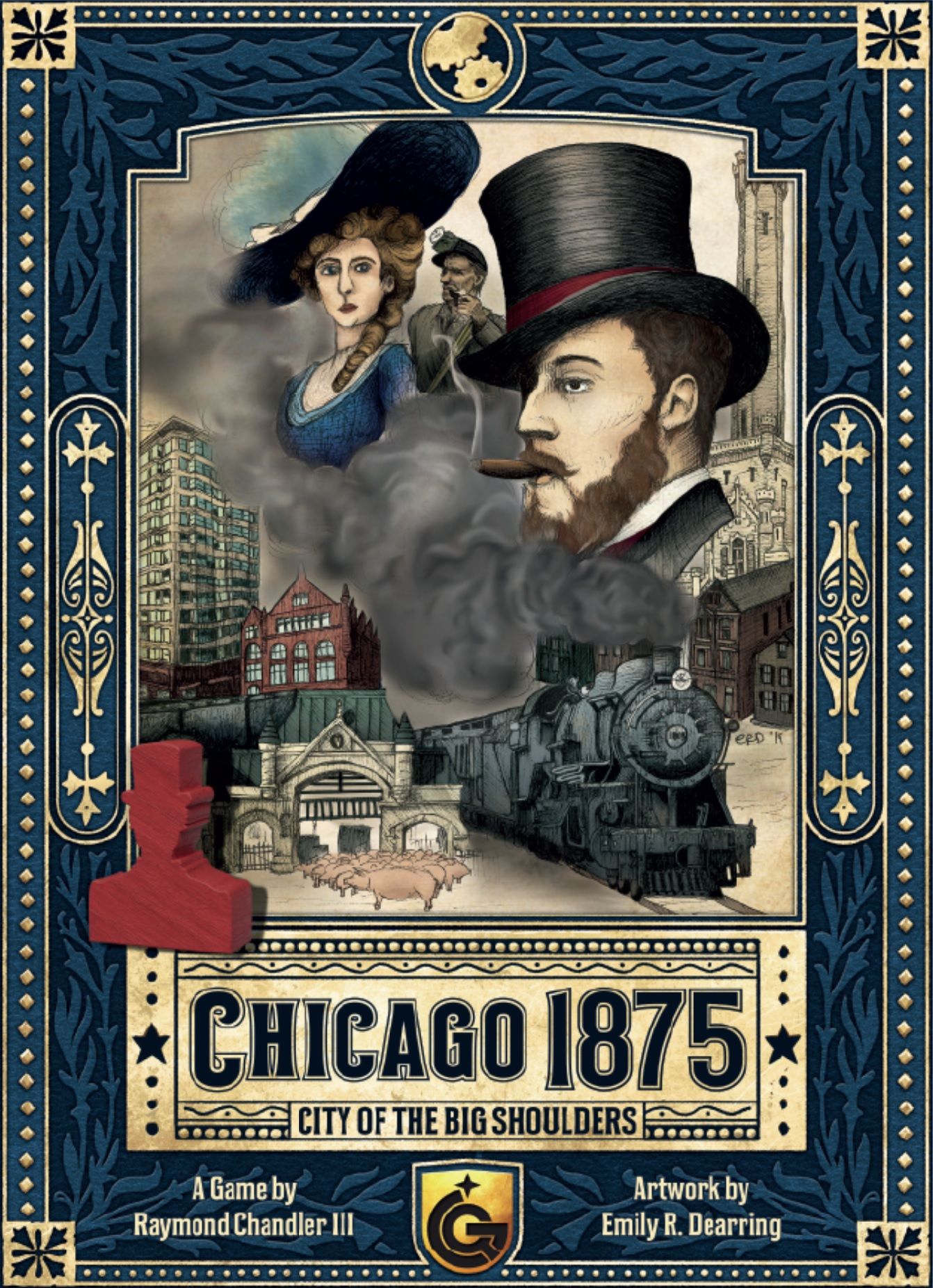
Manual publicado pela editora · uso para consulta de regras. Mais sobre o jogo em BoardGameGeek e Ludopedia .
