
/pic7296275.jpg)
Qual é a sua dúvida sobre As Tabernas do Vale Profundo: Quartos Vagos?
Pergunte antes de baixar o manual: o assistente foi treinado neste arquivo e responde na hora, citando a página exata.
Tire dúvidas sobre o jogo
Pergunte qualquer coisa sobre As Tabernas do Vale Profundo: Quartos Vagos: regras, preparação, componentes, complexidade, preço ou se combina com seu grupo.
Escreva sua pergunta primeiro. Você criará sua conta grátis para ver a resposta — leva 20 segundos.
Manual completo
Navegue pelo manual ou baixe o PDF originalTexto completo do manual disponível para leitura Abrir texto
GAME OVERVIEW
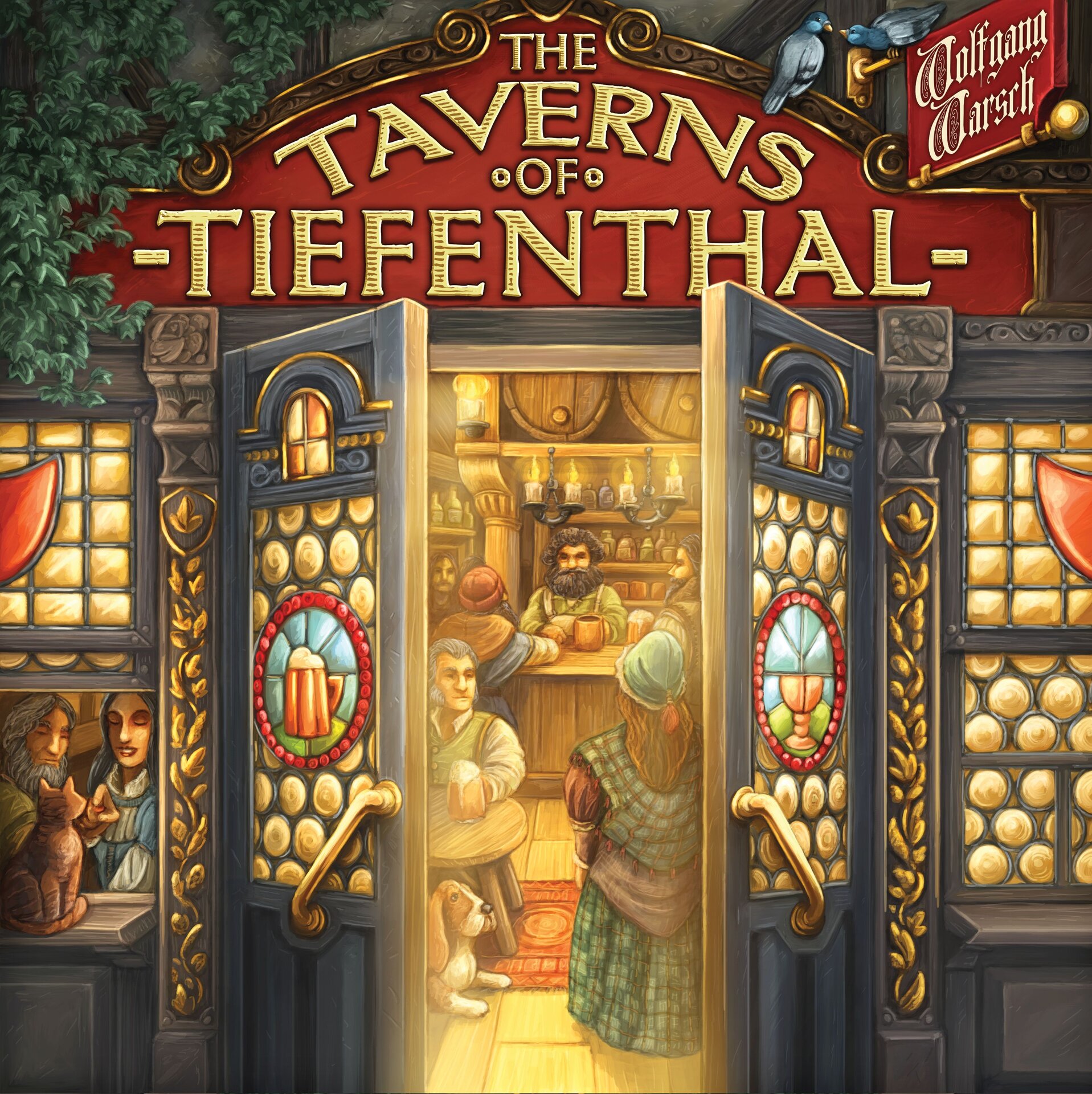
THE TAVERNS OF TIEFENTHAL
are busier than ever! Business is
booming, and every bartender is
competing to offer their guests
the best possible experience.
The taverns are investing in
wild new ways to earn thalers
and sell even more beer.
Nobles are rolling in for bed
and board—and they’re willing
to spend handsomely. And it's
not only beer that guests are
demanding: a sommelier has
taken up residence in the village
and brought a stash of fine wines
with them. Just be sure all your
work doesn’t run afoul of the
Mayor’s tourism efforts!
---
2
If you’re not playing with Module B, the Guest Rooms remain in the box.
· In this case, if you’re playing with Module A, each player places a Wine Cellar above their Tavern and a Bartender Tile (if you’re playing with Module C, see the Game Setup information for Module C) or a face-down Bartender Tile (if you’re not playing with Module C) to the left of it.
· If you’re only playing with Module C (and not with Modules A and B), each player places a roof to the right of the Bartender Tile after setting up the game.
Return any remaining roofs to the box.
This expansion also contains 36 additional Nobles, who do not belong to any of the 4 modules. Add them to the Nobles for the basic game.
MODULE A
SWITCHING TO WINE
Word has it that there are people who prefer wine to beer. And…they appear to be growing in number. Guess it’s finally time for smart bartenders to tap into this new market.
ADDITIONAL COMPONENTS FOR MODULE A
· 18 Sommelier Cards
· 18 Quack Doctor Cards
· 4 Wine Cellars
· 8 Wine Markers
SETUP
Set the basic game up as usual.
Then place the Sommelier Cards between the Barbacks and Dishwashers, and the Quack Doctor Cards between the Guest draw deck and the Guests costing 3 Beers.
Now each player takes a Wine Cellar and places it above their Tavern so that the Thaler in the top left corner is visible.
Place 2 Wine Markers on your Wine Cellar. Return the remaining Wine Cellars and Wine Markers to the box.
ABOUT THIS EXPANSION
This expansion contains 4 modules:
A. Switching to wine
B. One room, please!
C. The life of a bartender
D. The mayor’s visit
We recommend that you only use Modules A and B of this expansion for your first game. You can combine 2 or 3 modules from this expansion as desired later on.
(It is by all means possible to use all 4 modules, though this will make the game extremely challenging!)
You can of course combine this expansion with the modules from the basic game. Please note, however, that each module from the basic game builds on the previous ones.
Modules A, B, and C create a new floor above your Taverns.
If you play with Module B (Guest Room), each player must place a Guest Room above their Tavern.
· If you’re also playing with Module A, each player receives a Wine Cellar whilst setting up the game and places this to the right of their Guest Room. Without Module A, each player takes 1 of the 4 roofs and places it to the right of their Tavern. The roof is merely for aesthetic purposes.
· If you’re also playing with Module C, each player receives a Bartender whilst setting up the game and places this to the left of their Guest Room. Without Module C, each player takes any Bartender Tile and places it face down on the Guest Room.
Module C
(Bartenders)
Module A
(Wine Cellar)
Roof
Module D
(Orders)
Module B
(Guest Rooms)
•
•
---
The Wine Cellar
The Wine Cellar is a new feature in your Tavern. You may upgrade it for 9 Thalers and receive a Noble in return, as usual. You can reduce this cost by returning 1 or more Sommeliers to the Sommelier general supply. The cost is reduced by 3 Thalers for each Sommelier you give up.
Once you’ve upgraded your Wine Cellar, 1 additional Sommelier is automatically available to you in each subsequent turn, as if you had turned it over during Phase .
You can only use it during this turn if you upgrade your Wine Cellar during Phase (for example, by using the bonus on the Turn Track). If you upgrade your Wine Cellar after Phase , you cannot use the upgraded Wine Cellar until your next turn.
The Quack Doctor
Like the Sommelier, the Quack Doctor is a Tavern Card. You use Beer to recruit Quack Doctors though, instead of Thalers. Pay 2 Beers to recruit a Quack Doctor. Then put it on your draw deck, as usual.
Important! If you acquire a Quack Doctor, you may not acquire a Guest during the same turn! This does not apply to Nobles, whom you may always acquire in return for Beer.
If you turn over a Quack Doctor during Phase , place it to the right of your Beer Storage, together with the Barbacks and Bards.
In Phase , you may activate a Quack Doctor in one of two ways:
• Either repeat the immediate action of a Guest in your Tavern. Then return the Quack Doctor to the Quack Doctor general supply. You may only copy each Guest once in this way per turn.
OR
• You receive 1 Thaler. Then you don’t have to return the Quack Doctor to the general supply. This Thaler does not count towards your reputation.
Example: Copy your Guest’s immediate action (receive 3 Thalers) and return the Quack Doctor to the general supply OR receive 1 Thaler but do not return the Quack Doctor.
Remember: you may only purchase 1 of each type of Tavern Card during each turn!
CHANGES IN GAMEPLAY
The Sommelier
The Sommelier is a new Tavern Card that you can obtain for 3 Thalers. Place Sommeliers you recruit directly on your draw deck, as usual.
If you turn over a Sommelier during Phase , place it to the right of your Wine Cellar.
Once all of the Tables are occupied, check whether you have 1 or more Sommeliers in your Tavern. If you have exactly 1 Sommelier, take 1 Wine Marker from your Wine Cellar and place it on the dice field of the last Guest to enter your Tavern and to take a seat at the Table on the far right. So you don’t get to choose which Guest the Wine Marker is placed on!
If you have 2 (or more) Sommeliers, place 1 Wine Marker on each of the last 2 Guests to enter your Tavern, seated on the last 2 Tables from the right.
If there are more than 2 Sommeliers in your Tavern, you may still only place 2 Wine Markers (on the last 2 Guests to arrive).
Example: There are 4 Guests in your Tavern and you’ve obtained 2 Sommeliers. Place a Wine Marker on the 2 Guests on the far right.
Wine Markers have the same function as dice. You cannot place another die on this Guest (during Phases / ).
During Phase , take the Wine Marker and return it to your Wine Cellar. In return, receive the reward indicated for that Guest (usually Thalers) as if you had placed an appropriate die on their action space.
Further rules for the Sommeliers:
• If you’re playing with Module 3 of the basic game, the Thalers earned with Wine Markers count towards your reputation.
• A Guest with a Wine Marker on it may not be removed from the game.
• You may remove a Wine Marker at any time and return it to the Wine Cellar without serving the Guest to clear the die space. In this case, you may place 1 die on the Guest’s die space during Phase .
---
4
A
B
B
C D
B
D
B
B
MODULE B
ONE ROOM, PLEASE!
Every so often, someone fails to find their way home after a night of revelry. Which
is why we’ve devised a very special service for our most…enthusiastic guests.
ADDITIONAL COMPONENTS FOR MODULE B
· 4 Guest Rooms (each with 4 chambers)
· 4 Priest Cards
· 4 Reservation Markers (beds)
SETUP
Set the basic game up as usual.
Now each player takes a Guest Room and places it above their Tavern so that the
Thaler in the top left corner is visible. Everyone also takes a Reservation Marker
(bed) and places it on the bed in the second chamber.
Finally, everyone takes a Priest
and puts it on their (as yet empty)
discard stack. Return the remaining
Guest Rooms and Priests to the
box.
CHANGES IN GAMEPLAY
The Guest Rooms
The Guest Rooms allow you to invite Nobles to stay the night at your Tavern.
Place the first Noble you draw during Phase in 1 of the 4 chambers (so not on
a Table!): slide them under one of the chambers so that their dice action is no
longer visible. You are free to choose between all 4 chambers.
Once you’ve upgraded your Guest Room, you may place the first two Nobles you
draw during Phase in 2 different chambers. Slide the second Noble under one
of the 3 remaining available chambers.
Example: During Phase , you draw a Noble for the first time and decide to put
them in the third chamber. You slide them under the chamber. If the Guest Room
has already been upgraded, you’re able to send the next Noble you draw to one of
the other 3 chambers.
If you draw more Nobles during Phase , put them on a free Table in your
Tavern or, if you have already drawn one or more Nobles, together with the Nobles
that have already been placed on a Table, as usual.
Accommodating VIPs
During Phase (Server) or Phase (dice selection), the first time you
place a die under your Tavern that shows the number of a chamber
occupied by a Noble, immediately take the bonus action indicated there. In
return, the die you placed under your Tavern is not used. If you have 2 Nobles in
your Guest Rooms, you may also take a bonus action for each of them (as long as
you place the appropriate dice under your Tavern).
You may also forfeit the bonus action.
Example: You have put a Noble
in the third chamber. As soon as
you place a die with a 4 under
your Tavern, perform the bonus
action indicated.
Important! Even if you take several dice of one value, the bonus for each room
will only be executed once at the most!
Upgrading Guest Rooms
You may upgrade your Guest Rooms for 8 Thalers and receive a Noble in return,
as usual. It isn’t possible to reduce these costs with a special offer. If you upgrade
the Guest Rooms during Phase (for example, by using the bonus on the Turn
Track), you may put two Nobles in chambers during this turn. If you upgrade it
after Phase , the upgraded Guest Rooms will not be valid until your next turn.
---
5
+2+2
B
G
Bonus actions for the individual rooms:
Immediately move your Safe Marker and your Beer Storage Marker forward 1 space, if possible.
Immediately draw 1 card from your draw deck and place it in your Tavern as appropriate. Then place the Reservation Marker from the room on this card. This card counts the same as all other cards you put in your Tavern during Phase . During Phase , you can choose whether you want to place this card on your discard stack or your draw deck. Then put the Reservation Marker back in the second chamber.
The following applies for the card you’ve drawn:
· Place a Guest to the right of the tavern. They don’t need a Table.
· If you’ve drawn a Server, immediately roll a die in your colour (if there is one left) and place it under your Tavern.
· If you’ve drawn a Sommelier (Module A), immediately place a Wine Marker on the first Guest from the right on whom there is not yet a Wine Marker (unless there are already 2 Wine Markers on Guests).
· Unfortunately, you can’t use a Table immediately. Put it with the other Tables anyway, unused (you may not draw a replacement card).
· Place all remaining cards in your Tavern as usual.
You may remove Guests with a Reservation Marker from your Tavern by using the “Service denied!” effect and use Tavern Cards with Reservation Markers for a special offer. Return the Reservation Marker to the Guest Rooms in both cases.
You may exchange one of your Guests. There are two options for this:
· Remove a Regular currently in your Tavern from the game and replace them with a Guest costing 3 Beers. Immediately place the new Guest on the Table that has just become available.
OR
· Remove one Guest you previously obtained who is currently in your Tavern from the game and replace it with one of the four face-up Guests costing no more than 2 Beers more than the removed Guest. If the new Guest has an immediate effect, you may not execute it! Immediately place the new Guest on the Table that has just become available, then refill the empty spot in the open display.
Move your Monastery Marker forward 1 space on the Monastery Track.
Priest
When you turn over a Priest, place him on an empty Table, just like any other Guest. You don’t receive Thalers when you activate the Priest, but rather move your Monastery Marker forward 1 space on the Monastery Track. You may remove the Priest from the game as you would any other Guest, by using the “Service Denied!” effect. You may also use the action in the third chamber to remove the Priest and replace him with a Guest costing 3 Beers.
MODULE C
THE LIFE OF A BARTENDER
Not all bartenders are the same. You’d think people would know that by now.
Some are great listeners, others have the perfect pour. Now it’s time to use these to your advantage.
ADDITIONAL COMPONENTS FOR MODULE C
· 8 Bartender Tiles
· 1 upgraded Reputation Track
· 1 upgraded Guestbook
· 13 IOUs
· 4 Critic Cards
SETUP
Set the basic game up as usual. If you’re playing with Modules C and D, set up Module D first.
If you’re playing with Module 3 from the basic game, each player places a Critic Card on their discard stack. Return any remaining Critics to the box.
If you’re not playing with all of the modules from the basic game, remove the respective Bartender Tiles from the game.
Then shuffle the remaining Bartender Tiles. The Starting Player draws 3 Bartender Tiles, selects 1 of them, and passes the remaining 2 on to the player to their left. This player now draws 1 new Bartender Tile and again selects 1 of the 3 Bartender Tiles. Continue like this until each player has taken a Bartender Tile. Now all of the players must turn over their Bartender Tile and place it to the left of their Guest Rooms. If you’re not playing with the Guest Rooms (Module B), place the Bartender Tile next on the Wine Cellar (or next to the roof if you’re not playing with Module A either).
You will only need the upgraded Reputation Track, upgraded Guestbook (both of which are different from those of the basic game and you can recognize by the special symbol), and IOUs when a player has chosen the respective Bartender. Return them to the box otherwise.
---
6
Play variation with Module 4
If you’re playing with Module 4 of the basic game (Start Cards), we recommend
the following play variation:
Instead of the procedure described above, each player turns over one Bartender
Tile and one Start Card.
The Starting Player begins and takes either one Bartender Tile or one Start Card.
Continue in a clockwise direction until all players have taken either one
Bartender Tile or one Start Card. The player who chose last then starts and
chooses the option they did not choose before. Continue in an anticlockwise
direction until all players have one Bartender Tile and one Start Card.
CHANGES IN GAMEPLAY
The Bartender Tile gives each player a special ability. These are described in
detail below.
The individual Bartenders at a glance:
Player
During Phase , you may place dice showing a 3 or a 4 on any
action space. Do not turn the dice in the process.
(Since the Guest Rooms are played during Phase , dice with a 3
or a 4 can’t be used to activate the chambers featuring a 2 or 5.)
Abbess
Whenever you serve a Regular with a die, you may move your
Monastery Marker forward 1 space on the Monastery Track.
If you serve a Regular with wine (Module A), you do not move
forward on the Monastery Track. However, you may voluntarily
remove Wine Markers (without serving the Guest) and serve the
Guest with a die.
Historian
At the start of the game, you receive the upgraded Guestbook and
use it instead of the Guestbook from Module 5.
Master Builder
When you upgrade your Tavern or hire a permanent employee, you
may place all Tavern Cards that you would normally have to return
to the general supply due to the special offer in your discard stack
instead.
All upgrades for which there is no special offer (Safe, Beer Storage,
Monk, Cashbox, Barrel, Guest Rooms) also cost you 2 Thalers less.
Master Brewer
Each Guest you acquire costs 2 Beers less. If you use Beer to recruit
Nobles, pay 1 Beer less. So for 1, 2, or 3 Nobles you need 8, 13, or 17
Beers respectively.
Trader
Each Guest you serve with a white die earns you 1 additional Thaler.
The Thalers you earn as a bonus in this way don’t count towards
your reputation (Module 3).
Charmer
You receive the upgraded Reputation Track at the start of the game
to replace the Reputation Track in your Tavern. If you’re playing with
Module 5 of the basic game, place the little punching in the
Reputation Track so that the signature is visible, or with the blank
side otherwise.
Tax Collector
You receive the 13 IOUs at the start of the game. Remove the tiles
for the modules that you’re not using. Shuffle the remaining IOUs
and place them face down next to your Tavern.
Draw an IOU during Phase of each turn and place it face up next
to your Tavern. The IOU indicates which phase you may activate it in
and receive the according bonus. Return IOUs to the box once you’ve
used them. For all IOUs: if you can’t or don’t want to use an IOU’s
effect, take 1 Thaler instead. IOUs never affect your reputation, as
Thalers and Beer are not paid out until Phase !
Further explanations of individual IOUs:
In Phase , you may roll 1 additional die in your colour. If you
already receive all of the dice in your colour through Servers, you
receive 1 Thaler instead.
In Phase , you may repeat a Guest’s immediate action in your
Tavern. If none of the Guests in your Tavern have an immediate
action, or if you have already repeated all of those immediate actions
through Quack Doctors (Module A), you receive 1 Thaler instead.
The Mayor’s immediate action (Module D) can’t be repeated!
In Phase or , you may turn a total of two dice to any side after
rolling them (Phase ) or after taking them from a Coaster
(Phase ) before you place them under your Tavern. Only the new
values count (also for the Guest Rooms).
You may use another Wine Marker—as if you had an additional
Sommelier at your disposal. If you have 2 or more Sommeliers in
your Tavern, you receive 1 Thaler instead.
You may take back a Counter Guest that has already been used and
place it on your Counter. If you haven’t used a Counter Guest yet, you
receive 1 Thaler instead.
In Phase , take a Barback from the general supply and place it on
the appropriate location in your Tavern.
---
7
Tasks Rewards
Critic
When you turn over a Critic, place them on an empty Table, just like any other Guest. When you activate the Critic by placing a die on it, you don’t receive any Thalers, but rather move your Reputation Marker forward 2 spaces on the Reputation Track.
You may remove the Critic from the game as you would any other Guest, by using the “Service Denied!” effect.
You may also use the action in the third chamber to remove the Critic and replace him with a Guest costing 3 Beers.
MODULE D
THE MAYOR’S VISIT
“Who says politicians can’t let loose once in a while? Of course I’m happy to pay the standard rate for everything—even though, if I’m remembering correctly, I was the one that got you that liquor license…”
ADDITIONAL COMPONENTS FOR MODULE D
· 12 Order Tiles
· 12 Order Markers (3 in each player colour)
· 4 Mayor Cards
· 2 Scroll Bars
SETUP
Set the basic game up as usual.
The Order Tiles show a task on the front (darker side) and a reward on the back (lighter side). Shuffle the Order Tiles, then draw 3 at random and attach them to the start of the scroll with the task side visible. If you draw a task for a module that you’re not playing with, mix it back in with the other Order Tiles and draw a new one.
Then do the same with the rewards: draw 3 random Order Tiles from those remaining and attach them to the right of the tasks with the reward side visible.
Then attach the end of the scroll on the right. Also replace Order Tiles if the rewards indicated are for a module you aren’t playing with.
Place an Order Marker to the left of each of the 3 tasks for each player so that the Victory Points aren’t visible. Also lay a Mayor ready for each player.
Return any remaining Order Tiles, Order Markers, and Mayores to the box.
CHANGES IN GAMEPLAY
The Mayor has asked you to help her with some of her orders. As honorable citizens of Tiefenthal, you naturally want to help out wherever you can.
Each order consists of a task and a reward. As soon as you complete the task for an order for the first time, turn your Order Marker to the left of this task over and place it to the right of the corresponding reward. Performing a task a second time has no effect.
Order Markers placed to the right of a reward may be used once to receive the bonus indicated. Then place the Order Marker under your Tavern.
It is indicated on the reward which phase you’re allowed to do this in. Sometimes the reward is also linked to an action—you may only receive such rewards if you perform the associated action.
2 Scroll Bars
(start and end)
Scroll start Scroll end
---
8
Explanations of individual tasks:
Lock-In: Guests with Wine Markers also count as
served for the Lock-In (Module A).
Honorable Deeds: For this task, only the reputation
you receive for the minimum of Beer or Thalers (also
through Wine Markers) counts, as well as any Bards
who may be in your Tavern. If you receive reputation
from other actions, this does not count towards it (not
even from the Critic from Module C).
Grand Interior: It isn’t enough for a Noble to be in a
chamber. You must also have placed an appropriate die
under your Tavern.
Thrown Out: To complete this task, you must remove
a Guest who was not in your possession at the start
of the game. You must perform the “Service Denied!”
effect to remove the Guest, for example with the
appropriate Schnapps Action or effect on the
Reputation Track.
GAME END
For each order you complete, turn over the associated
Order Marker. You receive 5 Victory Points for each of
the Order Markers you turn over, regardless of whether
you used the rewards or not.
Explanations of individual rewards:
Major Delivery: You may place white dice displaying
any number on the Brewer space.
Hard Worker: You may not use a die displaying a 1 as
a 6 or vice versa. Do not turn the dice.
House Recommendation: You may only perform
this reward if there is a Wine Marker on at least 1
Guest.
Cross and Crown: Count all of the Nobles in your
Tavern—regardless of whether they’re on a Table or
in the Guest Rooms. Nobles in your draw deck or the
discard pile do not count.
Mayor
Once you’ve completed each of the three orders (so none of your
Order Markers remain to the left of the orders), immediately take
a Mayor card and place it on your draw deck.
You may immediately perform the “Upgrade Your Tavern” or “Hire
Staff” action without having to pay.
However, you won’t receive a Noble for this.
The Mayor is a Guest like any other. You may serve her with any die and receive
as many Thalers as the die indicates in return.
The Mayor’s immediate action can’t be copied with a Quack Doctor (from Mod-
ule A) or Tax Collector’s IOU (from Module C)!
Game author: Wolfgang Warsch
Design: Dennis Lohausen
Editor: Markus Müller, Georg Wild
Rules: Markus Müller, Georg Wild
Graphic Design: Fiore GmbH
Translator: Birgit Irgang
Published in North America by CMYK.
If you have any issues or questions,
reach us at: hello@cmyk.games
The game designer and publisher would like to thank all play testers and rule reviewers.
www.cmyk.games
---
Por que perguntar ao BoardGamesBot
Em vez de folhear o manual inteiro- Respostas precisas Baseadas exatamente neste manual, com a página de origem.
- Economize tempo Ache a regra em segundos, sem folhear 8 páginas.
- A qualquer hora Tire dúvidas no meio da partida, direto do celular.
- 100% grátis Crie sua conta grátis e comece a usar agora.
Como funciona
Três passos até a resposta- 1 Faça sua pergunta Digite sua dúvida sobre as regras deste jogo.
- 2 Crie sua conta grátis Leva 20 segundos — é só para guardar seu histórico.
- 3 Receba a resposta A IA encontra a regra exata e cita a página do manual.
Expansão de
Conteúdo adicional publicado
Manual publicado pela editora · uso para consulta de regras. Mais sobre o jogo em BoardGameGeek e Ludopedia .
