
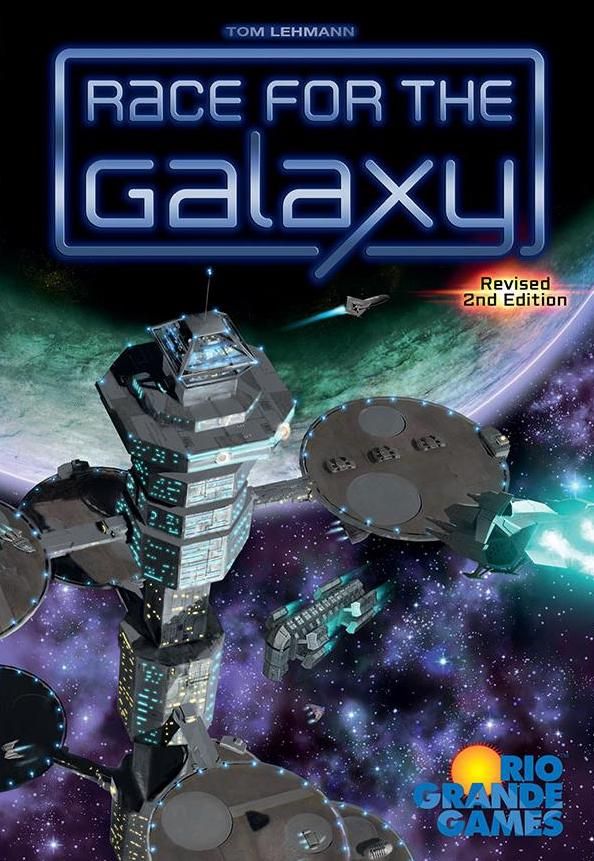
/pic6502975.png)
Qual é a sua dúvida sobre Race for the Galaxy: Expansion and Brinkmanship?
Pergunte antes de baixar o manual: o assistente foi treinado neste arquivo e responde na hora, citando a página exata.
Tire dúvidas sobre o jogo
Pergunte qualquer coisa sobre Race for the Galaxy: Expansion and Brinkmanship: regras, preparação, componentes, complexidade, preço ou se combina com seu grupo.
Escreva sua pergunta primeiro. Você criará sua conta grátis para ver a resposta — leva 20 segundos.
Manual completo
Navegue pelo manual ou baixe o PDF originalTexto completo do manual disponível para leitura Abrir texto
TOM LEHMANN
With Jumpdrive’s invention, humanity has expanded into the galaxy encountering
alien races, some uplifted to sentience eons ago, as well as the mysterious artifacts of a powerful,
long-vanished alien race. Factions seeking to establish a galactic imperium have provoked
other worlds to rebel, leading to border conflicts which threaten to turn into war.
Can your faction become the most prosperous galactic empire in these challenging times?
Expansion and Brinkmanship is the first expansion arc for Race for the Galaxy. It collects the
previously published expansions The Gathering Storm, Rebel vs Imperium, and The Brink of War
into a single integrated package, updated to match the 2nd Edition base game.
This arc gradually adds more cards and players to the game in 3 sets, plus
2 optional modules, solitaire and drafting variants, and some blank cards.
11 start worlds, numbered 5-15
104 game cards
18 action cards (for a 5th and 6th player)
16 VP chips: 10@1 (one spare), 4@5, 2@10
1 prestige lead tile
30 prestige chips: 25@1, 5@5
1 search sheet
6 prestige/search action cards
8 large goal tiles
12 small goal tiles
10 3-VP goal chips
1 takeover disk
6 Military slides to track Military
24 wooden cubes
16 special military counters
1 solitaire game play mat
21 solitaire game counters
2 solitaire game custom dice
separate rules booklet
22 design-your-own custom “blank” cards
Carefully remove the VP chips from their frames. We recommend that you
remove other tiles and chips in groups only as needed as you gradually add
modules.
The 3 card decks include 3 presorted card sets, plus the custom design-your-own
cards. Unpack each deck carefully as you add card sets to the base game.
Introduced gradually in 3 sets,
see pages 2 and 8.
Required for set #3, see page 8.
Optional module, see page 3.
Optional module, see page 5.
Solitaire variant, see separate
rules booklet.
For players who wish to do so;
see page 15.
Drafting Variant, see page 11.
CONTENTS
1
rftg_2e_arc1_rules_211012.indd 1
12.10.21 20:35
---
Start worlds and game cards have 1-3 marks below their card frames in the lower left indicating which set of expansion cards they belong to.
Set 1, from The Gathering Storm expansion
Set 2, from the Rebel vs Imperium expansion
Set 3, from The Brink of War expansion
Important. We strongly recommend that you add each set separately, playing a number of games with it before adding the next set, to avoid adding too many new rules and concepts at once. Some card powers involve prestige, which is not introduced until the 3rd set, so don’t immediately add all the cards together!
Add the Set 1 start worlds and game cards to the base set (22 cards).
Use the fifth preset hand (start world number 5 and the four game cards with “5” in their corners) when playing with five new players.
A third Contact Specialist is included for expansion play balance.
Most new card powers are variations on powers in the base set. Those that are not have a card text summary and are described starting on page 12.
The start world Ancient Race has a start power, requiring its owner to discard down to three, not four, cards before selecting a first round action. This power applies only when it is a start world.
Note that Improved Logistics can alter the game tempo considerably.
After becoming comfortable with this set, add either the optional goals (see page 3, right) or card Set 2 (below) as desired.
Add the Set 2 start worlds and game cards, replacing the base set’s Gambling World with the revised one in this set (adding 44 net cards).
A third Research Lab is included for expansion play balance.
This set adds “Mix with Hand” Explore powers. See page 12.
With Set 2, it is recommended that players use start world choice (deal 2, choose 1), see 2nd Edition RFTG rules, page 8, sidebar.
Most new card powers are variations on powers in the base set. Those that are not have a card text summary and are described starting on page 12.
Ignore the symbols and next to the victory point hex on some cards; these are used with Set 3 cards.
A few symbols (see right) apply only when using the optional takeover rules. Ignore them otherwise. (Their text box descriptions have these symbols next to them.)
After becoming comfortable with this set, add either the optional takeovers (page 5) or card Set 3 (page 8) as desired.
Start Worlds 5-8, 18 game cards
Start Worlds 9-11, 42 game cards
Start Worlds 12-15, 44 game cards
This set adds enough cards, VP chips, and a set of action cards for up to 5 players to play.
Deck 1 contains both the Set 1 cards and the design-your-own custom cards. Set the custom cards aside. See page 15.
This set adds enough cards, VP chips, and a set of action cards for up to 6 players to play.
There is no preset hand for a 6th new player, as all players should be experienced.
ABOUT THE CARDS
ADDING THE GATHERING STORM CARDS
ADDING REBEL vs IMPERIUM CARDS
for takeovers
for Set 3
rftg_2e_arc1_rules_211012.indd 2rftg_2e_arc1_rules_211012.indd 2 12.10.21 20:3512.10.21 20:35
---
5/
II
III
3
Goals add interaction and allow players to gather some victory points while searching for a winning strategy among their cards.
Before Play. 6 goal tiles have either 2 or 3 marks in their lower left corners. Use them only when playing with set 2 or 3 cards, respectively (as they won’t work well or at all without these cards or rules).
Setup. Shuffle the available goal tiles face down. Select 2 “most” goals (the large tiles) and 4 “first” goals (the small tiles) to use. Return the other goals to the box. Place the goal tiles face up in the center to be claimed during play, next to the 3-VP goal chips. Then, continue setup normally.
Play. Each goal’s upper left corner lists the phase(s) at the end of which it can be claimed (or the end of a round in the case of Budget Surplus).
“First” Goals. Each of these is worth 3 VPs and can be claimed once per game by all players who first meet its condition. They are never lost. If only one player first satisfies a goal’s condition at the end of a phase, then they claim its tile, placing it in front of them to mark 3 VPs. If more than one player first satisfies a goal in the same phase (even if by differing amounts), then any one of these players takes the tile, while the others each take a 3-VP goal chip.
“Most” goals. Each of these is worth 5 VPs and is held by the player who satisfies its condition by the greatest amount. They can be lost. The first player to satisfy (or exceed by the greatest amount) a goal’s listed condition at the end of a phase claims its tile (returning it to the center if they ever fail to satisfy its condition). If another player later exceeds the amount by which the player holding a goal currently satisfies it, then they take the tile.
Example: Alan plays a card that brings his Military in tableau to 6, which satisfies the Greatest Military goal’s condition, so he claims its tile. (If Alan later placed a –1 Military card, reducing his Military below 6, he would return it.) Betty later obtains 6 Military, but since this doesn’t exceed Alan’s total of 6, Alan retains this goal. Carol then reaches 7 Military and takes this goal tile from Alan.
If more than one player satisfies or exceeds a goal (possibly held by another player) by the same greatest amount, then that goal remains unclaimed (or is returned to the center).
Example: Alan and Betty both reach 6 Military during the same phase. Neither can claim the Greatest Military goal. Carol then reaches 7 Military and claims it. Alan and Betty later both achieve 8 Military on the same phase, so Carol then returns this goal to the center.
At game end, the player holding each “Most” goal tile scores 5 VPs. Each player (satisfying its condition) who is tied for most and does not hold its tile — due to it either having been earlier claimed by another player or it being currently unclaimed (after several players satisfied or exceeded its condition by the same greatest amount on the same phase) — takes a 3-VP goal chip.
Scoring. Each player adds any goal tile VPs (3 or 5) and 3-VP goal chips to their VP total. Goal VPs do not count towards Galactic Renaissance.
12 small “First” goal tiles
8 large “Most” goal tiles
10 3-VP goal chips
Carefully remove the goal tiles and VP chips from their frames before your first game using them.
While “Most” goals are claimed at the end of certain phases, a Most goal can be lost or transferred if its holder no longer satisfies its condition by the greatest amount at the end of any phase.
This mostly affects the Most developments or prestige goals, unless takeovers (see page 5) are on. If so, Most goals should be checked at the end of Settle after any successful takeover.
GOALS (optional)
First Goal
Most Goal
phases
claimed
required
card set
VPs
goal chip
3
3/
II
III
rftg_2e_arc1_rules_211012.indd 3rftg_2e_arc1_rules_211012.indd 3 12.10.21 20:3512.10.21 20:35
---
“First” goal conditions:
“Most” goal conditions:
First to have 5 (or more) VPs in chips (Galactic Standard of Living). Do not count any goal VP chips.
At least 4 and the most production worlds, of any kind, in tableau (Production Leader).
First to discard at least one card at round end (Budget Surplus).
At least 3 and the most Novelty and/or Rare production or windfall worlds in tableau (Largest Industry).
First to have at least 8 cards (developments or worlds) in tableau at the end of a phase (Expansion Leader).
At least 3 and the most cards with Consume (Phase IV) powers in tableau (Prosperity Lead). Ignore Trade powers.
First to have at least either 3 IMPERIUM cards or 4 military worlds in tableau (Military Influence). Requires Set 2.
First to place a 6-cost development (Galactic Status).
At least 4 and the most developments in tableau (Greatest Infrastructure).
First to have at least one production or windfall world of each kind: Novelty, Rare, Genes, and Alien in tableau (System Diversity).
At least 3 and the most Rebel Military worlds ( ) in tableau (Propaganda Edge).
First to have at least 4 goods in tableau at the end of a phase (Galactic Riches).
At least 3 and the most cards with Explore (Phase I) powers in tableau (Research Leader). Requires Set 2.
First to have at least 2 prestige chips and at least 3 VP chips at the end of a phase (Galactic Standing). Requires Set 3.
First to have at least one power in each phase, plus Trade, among their tableau cards (Innovation Leader).
At least 6 and the most total Military in tableau (Greatest Military). Count negative but not temporary or specialized military (as for New Galactic Order).
First to have at least 3 ALIEN cards in tableau (Overlord Discoveries).
First to have at least 3 UPLIFT cards in tableau (Uplift Knowledge). Requires Set 2.
At least 3 and the most prestige chips (Galactic Prestige). Requires Set 3.
First to have either Military < 0, and at least 2 worlds, or a takeover power and at least 2 military worlds (Peace/War Leader). If takeovers are off, the second condition cannot be met (as takeover powers are ignored). Requires Set 3.
rftg_2e_arc1_rules_211012.indd 4 12.10.21 20:35
---
Takeovers enable players, under certain conditions, to conquer military worlds
in other players’ tableaus, adding risk to low Military strategies. Set 2 has a few
takeover powers, with more added in Set 3.
For players who play mostly 2-player games, the Rebel vs Imperium takeover
scenario (page 7) starts each player with a powerful 6-cost development in
hand which has a takeover power, so that takeovers are always a possibility,
despite seeing just part of the deck.
Before Play. Takeover games use start world choice (deal 2, choose 1); see
base game rules, page 8, sidebar. If you will play several games in a single
session, decide whether you wish to always use takeovers or to alternate
games with takeovers on or off, using the takeover disk to mark this.
Setup. Give each player a Military slide and four cubes (red, purple, and two
light red cubes). Set the special military counters nearby for later use. Then,
continue setup normally.
Play. To do a takeover, a player uses a takeover power as a Settle action against
a previously settled military world in an empire it can target.
Takeover powers are labeled to show which empires they can target:
an empire with at least one Rebel military world ( ).
an empire with at least one IMPERIUM IMPERIUM card.
an empire with a total Military of at least 1. Total military is
calculated as for New Galactic Order.
(Set 3 only) any empire.
In Set 2, an empire with either no military worlds or with only non-Rebel
military worlds, no Imperium cards, and only temporary and/or specialized
Military, cannot be targeted by takeover powers. Set 3 alters this.
Thematically, takeovers represent border conflicts in a galaxy mostly at peace.
By not entering the “arms race” (positive Military) or siding with the Rebels or
Imperium, an empire is safe from conquest. Set 3, The Brink of War, has two
Cassus Belli cards that can violate safety.
Takeover Declarations. Make these when resolving Settle powers after placing
and revealing worlds. There is no separate takeover declaration step, though
takeovers are resolved in a separate step. As takeover powers involve a Settle
action, they must be done either by players who didn’t place a world or by a
player with a power that allows them to place a second world during Settle
(such as Improved Logistics).
A player who didn’t place a world and has powers to place two worlds can
use two different takeover powers to attempt two takeovers.
If needed, do Settle powers, world payments, and takeover declarations in
clockwise order starting with the lowest-numbered start world.
A declaring player announces the takeover power being used, the target
world, and any temporary Military being used. The takeover target cannot
be a newly placed world (in that Settle phase). All powers and attributes of
a newly placed world (being a Rebel military world, an Imperium card, or
providing Military or defense) have no effect on takeovers.
A given world can be the target of takeover attempts by several players in
a given Settle phase. A later declaration can succeed only if all the earlier
declared attempts fail during resolution; it does not “follow” its target.
TAKEOVERS (optional, requires Set 2)
1 takeover disk
6 Military slides
24 cubes
16 special military counters
Carefully remove the disk, slides, and
counters from their frames before your
first game using them.
Use the Military slide and cubes to
track your total Military (red cube)
and vulnerabilities as a target.
Place a light-red or purple cube once
you place a Rebel military world or
Imperium card in your tableau.
Use the other light-red cube to
track any additional Military versus
Rebel worlds.
If needed, flip over and abut a second,
unused slide to track Military greater
than 10.
Players should place newly settled
worlds at a slight angle as a reminder
and update their military slides only
after Settle is done.
1+
IMPERIUMIMPERIUM card
1+ Military
all
Takeover Disk (on)
Special Military Counters
Military
Status
5
Can Target Empires with:
rftg_2e_arc1_rules_211012.indd 5rftg_2e_arc1_rules_211012.indd 5 12.10.21 20:3512.10.21 20:35
---
Resolving Takeovers. After all players have paid for their worlds and invoked
any other Settle powers, resolve takeovers in clockwise order, starting with the
player with the lowest-numbered start world.
A takeover succeeds in conquering its target if the total Military of the
conquering player is greater than or equal to the total Military of the
defending player plus the defense of the target world. Ties go to the attacker
(as in the normal RFTG conquest rules).
Example: a player with 4 Military discards Imperium Cloaking Technology
to successfully take over a 2 defense military world from a player with
2 Military (4 Military is ≥ 2 Military + 2 Defense).
Any temporary Military being used, negative, or specialized Military, such
as against Rebel military worlds or based on the target’s kind of world (Rare,
Alien, etc.), do apply when calculating each player’s total Military.
When resolving a takeover, if the defender has any unused temporary Military,
they may boost their Military by using these powers. (The attacker must
declare temporary Military when declaring the takeover.)
If the defender had earlier partially used a temporary Military power
(such as discarding 1 card to boost their Military with Space Mercenaries),
they may now use the rest of that power (by discarding a second card).
This is an exception to the rule that one power cannot interrupt
another power.
Transferring Worlds. If a takeover succeeds, transfer the world — and any
good on it — to the conquering player’s tableau and draw any cards for
placing that world (due to a Settle bonus or Draw After powers).
If the conquered world was a windfall world without a good, it does not
receive a good. Its attributes and any effects from its previously invoked
powers persist until the end of Settle, benefiting its previous empire.
Fine Points. Typically, since takeovers are never affected by newly placed
worlds, they can be declared and resolved without regard to timing. Players
need to be careful when multiple takeover declarations have been made or
when temporary Military can affect the outcome.
Increasing Military on defense can affect resolving that player’s own
already declared but not yet resolved takeover attempts.
If a player with Improved Logistics declares two takeover attempts
(using different takeover powers) and the first attempt fails, then the
second attempt automatically fails (since no first world was placed).
Takeover examples:
1. Alan, Betty, and Carol are playing; Alan has the lowest-numbered start
world. Betty has 4 Military and Rebel Colony (a 4 defense Rebel military
world). Alan has Imperium Seat, Imperium Troops, and 6 Military (+2 versus
Rebel military worlds). Alan calls Settle, doesn’t place a world, and declares
a takeover against Rebel Colony. After Betty and Carol, who didn’t call Settle,
have used their powers, Alan takes over Rebel Colony (6+2 ≥ 4+4), places it
in his tableau, and draws a card, his Settle bonus.
2. Same as above, except that Betty’s 4 Military includes Space Mercenaries
(discard up to 2 cards for +1 Military apiece), she has Terraforming Robots
(draw 1 card after placing a world), and no cards in hand (after settling a
military world). After Alan declares his takeover, Betty draws a card from
Terraforming Robots (for the world she settled). During takeover resolution,
Betty discards the card to gain a temporary +1 Military from Space
Mercenaries. Alan’s takeover attempt now fails.
Resolve Takeovers after placing and
paying for worlds.
Takeover succeeds if Attacker’s
Military is ≥ Defender’s
Military
+ target world’s defense.
A player with 2 Military, plus up to 2
temporary Military, plus 1 Military vs
Rebel military worlds, would mark this
as shown.
This lets other players know that their
military worlds could possibly be attacked
in a takeover by Military 4 (or 5 for Rebel
military worlds).
The Set 3 card Imperium Planet Buster
instead destroys a world it takes over,
discarding it from play.
The Set 3 Galactic Scavengers’ saved cards
do transfer if it is ever taken over.
In Set 3, a world that provides a prestige
when placed does not provide a prestige
when taken over.
Military
Temporary Military
rftg_2e_arc1_rules_211012.indd 6rftg_2e_arc1_rules_211012.indd 6 12.10.21 20:3512.10.21 20:35
---
(Even if Alan had some unused temporary Military among his powers, as the attacker, he couldn’t use it to further increase his Military while resolving this takeover.)
3. Same as above, except that Betty also has Imperium Lords in her tableau and Carol has Contact Specialist, Rebel Alliance, Rebel Pact, five Rebel military worlds, and one non-Rebel military world in her tableau. Carol’s military is –1 (from the Contact Specialist), but she has 9 net Military, due to Rebel Alliance, only for takeovers against military worlds in Imperium tableaus and she defends her own worlds with 10 Military (plus their defense), due to Rebel Pact. Carol also declares a takeover against Rebel Colony. If Betty chooses to spend a card to increase her military, Alan’s takeover will fail and Carol’s takeover will succeed. If Betty doesn’t spend the card, Alan’s takeover succeeds and Carol’s takeover automatically fails (since Rebel Colony is not in Betty’s tableau when it is time to resolve it).
Set 3 Takeover Notes:
If Interstellar Casus Belli’s takeover power (to attack a military world in any tableau) is invoked with the Imperium Invasion Fleet’s power to conquer a non-military world, then potentially any world in play can be taken over (if the owning player has sufficient Military to do so).
Pan-Galactic Security Council’s defense power can be used at the start of the takeover resolution step to defeat any one declared takeover attempt (against a world in any player’s tableau). Players may not give or trade prestige with other players to fund or defend against takeovers.
For 2 experienced players.
Setup. Separate the Rebel Cantina and Imperium Warlord start worlds and the Rebel Alliance and Imperium Seat 6-cost developments from the other cards. Choose sides, taking either the Rebel or Imperium cards. If desired, set out goals. Shuffle and deal 6 game cards to each player and choose 4 of them normally. Then, each player adds their Rebel Alliance or Imperium Seat card to their starting hand, so they begin with 5 cards in hand.
Play. Takeovers are on. Good luck!
REBEL vs IMPERIUM TAKEOVER SCENARIO
Carol’s attack and defense bonuses, based on her tableau at the start of Settle, would not change even if she were to somehow lose a Rebel military world during that phase.
Adjustments to Military for newly placed, or lost, worlds take place after Settle.
A counter is supplied for Pan-Galactic Security Council’s takeover defense power. Put it before its owner’s military slide, in front of the status section.
7
rftg_2e_arc1_rules_211012.indd 7rftg_2e_arc1_rules_211012.indd 7 12.10.21 20:3512.10.21 20:35
---
8
Set 3 adds rules for prestige, a new resource worth VPs, and search.
Many Set 3 card powers gain or expend prestige. Each player begins
with a prestige/search action card that can be used once per game.
Add the Set 3 start worlds, game cards, and action cards (54 cards).
Note that the start world Galactic Scavengers has a start power.
Setup. Place the search sheet, prestige chips, and Prestige Lead tile, “>” side
face up, in the center. Give each player a prestige/search action card. Add
an extra 5 VPs to the total number of VPs in play (e.g., for 3 players, use 41
VPs). Continue with the rest of setup normally.
Powers. Most new card powers are variations on previous powers. Those that
are not have text descriptions and are described starting on page 12.
Some powers refer to Rebel developments. These have a red diamond
next to their victory point values.
This expansion adds Draw then Discard powers, where a player draws the
indicated number of cards, adds them to their hand, and then discards
1 card. A player with two or more such powers in the same phase draws
all the indicated cards before discarding 1 card for each power.
(This is an exception to one power not interrupting another.)
Powers, such as Uplift Mercenary Force’s power that provides Military
equal to its owner’s number of worlds, refer to cards in your
tableau. This includes only cards in it at the start of that power’s phase.
Similarly, the powers and attributes of a card removed from a player’s
tableau (due to it being discarded, replaced, or taken over) persist (for its
owner at the start of that phase) until the end of that phase.
Prestige, goods, or cards gained from a card’s placement can be used in
the phase it is placed (after paying for it or conquering it militarily).
The multi-kind world attribute of the Alien Oort Cloud Refinery is
described after the Card Powers section (see page 15).
Prestige. Various cards and card powers provide galactic prestige, marked by
prestige chips. The player(s) with the most prestige at the start of each round
receive a bonus. Various powers allow players to spend prestige for different
effects. Each player has a prestige/search action card that can be used once per
game. If any player has 15 or more prestige at the end of a round, the game
ends. At game end, each prestige is worth 1 VP.
Gaining Prestige. Some cards, with a prestige symbol next to their victory
point values, provide 1 prestige to their owner when they are first placed in
a player’s tableau.
A world that provides 1 prestige when placed does not provide another
prestige when taken over.
Various powers gain prestige, including Consume powers that consume goods
for prestige. The Consume: 2x VPs action bonus only doubles victory points. It
does not double prestige gained using Consume powers.
Gaining the Prestige Lead. Check prestige totals at the end of every phase.
If one player has more prestige than anyone else, then they take the Prestige
Lead tile, “>” side face up, and put it in front of them, placing any (unspent)
prestige they earned that phase on it and returning any prestige already on
it to its previous holder. Whenever a sole Prestige Leader earns prestige, put
those chips on top of the Prestige Lead tile.
ADDING THE BRINK OF WAR and PRESTIGE
1 prestige lead tile
30 prestige chips: 25@1, 5@5
1 search sheet
6 prestige/search action cards
Carefully remove the tile and chips
from their frames before your first
game using them.
1 and 5 prestige chips are supplied.
Players may make change among them
at any time. The number of prestige chips
supplied is not a limit (make up more
if needed).
Draw then Discard
powers
Rebel Development
Prestige
Lead Tile
Setup:
+5 VPs
prestige chips
rftg_2e_arc1_rules_211012.indd 8rftg_2e_arc1_rules_211012.indd 8 12.10.21 20:3512.10.21 20:35
---
If two or more players, each with at least one prestige, tie for most prestige at the end of a phase, place the Prestige Lead tile, “=” side face up, in the center (returning any prestige on it to its previous holder).
Prestige Lead Bonus. At the start of each round, before selecting action cards, if there is a sole Prestige Leader with prestige on top of this tile, then that player gains 1 VP chip, draws 1 card, and removes the prestige from this tile (adding it to any other prestige the player has).
If, instead, the Prestige Leader has no prestige on this tile or two or more players tie for the prestige lead, then each such player gains 1 VP chip.
Goals involving VP chips can be claimed as a result of gaining VP chips during this step (even though this isn’t the end of a game phase).
Spending Prestige. Some powers allow a player to spend prestige to gain play advantages (such as drawing cards, additional Military for a Settle phase, gaining VP chips, etc.), as described starting on page 12.
Prestige Card. Each player has a prestige/search action card to use once per game either for search (see below) or, by playing it with an action card and spending 1 prestige after actions are revealed, to gain a prestige bonus for the phase they selected. A prestige bonus is in addition to the normal bonus for selecting a phase. Return a used prestige/search card to the box.
Set the phase action card next to the prestige/search card to see the effect:
• Explore: draw +6, keep +1, combine draws with your hand, then discard.
With Explore: +5 (and no other powers), this becomes draw 13 cards, combine them with your hand, and then discard 11 (keeping 2).
With Explore: +1,+1 (and no other powers), this becomes draw 9 cards, combine them with your hand, and then discard 6 (keeping 3).
• Develop
Discard 3 fewer cards (total) to pay for a development.
• Settle
Discard 3 fewer cards when paying for worlds and/or gain +2 Military until the end of this Settle phase. Draw 1 card normally after paying for or conquering the world you reveal.
• Consume: Trade
Sell a good, drawing 3 extra cards; then consume any remaining goods doubling the number of VP chips gained (as the Consume +x1 bonus applies). Optionally, discard up to 2 cards from hand for 1 VP apiece.
As a reminder that a sole Prestige Leader has taken their bonus, put their new VP chip on top of Prestige Lead tile, taking it after actions are revealed.
(Players tied for the prestige lead tend to remind each other to take a VP chip, so no reminder is needed for them.)
5 extra VPs are added in prestige games (see Setup) so these bonuses don’t shorten the game too much.
If a player spends prestige and loses the prestige lead, put the Prestige Lead tile in the center if there isn’t a new Prestige Leader to give it to.
A player who doesn’t wish to reveal they are using their prestige bonus by playing 2 action cards can instead play just the prestige/search card and then name the phase they are selecting as players flip over and reveal their action selections.
In 2-player experienced games, play the prestige/search card and the action card for the other phase you are selecting and then name the phase the prestige bonus applies to as both players reveal their action selections.
9
rftg_2e_arc1_rules_211012.indd 9rftg_2e_arc1_rules_211012.indd 9 12.10.21 20:3512.10.21 20:35
---
• Consume: 2x
Triple (not double) the number of VP chips (only) that you receive.
• Produce
Draw 3 cards and produce up to two windfall goods (if possible).
Search. Once per game, a player may play their prestige/search action
card as their action, declaring “search” as action cards are flipped over
and revealed, to search the card supply for a card matching a search
category and take it. Unlike playing the prestige/search card for a prestige
bonus, search does not expend a prestige: thus, a player can search on the first
round.
Procedure. If any player declares search, then a search step occurs before any
phase is resolved. Unlike phases, search occurs only for players who declare it.
If more than one player declares search during the same round, resolve each
search separately, starting from the player with the lowest-numbered start
world and proceeding clockwise.
The searching player names one of the nine search categories depicted on the
search sheet and then reveals (to all players) cards from the supply one at a
time, setting them aside. When a card matching the named category is found,
the player may either stop, taking that card in hand, or continue searching.
If they continue, when a second card matching the named category is found,
the player must stop and take that card in hand.
If the card supply is exhausted, shuffle the current discard pile to form
a new supply and continue searching. If this new supply is exhausted,
the search fails: the player takes no card in hand but does retain their
prestige/search action card for later use.
Discard all revealed and set aside cards face down. If the search was successful,
the player returns their prestige/search card to the box.
Search Categories. The nine categories depicted on the search sheet are:
• Developments that provide +1 or +2 Military. Ignore any
temporary or specialized Military produced on these cards.
• 1 or 2 defense military windfall worlds.
• 1 or 2 (printed) cost windfall worlds.
• Worlds (of any type) with a symbol.
• Windfall or production worlds that come with or produce
Alien goods . Ignore other ALIENALIEN cards. The searching
player may choose to have Alien Oort Cloud Refinery match
this category.
• Cards with Consume powers that consume two or more
goods. Pilgrimage World and cards with powers consuming
two or more goods of a given kind do match this category.
• Military worlds with 5 or more defense.
• 6-cost developments.
• Cards with Settle takeover powers (including defense powers).
This category can be chosen only if playing with takeovers on.
10
Search: as an action, search the deck
for a card and put it in hand.
rftg_2e_arc1_rules_211012.indd 10rftg_2e_arc1_rules_211012.indd 10 12.10.21 20:3512.10.21 20:35
---
Game End. In addition to the ways a game can possibly end, it ends if a player has 15 or more prestige at the end of a round.
Scoring. Each prestige chip held by a player at game end scores 1 VP. Several cards score 1 VP for each prestige chip, including Federation Capital, as indicated by a prestige symbol in its VP “hex”. Prestige chips do not count towards Galactic Renaissance’s VP chip scoring.
If a player has 15+ Prestige at the end of a round, the game ends.
Each prestige is worth 1 VP.
Federation Capital
11
Players draft and then play using separate decks. Set 1 supports up to 4 players, with Sets 2 and 3 adding a 5th and 6th player, respectively.
Setup. Shuffle the odd and even start worlds separately and deal one of each, face down, to each player. Shuffle the unused start worlds with the game cards.
After examining their start world choices, each player draws 5 cards and simultaneously selects 1, passing the rest to their left. From these cards, they each select 1, and pass the rest left, until all drawn cards have been taken. Repeat, drawing 5 cards, selecting 1, and passing the rest to the right.
Continue, alternating directions, until players are unable to draw 5 cards apiece.
Deal the remaining cards evenly to the players. Return any cards left over to the box face down. Draft the dealt cards (in the opposite direction than the last set of 5 cards).
Each player then shuffles their drafted cards to form their own private deck and draws 6 cards, discarding 2 of them plus 1 of their 2 start world choices, and then reveals their start world.
Play. Play normally, except that each player draws from their own deck of cards and discards to their own discard pile, reshuffling whenever their draw deck is exhausted.
Power changes:
Retrofit and Salvage, Inc.’s power to gain discards instead gives its owner draws from that player’s card supply equal to the number of cards discarded by other players exceeding their hand limits.
Discard a world (and any good on it) destroyed by Imperium Planet Buster to its former owner’s discard pile.
DRAFT VARIANT
Sets 2 3 4 5 6
1 #drafts 13 9 6 - -
deck 70 46 34 - -
1,2 #drafts 18 12 8 7 -
deck 92 61 45 36 -
1-3 #drafts 23 15 11 8 7
deck 116 77 57 45 38
rftg_2e_arc1_rules_211012.indd 11 12.10.21 20:35
---
CARD POWERS (by phase)
See Other Players’ Actions
The player selects their action after other players’ actions are revealed.
In the 2-player game for experienced players, the player selects their second action after both their opponent’s actions are revealed.
ROUND START
Mix with Hand
The player combines all exploration draws with their cards in hand before discarding during Explore.
Thus, an Explore +5 becomes draw 7 cards, combine them with cards in hand, and then discard any 6 cards.
Discard for Prestige
At the start of Explore (before drawing any cards), the player may discard 1 card to gain 1 prestige.
This power does count for the Research Leader goal.
I: EXPLORE
II: DEVELOP
Draw, then Discard
At the start of Develop, the player draws the indicated number of cards, adds them to their hand, and discards 1 card.
Develop and Gain Prestige
The player gains 1 prestige after placing the indicated (any, 6-cost, or Rebel) development.
Spend Good to Reduce Cost
May discard a Rare elements good ( ) to reduce the cost to place a development by 2.
Save Card from Payment
After applying discounts, put 1 card from a development payment under this world ( ).
Discard to Reduce Cost
The player may discard this card from tableau to reduce the cost of placing a development by 3 cards.
Discard for Temporary Military
The player may discard up to 2 cards from their hand to gain +1 Military apiece until the end of this Settle phase.
As an optional power, this power need not be used fully.
Space Mercenaries also has a standard +1 Military power.
Settle a Second World
The player may place a second world ( ) in a Settle phase.
The second world is placed as part of executing Settle powers (after fully resolving settling the first world).
No powers from the first world placed may be used to settle the second one.
If the player chose Settle, do not draw a Settle bonus for the second world.
III: SETTLE
Pay for Military ( )
As an action, the player may place a non-Alien military world ( ) as a non-military world ( ). The cost is the world’s defense, with any other applicable discounts.
As an action, the player may place a Rebel military world ( ) as a non-military world ( ). The cost is the world’s defense –2, with any other applicable discounts.
Reduce Pay for Military Cost
–2 cost when using a pay for military ( ) power.
This power does not give the player the ability to pay for military worlds; another power must be used to do so.
Conquer Non-military World
As an action, the player may discard this card from their tableau to place a non-military world ( ) as a military world ( ).
Its defense is equal to its printed cost –2.
This cannot be combined with takeover ( ) or pay for military ( ) powers.
Temporary Military
May spend 1 prestige to gain +3 Military until the end of this phase.
May discard a Rare elements good ( ) to gain +2 Military until the end of this phase.
Military
+1 Military for each world in tableau.
+1 Military. This becomes –1 Military (total), if this player has an IMPERIUMIMPERIUM card in their tableau.
Settle Extra Military World
May discard from tableau to place a military world ( ) after first successfully placing another world ( ).
This cannot be used with takeover ( ) or pay for military ( ) powers, but can be used with a conquer non-military world power.
This extra world is placed as part of executing Settle powers (after fully resolving settling a world). It can be used after Improved Logistics.
No powers from a world settled earlier in this phase can be used to settle this extra world.
If the player chose Settle, they do not draw a Settle bonus for this extra world.
---
13
III: SETTLE (continued)
Spend Good to Reduce Cost
May discard a Genes good ( ) to reduce the cost to place a world by 3.
Replace a World
May replace a non-military world ( ) with a 0-3 higher cost world of the same kind ( ), at no cost, to gain 1 prestige. Exception: for this power, a gray world ( ) is considered a kind of world. This is in addition to any Settle action its owner might take. If the replacement is a windfall world or provides prestige, place its good or gain 1 prestige. Its powers cannot be used this phase. Any good on the old world is lost. This power cannot target a newly placed world nor be combined with any other Settle powers (or bonuses).
Terraforming Engineers also has a –1 cost power, affecting normal Settle actions.
Save Card from Payment
After applying discounts, put 1 card from a world payment (but not discards to increase Military) under this world ( ).
Receive Good After
Put a good on top of a production world ( ) after placing it.
Draw After, then Discard
After placing a world ( ), the player draws 2 cards, adds them to their hand, and discards 1 card.
Settle and Gain Prestige
The player gains 1 prestige after placing the indicated Rebel military world ( ) or any production world.
Pay for Military ( )
As an action, the player may place an Alien military world ( ) as a non-military world. The cost is its defense, with any other applicable discounts (including the Alien Research Team’s own discount for placing Alien worlds).
As an action, the player may place a military world as a non-military world. The cost is its defense, with any other applicable discounts.
Prestige for Pay for Military
Gain 1 prestige after using a pay for military ( ) power. This power does not give the player the ability to pay for military worlds; another power must be used to do so.
Take Over a World ( )
As an action, the player may conquer a military world ( ) in another player’s tableau.
Spend 1 prestige to take over from any player’s tableau. If successful, gain 2 prestige.
Discard from tableau to take over from a tableau with at least one IMPERIUM IMPERIUM card, adding 2 Military for each Rebel military world ( ) in your tableau.
Take over from a tableau with total Military of at least 1. If successful, discard that world (and any good on it) and gain 2 prestige.
Conquer Non-military World
As an action, the player may discard this card from their tableau to place a non-military world ( ) as a military world ( ) and gain 2 prestige. Its defense is equal to its printed cost. This can be combined with takeover ( ) but not pay for military ( ) powers.
Defeat a Takeover ( )
Before resolving any takeovers, the player may spend 1 prestige to defeat one takeover attempt against any player’s tableau.
Takeover Defense ( )
The player’s worlds defend against takeover attempts at +2 for each Rebel military world ( ) and +1 for each non-Rebel military world ( ) in their tableau (at start of Settle).
Military for Military Worlds
Contributes +1 Military for each military world ( ) in the player’s tableau.
Take Over a World ( )
As an action, the player may conquer a military world ( ) in another player’s tableau (see pages 5–7).
Take over a Rebel military world ( ).
Take over from a tableau with at least one IMPERIUM IMPERIUM card, adding 2 Military for each Rebel military world ( ) in your tableau (at start of Settle).
Discard from your tableau to take over from a tableau with total Military of at least 1.
Specific Good and Worlds
Draw +1 card when selling a Genes good for each world in the tableau.
The Clandestine Uplift Lab is itself a world.
$: TRADE
Cannot Sell Good
A good on this world cannot be sold (using the Trade bonus). Consume powers, such as the Trade League’s power, can be used. Trade League does score for this power.
$
rftg_2e_arc1_rules_211012.indd 13rftg_2e_arc1_rules_211012.indd 13 12.10.21 20:3512.10.21 20:35
---
This World’s Good
Discard 1 Alien good from the world ( ) with this power to gain 2 VPs.
IV: CONSUME
“up to“ Four Different Kinds
Discard up to 4 different kinds of goods ( ) to gain 1 VP and a card draw apiece.
Gain 1 VP. This can be doubled with the Consume: 2x bonus.
Ante and Draw if Lucky
The player may ante a card from hand of cost or defense 1-6 to flip over that number of cards from the supply. If any of them has a larger cost/defense than the ante card has, choose any one of the cards flipped over to keep, plus the ante card. If not, discard the ante card.
Example: Alan antes a cost 5 card and flips over five cards, one of which is defense 7. Alan keeps his ante and any one flipped over card. If none of them had a cost or defense of 6 or more, Alan would lose his ante card.
Goods for Prestige
Discard the indicated good(s) to gain the specified prestige, VPs, and card draws. Prestige is not doubled by Consume: 2x.
Discard Cards for Prestige
May discard 2 cards from hand to gain 1 prestige.
Spend Prestige
May spend 1 prestige to draw 3 cards.
May spend 1 prestige to gain 3 VPs. This can be doubled with Consume: 2x.
Discard to Draw
The player may discard 1 card from hand to draw 1 card.
Discard to Produce Good
May discard 1 card to produce an Alien good on this world.
A player can discard a card gained from Diversified Economy to produce this good, but can not then gain a card for doing so (as one power can not interrupt another power).
Draw for Worlds
Draw 1 card for each military world ( ) in the player’s tableau.
V: PRODUCE
Discard to Produce Windfall
Discard a card from hand to produce a good on a windfall world of the specified kind that has no good. These powers are separate from a production world’s produce good power.
Produce Good and Gain Prestige
Produce a good on this world, if it has none, and only then, gain a prestige. The production reminder for this world shows only its prestige icon.
Gain Prestige for Most
Gain 1 prestige if the player has more worlds than any other player.
Draw for Most Goods
At the end of Produce, draw 1 card if the player produced more goods during this phase than any other player.
Draw Saved Cards
Draw all cards saved under this world ( ). If this world is ever discarded from tableau, discard any saved cards.
Gain Other Players’ Discards
After discarding as needed to satisfy their hand limit, the player draws other players’ hand limit discards (if any exist) into their hand. The player, after doing so, can exceed their hand limit.
Larger Hand Limit
Discard down to 12, not 10, cards at the end of the round.
ROUND END
Produce Windfall on Other
The player produces a good on one of their other windfall worlds of the specified kind without a good on it. This power is separate from Interstellar Prospectors’ normal Produce power and can be used when it already has a good.
Draw 2 cards for each Uplift world with in the player’s tableau.
Draw 1 card for each Rebel world ( ) in the player’s tableau. The Rebel Cantina itself is a Rebel (non-military) world.
---
15
custom “blank” start world and game cards, of various types, are provided
so players can add cards of their own design to the game. The proportions
supplied should yield a balanced mix of card types.
Use black and red medium point markers to mark costs, whether worlds are
non-military or military, draw power icons, and add card titles. Use a fine
black marker to add any needed power text. Enjoy!
Design and rules: Tom Lehmann
Original graphics and development assistance: Wei-Hwa Huang
Graphics: Mirko Suzuki
Illustrations: Martin Hoffmann and Claus Stephan
Playtesting and Advice
Corin Anderson, Andrew Conway, David Helmbold, Jay Heyman,
Joe Huber, Chris Johnson, Trisha Lantznester, Serge Levert, Chris Lopez,
Larry Rosenberg, Ron Sapolsky, Steve Thomas, Jay Tummelson,
Don Woods, and many others. Thank you all!
Special Thanks: Wei-Hwa Huang and Larry Rosenberg and Don Woods
During the first arc development, we held two contests in which fans submitted card ideas, some of which we adapted for
cards that appeared in later expansions.
Contest #1. The winners were adapted from entries submitted by Rüdiger Dorn (Hidden Fortress) and Tom Liles and
James Self (R&D Crash Program).
Honorable Mentions. Kester Jarvis, Dave and Meredith Mattingly, and Gary Riley correctly anticipated already
designed cards.
Contest #2. The winners, plus those who submitted cards somewhat similar in nature, were:
• Michael Brough for inspiring Alien Oort Cloud Refinery. Honorable Mentions: Gilles and Nydhyana Brischoux,
Lionel Coignard, Christopher Guild, Dimitri Polzin, and Charlie Schoegje
• Kester Jarvis for inspiring Golden Age of Terraforming. Honorable Mentions: Pierre Dahl and Christopher Guild
• Ville Halonen and Raine Rönnholm for inspiring Universal Peace Institute. Honorable Mention: Anthony Rubbo
Honorable Mentions. Andrey Belikov, Rus Belikov, Stephane Berthelot, Dan Blum, Christophe Capel,
David Dal Zot, Michael Fraser, Jérémy Goutin, Daniel Kotlewski, J. Chris Lorton, Jesse Mundis, Bill Reeves Jr.,
R. Eric Reuss, Justin Rodger, Anthony Rubbo, Mark Saya, Ralf Schemmann, Lotte Schüler, Ian Scrivins,
Kevin Shiue, Dave Thorby, and Nicholas Vacek correctly anticipated already designed cards or powers.
DESIGN-YOUR-OWN-CARDS
CREDITS
CONTEST WINNERS
Trigger on Tableau of 14
This player triggers
the game end with a
tableau of 14 or more
cards (instead of 12 or more).
GAME END
Multi-Kind World Attribute
The Alien Oort Cloud Refinery’s kind is chosen when placed, can be changed
by its owner at any time, and is chosen (once) before scoring.
A player could produce on it with Mining Robots and then change its kind (and its
good’s kind) to Genes for Pan-Galactic League (and later phases). The good was Rare
elements for powers referring to its production during that Produce phase,
such as Mining Conglomerate.
rftg_2e_arc1_rules_211012.indd 15rftg_2e_arc1_rules_211012.indd 15 12.10.21 20:3512.10.21 20:35
---
If you have any comments, questions, or suggestions, please write to us at:
Rio Grande Games, PO Box 45715,
Rio Rancho, NM 87174, USA
RioGames@aol.com
www.riograndegames.com
©2008-2021 Tom Lehmann
©2008-2021 Rio Grande Games
Pan-Galactic Research is a 6-cost development worth 4, not VPs. Placing it does not satisfy the Galactic Status goal, but it does count as 2 VPs for Galactic Federation.
Imperium Planet Buster is a cost 9 development. It is not considered a 6-cost development for any purpose.
For each of these developments, score end of game VPs for every card in its owner’s tableau that satisfies one of the conditions listed on it, where a CARD TITLE refers to that card’s presence in the tableau.
6-COST DEVELOPMENTS POWERS
ALIENALIEN CORNUCOPIA
other (non-ALIENALIEN) production world
ALIENALIEN card (including this one)
GOLDEN AGE OF TERRAFORMING
other 6-cost development
TERRAFORMING card (including this one)
production world
PAN-GALACTIC AFFLUENCE
EXPORT DUTIES, GALACTIC RENAISSANCE, TERRAFORMED WORLD (additional)
PAN-GALACTIC HOLOGRID
EXPANDING COLONY
other world
Novelty world
UNIVERSAL PEACE INSTITUTE
military world
PAN-GALACTIC MEDIATOR
total negative Military (count negative Military as positive victory points)
IMPERIUM card (including this one)
Rebel military world
IMPERIUM SEAT
other developments (including this one)
INTERSTELLAR BANK, INVESTMENT CREDITS, GAMBLING WORLD
GALACTIC BANKERS
DIVERSIFIED ECONOMY
1-4 different kinds of worlds
1, 3, 6, 10
GALACTIC EXCHANGE
Example: a tableau with Diversified Economy and three different kinds of worlds would score 9 for this card.
REBEL card (including this one)
other military world
REBEL ALLIANCE
Uplift world with
other UPLIFT card (including this one)
UPLIFT CODE
other world
TERRAFORMING card
PROSPECTING GUILD
Rare, elements world
IMPERIUM LORDS
IMPERIUM card (including this one)
other military world
windfall world
TERRAFORMING card (including this one)
TERRAFORMING GUILD
GALACTIC GENOME PROJECT
GENETICS LAB
Genes world
rftg_2e_arc1_rules_211012.indd 16 12.10.21 20:35
---
TOM LEHMANN
Solitaire Game Rules
This game uses the RFTG experienced 2-player rules, without goals or
takeovers. When using Set 3 cards and start worlds 12-15, the Prestige and
Search rules are required. The 2nd Edition start worlds −6 to −1, added a
decade after the solitaire game was developed, are not used.
The player plays against an “adaptable robot” opponent, using one of start
worlds 0-15, whose actions are abstracted. Its choices are determined by rolling
two custom dice whose placement on the mat is often affected by the player’s
action selections.
The robot’s start world determines how the robot faces (two faces on one
custom dice) behave during play. It also determines if any special mat tiles
replace the robot’s preprinted actions and responses on the play mat.
Set out 24 VP chips. Pick a difficulty (see chart). Put the indicated number of
6-cost development counters nearby. Shuffle and deal a start world to you and
the robot. Shuffle the other start worlds into the deck.
Use the black-edged credit, economy size, and (2) player action markers. Find
any mat and “robot =” tiles (possibly on the reverse of other tiles) to use based
on the robot’s start world, as shown on the back of the play or search mats.
Return the other robot tiles to the box. Flip the mat face up.
Place any special mat tiles used on top of their corresponding mat areas,
matching them by color. Place the grey “robot =” tile on its space (set the x2
“robot =” tile nearby if the robot start world is Old Earth). Place the credit
marker on 1 (0 if the robot start world is Ancient Race; 2 if it is Alpha Centauri
or Galactic Scavengers); the economy size marker on 0 (1 if the robot start
world is Earth‘s Lost Colony or Epsilon Eridani), and deal 4 cards (3 if the robot
start world is Ancient Race or Galactic Scavengers) face down to form the robot‘s
initial draw stack (see diagram below).
OVERVIEW
SETUP
1 game play mat
21 game counters and tiles
2 custom dice
Carefully remove the counters and tiles
from their frames before your first game.
The robot’s actions depend on your
action selections.
Different robot start worlds play
differently.
The robot as a RFTG player:
The robot’s hand of cards is represented
by a facedown stack of cards, from
which cards are flipped over during
play and either added to its tableau
stack or discarded.
The robot’s tableau is a stack of faceup
cards, initially containing just its start
world, where only the number of cards
in the stack and their VPs matter. 6 or
9 cost development counters (depending
on game difficulty) gained during play
also count as “cards” in this stack.
The robot’s tableau never holds any
goods; instead its credit and economy
size tracks are used to abstractly model
the robot’s Trade and Consume actions.
6-cost
difficulty counters
easy 1 @ 6 VPs
medium 2 @ 6 VPs
hard 3 @ 9 VPs
robot responses
to player actions
robot
dice row
military Settle
special mat counter
play mat
robot
draw
stack
credit
track
6-cost
counters
economy
size track tableau stack
(with start
world)
player
action
markers
robot
actions
“robot =“
counter
rftg_2e_arc1_solo-rules_211215.indd 1rftg_2e_arc1_solo-rules_211215.indd 1 15.12.21 21:0315.12.21 21:03
---
Sequence of Play. Each round consists of three steps:
1. The player selects their 2 actions normally, but marks them with player
action markers on the play mat (instead of using action cards).
2. Roll and place the dice (the robot's action selections) on the play mat.
3. Resolve actions for each selected phase, left to right, player first.
Round end: discard down to 10 cards (the robot has no hand limit) and
check for game end. If the game has not ended, repeat steps 1-3.
Place Dice. Put them on their matching spaces in the dice row of the play
mat; placing any single Explore, Develop, or Settle die face rolled on the
leftmost space of these respective pairs of spaces on the play mat.
The grey Settle and Produce die faces match the colored Settle and
Produce mat spaces.
If a face is rolled, read it as the face shown on the "robot =" counter.
Each "match" face rolled indicates a robot action that will match a player
action this round. If "match" faces are rolled on both dice, put the dice
on the spaces below both player action markers. If only one face is rolled,
put that die in the space below the rightmost player action marker (unless that
space already has a die in it, in which case this die goes below the other player
marker). If both player action markers occupy a pair of Explore, Develop, or
Settle spaces, shift the die left so that it is below the first of this pair of
spaces (unless the other die is in that space).
Examples. After the player selects Consume x2 and Produce and the
robot rolls Develop and , put the first die on the left-most Develop
space and the second die on Produce (the right-most unoccupied space
below a player action). If, instead, the player chose Explore twice and
the robot rolled Produce and , put the first die on Produce and the
second die on the left-most (first) Explore space.
Resolve Selected Phases. Do each phase selected either by a robot die or the
player, from left to right. Skip all unselected phases. In each phase, resolve the
player before the robot. As normal, the player does both the phase's action
and bonus if they selected it or just the action if only the robot selected it.
Resolve what the robot does for each selected phase as listed on the mat in the
two rows below the dice row. Use the top row if a robot die is present (a robot
action). Use the bottom row if no die is present and the action was selected by
the player (a robot response). Do not combine the rows when both the robot
and player select the same phase.
Robot Draws. Draw for the robot (in all phases) means to shift the specified
number of cards from the draw pile to the robot's draw stack without looking
at them.
Tracks. The robot's credit and economy size are marked by tracks. Its
maximum credit is 4 and its maximum economy size is 5; increases beyond
these numbers have no effect.
Flip to Find. Flip over cards one at a time from the robot's draw stack,
discarding all non-matching cards, until either the desired type of card is
found or the robot's draw stack is exhausted.
Place. Put the matching card on top of the robot's tableau stack.
After setting up the robot mat, deal six cards to yourself. Choose four of them
and discard the other two. Begin play.
PLAY
Robot response
(if the player selects a
phase where no robot
dice are present)
"Match" phase
selection
Robot = phase selection
Robot action(s)
(do both if both
robot dice are
present)
"
increase/decrease tracks
flip to find
robot draws
---
Explore action: draw 1 card and increase the robot’s credit by 1 (draw 3 cards total and increase the robot’s credit by 1 if the robot selected both Explore actions).
Explore response: draw 1 card (even if the player chose both Explore actions).
Separatist Colony ( ) and Uplift Mercenary Force ( );
Imperium Warlord ( ) and Rebel Freedom Fighters ( );
and Alien Research Team ( ) draw more cards on Explore, as shown on their special mat tiles (which overlay the mat).
Develop action or response (for each selected Develop phase):
First, check to see if the robot has an unplaced counter and 2 or more credit (3 or more credit on response). If so, place this counter next to the robot’s tableau stack (where it will count as 1 card for determining end of game); decrease the robot’s credit by 2 (3 on response); and then skip the robot’s regular Develop action or response.
Otherwise, perform the robot’s regular Develop action or response:
Develop action: draw 1 card and then flip to find a development. If a non-6 development is found, place it. If a 6-cost development card is found and the robot has 1+ credit, decrease its credit by 1 and place it; otherwise discard it and continue flipping cards.
Develop response: if the robot has no credit, do nothing. Otherwise, flip to find a development. If one is found, whether or not it is a 6-cost development, decrease the robot’s credit by 1 and place it.
Examples: The robot, with 1 credit and 2 cards in its draw stack, rolls Develop. Transfer 1 card to the robot’s draw stack and flip over cards from it, one at a time. The second flip finds a non-6 development. Place it in the robot’s tableau stack. The robot ends with 1 credit and 1 card in its draw stack.
Later, the player selects Develop with both actions. The robot, with 4 credit, a 5 card draw stack, and 2 unplaced 6-development counters matches the first Develop (and rolls some other action). After the player resolves their first Develop, put a 6-development counter next to the robot’s tableau stack and decrease its credit by 2. Since it placed a 6-cost development counter, skip the robot’s normal Develop action and do not draw or flip any cards. After the player resolves their second Develop, resolve the robot’s response. Since it now has 2 credit, do not place its other 6-development chip (this costs 3 credit on response), but instead start flipping cards (since the robot has positive credit). After it finds a 2 cost development on its third flip, put it in the robot’s tableau stack and decrease its credit by 1. The robot ends with 1 credit and a 2 card draw stack.
Galactic Developers ( ) develops more efficiently and does not require credits on response to flip to find developments.
Rebel Freedom Fighters ( ) gains 1 prestige each time it places a Rebel development but can never place (or match on) any IMPERIUM IMPERIUM cards.
ROBOT ACTIONS / RESPONSES
on robot action
on robot response
:
:
:
:
:
:
::
: :
:, )(
:, )(
:::
:, )(
:, )(::
: :
:, )(
:, )(
::
: :
:, )(
:, )(::
: :
:, )(
:, )(
rftg_2e_arc1_solo-rules_211215.indd 3rftg_2e_arc1_solo-rules_211215.indd 3 15.12.21 21:0315.12.21 21:03
---
Settle action (for each robot-selected Settle phase): draw 3 cards and flip to find a non-military world, placing it if one is found.
Settle response (for each player-selected Settle phase): if the robot has no credit, do nothing. Otherwise, draw 2 cards and flip to find a non-military world. If one is found, decrease the robot’s credit by 1 and place it.
Examples: The player selects Settle and the robot, with 0 credits, rolls two other actions. It cannot respond to the player so it does nothing during Settle.
Later, the player selects both Settle actions and the robot matches the first one (and rolls some other action). The robot has credit 2 and a 2 card draw stack.
After the player does their first Settle action, transfer 3 cards to robot’s draw stack and then begin to flip them over. On its fourth flip, the robot finds a non-military world. Place it in its tableau. After the player does their second Settle, transfer 2 more cards to the robot’s draw stack and, because the robot has positive credit on response, flip to find a non-military world. If it fails to find one after 3 cards, exhausting its draw stack, do nothing (the robot ends with 2 credit). If it does find a non-military world, place it and decrease its credit to 1 (since the robot is performing this Settle in response to the player’s action choice).
Epsilon Eridani, New Sparta, Separatist Colony, Imperium Warlord, Uplift Mercenary Force, and Rebel Freedom Fighters flip to find military worlds instead and, except Uplift Mercenary Force, do not need positive credit to Settle on response.
Uplift Mercenary Force receives draws based on the number of worlds in its tableau.
Rebel Freedom Fighters gains 1 prestige each time it places a Rebel world but can never place (or match on) any IMPERIUM IMPERIUM cards.
The Rebel Cantina flips to find either non-military or military worlds (whichever it finds first) when it settles.
The Alien Research Team places only Alien worlds, either military or non-military, on its Settle action; on response, it places either an Alien military world or any non-military world, whichever it finds first.
On response, Alpha Centauri does not need positive credit to Settle.
On Doomed World’s first Settle action: flip from the draw pile (not its draw stack) until a 3 or more VP non-military world is found, place it, and increase its credit by 2 and its economy size by 1. Discard this mat counter and the Doomed World start world from its tableau.
x1
x2
x1
x2,
x1 x1
x1 x1
4
4
15.12.21 21:03
15.12.21 21:03
---
5
Consume: Trade action: increase the robot’s credit by 2 and give it VP chips equal to its current economy size.
Consume: 2x VPs action: give the robot VP chips equal to twice its current economy size and then increase the robot’s economy size by 1.
Both Consume actions selected by robot: give the robot VP chips equal to twice its current economy size and then increase its credit by 2 and its economy size by 1.
Consume response (if any Consumes chosen were selected only by the player): give the robot VP chips equal to its current economy size.
Examples: The player selects Consume 2x VPs as one action and the robot rolls Consume: Trade as one of its actions. The robot has 3 credit and economy size 1. Increase the robot’s credit to 4 (its maximum) and give it a VP chip. The robot does nothing in response to the player’s Consume 2x action (since it rolled a Consume action).
Later, the player selects both Consume actions and the robot rolls two other actions. The robot has economy size 3. Give it three VP chips. (Do this only once, despite the fact that the player selected both Consume actions.)
Old Earth ( ), after its first Trade action: replace its “robot =” counter with and discard its mat counter.
Damaged Alien Factory ( ), after every Trade action, if its “robot =” counter is currently , flip it over to its side.
The Alien Research Team ( ) gains +1 credit on Trade and, if it has at least one Alien world in its tableau stack, 1 prestige on Consume 2x (but no increase to its economy size).
Produce action: increase the robot’s current economy size by 1.
Produce response: the robot does nothing.
Examples: The robot rolls Produce as one of its actions. The robot has economy size 0. Increase its economy size to 1.
Later, the player selects Produce as one of their actions and the robot rolls two other actions. The robot does nothing.
Still later, the player selects Produce and the robot rolls Produce. The robot has economy size 2. Increase its economy size to 3.
Damaged Alien Factory ( ), after every Produce action, if its “robot =” counter is currently , flip it over to its side.
Rebel Cantina ( ) and Galactic Scavengers ( ) increase their credits by 1 on Produce.
x1
x2
x1
:x2,
:x2
x1 =
( )
=
x1
x2
x1
:x2
: :
x1
:x2
=
rftg_2e_arc1_solo-rules_211215.indd 5rftg_2e_arc1_solo-rules_211215.indd 5 15.12.21 21:0315.12.21 21:03
---
If you have any comments, questions, or suggestions, please write to us at:
Rio Grande Games, PO Box 45715,
Rio Rancho, NM 87174, USA
RioGames@aol.com
www.riograndegames.com
Round End. The player discards down to 10 cards (the robot has no hand limit) and then checks to see if the game has ended. If not, select actions for the next round.
Game End. The game ends normally, at the round end in which either the player’s or robot’s tableau is 12 or more cards — counting any placed 6-cost development counters as 1 card apiece towards the robot’s tableau total — or the 24 VP chips are exhausted (use extra VP chips to finish out the round) or, when using the Brink of War cards and prestige rules, if either the player or robot has 15 or more prestige.
Scoring. Add the robot’s VP chips and tableau VPs, scoring each 6-cost development card or counter as either 6 or 9 VPs, depending on the selected game difficulty. If a tie occurs, the robot’s final credits plus its economy size is its tie-breaker value while the player’s tie-breaker value remains cards in hand plus goods (as it is in the standard game).
ROUND / GAME END
Design, development, and rules: Tom Lehmann
Original graphics, development assistance: Wei-Hwa Huang
Graphics: Mirko Suzuki
Illustrations: Martin Hoffmann and Claus Stephan
Special Thanks: Wei-Hwa Huang for his robot simulator
SOLITAIRE GAME CREDITS
rftg_2e_arc1_solo-rules_211215.indd 6 15.12.21 21:03
---
PLAY MAT REFERENCE
III
01234 012345
II VII III IV
x2x2
IV
$$
I
+5+5I
+1+1
+1+1
?
x1
x2
x1
:x2,
: :::
: :
:, )(
:, )(
=
rftg_2e_arc1_solo-rules_211215.indd 7 15.12.21 21:03
---
ROBOT SETUP TILES
©2008-2021 Tom Lehmann / ©2008-2021 Rio Grande Games
rftg_2e_arc1_solo-rules_211215.indd 8 15.12.21 21:03
---
Por que perguntar ao BoardGamesBot
Em vez de folhear o manual inteiro- Respostas precisas Baseadas exatamente neste manual, com a página de origem.
- Economize tempo Ache a regra em segundos, sem folhear 24 páginas.
- A qualquer hora Tire dúvidas no meio da partida, direto do celular.
- 100% grátis Crie sua conta grátis e comece a usar agora.
Como funciona
Três passos até a resposta- 1 Faça sua pergunta Digite sua dúvida sobre as regras deste jogo.
- 2 Crie sua conta grátis Leva 20 segundos — é só para guardar seu histórico.
- 3 Receba a resposta A IA encontra a regra exata e cita a página do manual.
Expansão de
Conteúdo adicional publicado
Manual publicado pela editora · uso para consulta de regras. Mais sobre o jogo em BoardGameGeek e Ludopedia .
