How to Play Cascadia
Flatout Games, Alderac Entertainment Group, Boardgame Mall · Board game · 2021
1–4 · best 2
Solo
30–45 min
Weight 1.8/5
8.6
rating
Ludopedia
7.9
rating
BGG
What do you want to do now
Ask questions about the game
Ask anything about Cascadia: rules, setup, components, complexity, price, or whether it fits your group.
Example questions
Continue this chat in the Assistant
Game page
Prices, ratings and our review
Rules manual
Official PDF file
Video: How to Play
Start here, then follow the written guide
Cascadia - How to Play Board Game
Step by step
Objective of the Game
Welcome to Cascadia, fellow nature enthusiasts! Get ready to dive into the breathtaking beauty of the Pacific Northwest and create your very own thriving ecosystem. In this puzzly tile-laying and token-drafting game, your main goal is to build the most diverse and harmonious environment. You'll be drafting Habitat Tiles and Wildlife Tokens to construct a beautiful landscape mosaic, all while competing to create the largest contiguous habitat corridors and arranging wildlife into clever point-scoring patterns. The player who has cultivated the most harmonious ecosystem, earning the most points, will be crowned the ultimate Cascadia champion!Preparation (Setup)
Alright, let's get our wilderness ready! Here's how to set up your game of Cascadia:- First things first, grab the Cloth Bag and toss all 100 Wildlife Tokens into it. Give it a good shuffle!
- Next, you'll need to gather your Habitat Tiles. The number of tiles depends on how many players are joining the adventure:
- For 1 player: 43 tiles
- For 2 players: 63 tiles
- For 3 players: 83 tiles
- Shuffle these selected Habitat Tiles thoroughly and stack them face-down in one or more piles within easy reach of everyone.
- Now for the scoring! Randomly pick one Wildlife Scoring Card for each of the five wildlife species (Bear, Elk, Salmon, Hawk, Fox). Place these five cards face-up in the center of the play area so everyone can see them. (For your very first game, we recommend using the 'A' cards in the bottom right corner – they're great for learning!) The rest of the scoring cards go back in the box.
- Each player gets one Starter Habitat Tile. Distribute these randomly, placing them face-up in front of each player. Any extra Starter Habitat Tiles return to the box.
- Time to reveal the market! Draw 4 Habitat Tiles from the face-down stacks and place them face-up in the center of the play area.
- Then, draw 4 Wildlife Tokens from the Cloth Bag and pair each one, in order, with one of the 4 face-up Habitat Tiles. You should now have four distinct combinations of 1 tile and 1 token.
- Place the Nature Tokens (those cool Douglas Fir cones!) within easy reach of all players.
- Finally, determine the first player. The player who most recently saw one of the wildlife in the game gets to go first. If you can't remember, a random selection works just fine!
The Turn of Play
Starting with the first player and moving clockwise, players will take turns building their environment. Each turn is a chance to expand your landscape and populate it with magnificent wildlife. At the start of every turn, you'll see four Habitat Tile and Wildlife Token combinations in the center of the play area, offering four choices. But before you pick, let's check for some wildlife drama!Overpopulation Check
Sometimes, the wildlife gets a little too cozy. Before you make your selection, look at the available Wildlife Tokens:- 3 of the same Wildlife Token: If three of the available Wildlife Tokens are identical, you (the active player) can choose to "wipe" them. Take those three tokens and set them aside. Then, one by one, draw three new tokens from the Cloth Bag and pair them with the remaining Habitat Tiles. You can only do this once per turn.
- 4 of the same Wildlife Token: If all four available Wildlife Tokens are identical, they are automatically wiped! Take all four tokens and set them aside. Then, one by one, draw four new tokens from the Cloth Bag and pair them with the Habitat Tiles. This can happen multiple times in a single turn if the new tokens also cause an overpopulation.
1. Select a Habitat Tile and Wildlife Token
Now for the fun part! You'll choose one Habitat Tile and Wildlife Token combination from the four available. Usually, you have to take an existing pair. However, you have a special power:- Spend a Nature Token: You can optionally spend a Nature Token to gain more flexibility. If you do, you can choose to:
- Take ANY one of the four Habitat Tiles and ANY one of the four Wildlife Tokens (mixing and matching!).
- Wipe ANY number of Wildlife Tokens and replace them (following the overpopulation rules for replacement).
2. Place the Tile and Token into Your Environment
Once you've made your selection, it's time to integrate them into your growing environment. You can place the tile and token in any order.Placing the Habitat Tile:
Your new Habitat Tile must be placed according to these rules:- It must be placed adjacent to any Habitat Tile already in your environment. This means it needs to touch at least one side of a previously placed tile, including your Starter Habitat Tile.
- You cannot place a tile on top of another, and you can't move any already placed tiles.
Placing the Wildlife Token:
The Wildlife Token gets placed onto a single Habitat Tile, following these guidelines:- The Habitat Tile you choose must not already have a Wildlife Token on it. (Each tile can only host one animal!)
- The Habitat Tile must show the matching wildlife type. (Tiles usually display 1-3 options for what can live there).
End of Turn Refresh
After you've placed your tile and token, you need to refill the central display:- Replace the selected Habitat Tile by drawing the top tile from any face-down stack.
- Replace the selected Wildlife Token by drawing one randomly from the Cloth Bag.
End of Game and Scoring
The game comes to an end when there are no more Habitat Tiles left in the face-down stacks to replace one selected by a player. Each player will have taken exactly 20 turns. Once the game concludes, it's time for the grand scoring! Grab the Scorepad and tally points for the following categories:Wildlife Scoring Cards
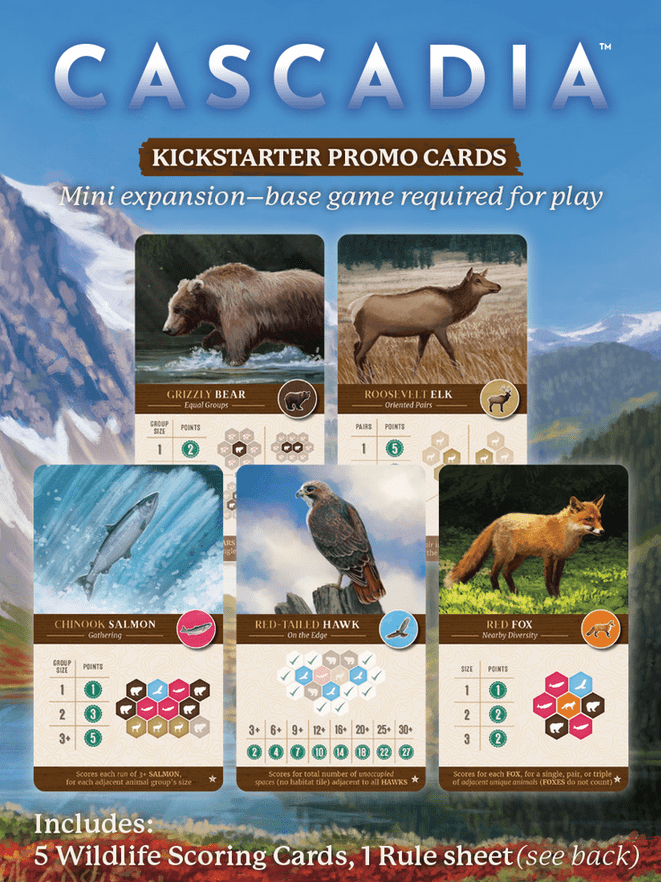
For each player, score points for each of the five wildlife species based on the specific Wildlife Scoring Cards chosen at the beginning of the game. These cards detail unique patterns and conditions for scoring points with your bears, elk, salmon, hawks, and foxes. For example:- Bears: Score for creating groups of bears of various sizes.
- Salmon: Score for creating "runs" of adjacent salmon where each is adjacent to no more than two others.
- Elk: Score for creating groups of elk, often in specific shapes or formations.
- Hawks: Score for spreading out over the landscape, either individually, in pairs, or for lines of sight between them.
- Foxes: Score for adjacencies to other animals, individually or in pairs, based on unique animal types nearby.
Habitat Tile Corridors
For each of the five habitat types (Mountains, Forests, Prairies, Wetlands, Rivers), identify your largest contiguous habitat corridor. A corridor is a group of matching habitat tiles connected by at least one shared edge. You score 1 point for each Habitat Tile in your largest corridor for each habitat type. Example: If you have a group of 3 Forests and a separate group of 4 Forests, you score 4 points for Forests, as 4 is your largest group.Habitat Tile Corridor Majorities
Bonus points are awarded for having the largest contiguous habitat corridor for each of the five habitat types. The number of bonus points varies by player count:- 2-player game: 3 bonus points to the player with the largest corridor. If tied, each player gets 1 bonus point.
- 3/4-player game: 2 bonus points to the player with the largest corridor, and 1 bonus point for the second largest. Ties for largest give 2 points each (no points for next largest). Ties for second largest give 0 points each.
- Solo game: 3 bonus points for each habitat type with a group size of 4 or more.
Nature Tokens
Any unused Nature Tokens you have at the end of the game are worth 1 point each.
Tips for Winning
Ready to dominate the Cascadia landscape? Here are a couple of tips to get you started:- Balance Wildlife and Habitats: Cascadia isn't just about one thing. You need to pay attention to both your Wildlife Scoring Cards and creating large, contiguous Habitat Corridors. Sometimes a tile-token combo might be perfect for your wildlife, but not so great for your habitats, or vice-versa. Try to find choices that benefit both!
- Don't Forget Nature Tokens: Those little cones are powerful! Spending a Nature Token allows you to break up a pre-set tile-token combination, giving you much-needed flexibility to grab exactly what you need. Also, remember that placing a Wildlife Token on a Keystone Tile earns you a Nature Token, so keep an eye out for those opportunities to replenish your supply. Having a few Nature Tokens on hand can be a game-changer in later turns!
More videos
More rules explanations from the community
In English
-
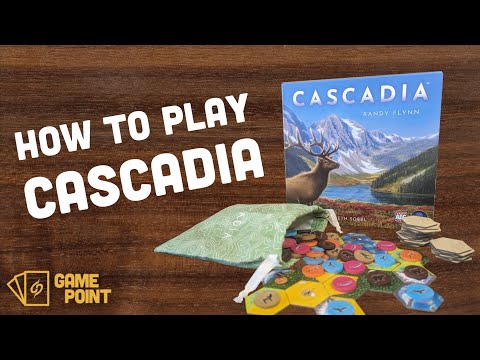 How to Play Cascadia | Complete Game Rules in 8.5 Minutes
-
 How to play Cascadia (solo)
-
 How to Play and Tips for Cascadia
-
 Cascadia - scenario 14 | Solo Playthrough
-
 How To Play Cascadia
-
 Cascadia Play-Along Tutorial
-
 How to Play Cascadia | Board Game Rules & Instructions
-
 CASCADIA / LEARN HOW To PLAY In LESS THAN 10 MINUTES / Teach A Friend How To Play CASCADIA
-
 Cascadia - Rules Breakdown & Playthrough
-
 Cascadia Board Game - Tutorial and Solo Playthrough
-
 Cascadia Digital - Full Tutorial Playthrough
Rules manual
Official PDF file
Prefer the Official PDF?
Download the official Cascadia rulebook or browse it online with our AI rules assistant.
View Rulebook PDF
Frequently Asked Questions
Quick answers about the rules
What is the objective of Cascadia?
Welcome to Cascadia, fellow nature enthusiasts! Get ready to dive into the breathtaking beauty of the Pacific Northwest and create your very own thriving ecosystem. In this puzzly tile-laying and token-drafting game, your main goal is to build the most diverse and harmonious environment. You'll be drafting Habitat Tiles and Wildlife Tokens to construct a beautiful landscape mosaic, all while competing to create the largest contiguous habitat corridors and arranging wildlife into clever…
How do you set up Cascadia?
Alright, let's get our wilderness ready! Here's how to set up your game of Cascadia: First things first, grab the Cloth Bag and toss all 100 Wildlife Tokens into it. Give it a good shuffle! Next, you'll need to gather your Habitat Tiles. The number of tiles depends on how many players are joining the adventure: For 1 player: 43 tiles For 2 players: 63 tiles For 3 players: 83 tiles Randomly select the appropriate number of tiles without looking at them. Any unused tiles go back in the box…
How do you play Cascadia?
Starting with the first player and moving clockwise, players will take turns building their environment. Each turn is a chance to expand your landscape and populate it with magnificent wildlife. At the start of every turn, you'll see four Habitat Tile and Wildlife Token combinations in the center of the play area, offering four choices. But before you pick, let's check for some wildlife drama! Overpopulation Check Sometimes, the wildlife gets a little too cozy. Before you make your selection…
How does Cascadia end, and how do you score?
The game comes to an end when there are no more Habitat Tiles left in the face-down stacks to replace one selected by a player. Each player will have taken exactly 20 turns. Once the game concludes, it's time for the grand scoring! Grab the Scorepad and tally points for the following categories: Wildlife Scoring Cards For each player, score points for each of the five wildlife species based on the specific Wildlife Scoring Cards chosen at the beginning of the game. These cards detail unique…
What are some tips for winning Cascadia?
Ready to dominate the Cascadia landscape? Here are a couple of tips to get you started: Balance Wildlife and Habitats: Cascadia isn't just about one thing. You need to pay attention to both your Wildlife Scoring Cards and creating large, contiguous Habitat Corridors. Sometimes a tile-token combo might be perfect for your wildlife, but not so great for your habitats, or vice-versa. Try to find choices that benefit both! Don't Forget Nature Tokens: Those little cones are powerful! Spending a…
Want to compare prices and check reviews?
Find where to buy at the lowest price, price history, and our full game review.
View Cascadia
Expansions
Published additional content

Other Games You'll Like
Based on mechanics and theme