How to Play Maracaibo
Game's Up, BoardM Factory, Capstone Games · Board game · 2019What do you want to do now
Ask anything about Maracaibo: rules, setup, components, complexity, price, or whether it fits your group.
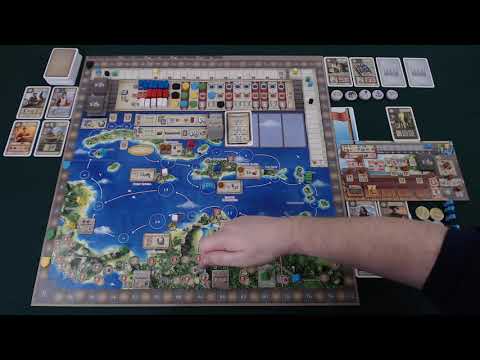
Video: How to Play
Start here, then follow the written guide
Step by step
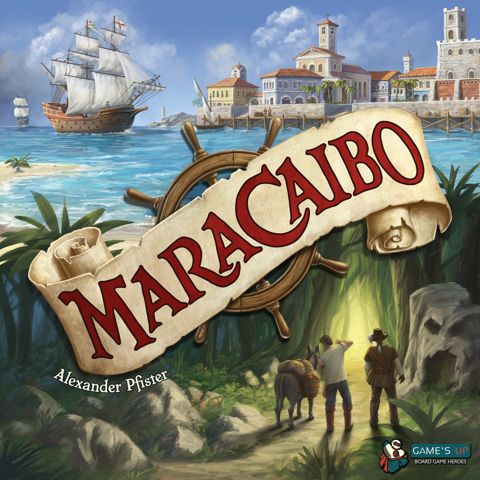
Ahoy, sailors and adventurers of the Caribbean! Prepare your ships, olives, and maps, because today we're going to explore the turbulent (and incredibly fun) waters of Maracaibo! If you're a fan of strategy games with a touch of exploration, resource management, and a pinch of piracy, grab your rum and come with me. I'm your senior editor from BoardGameBot, and I'm here to guide you through this definitive guide on how to play Maracaibo. We're going to transform you from a first-time sailor into a true lord of the seas!
Game Objective
In Maracaibo, we are navigators and adventurers in the 17th century, in a bustling Caribbean where European nations vie for supremacy. Our objective? Simple: accumulate the most Victory Points (VPs) at the end of four intense rounds. You can upgrade your ship, fight for nations, deliver goods, create a network of informants, or even explore the interior of the territory. The competition is fierce, so plan your steps with mastery, for fame and fortune await you. The one who uses the correct cards and tactics to become the greatest navigator will be remembered forever!
Preparation (Setup)
Let's set up the table for our Caribbean adventure. Follow these step-by-step instructions to ensure everything is in the right place for your first game:
- Main Board: Place the board showing the Caribbean in the center of the table, accessible to everyone.
- Combat Tiles: Shuffle the combat tiles and create 2 face-down stacks in the indicated locations on the board.
- Quest Tiles: Shuffle the quest tiles and create a face-up stack in the corresponding location. Orient the tiles with the lighter board facing up. Take the first 3 quest tiles and place them in the 3 marked spaces on the explorer track, at the bottom of the map.
- Story Tiles: Organize the four story tiles in ascending order (1 to 4) next to the quest tiles, with number "1" at the top.
- City Tiles:
- For 2 players: Cover the city of Maracaibo with the Maracaibo city tile.
- For 3 or 4 players: Return the Maracaibo city tile to the box.
- Project Cards: Separate the project cards into stacks A (rigging ⊗⊗⊗⊗⊗) and B (rigging ⊗⊗⊗⊗⊗).
- Deal 8 A cards to each player.
- Remove 40 B cards from the stack and shuffle them with the remaining A cards. The remaining B cards return to the box.
- Place the shuffled card stack, face down, next to the board. Reveal the first 4 cards from this stack, creating a display.
- Common Resources: Place the doubloons and the 100/200 point markers in a common supply next to the board. The legacy tiles, face down, also go next to it.
- Prestige Buildings: Shuffle the prestige buildings and place 4 of them on the top edge of the board: one face up in space I and three face down in spaces II to IV. The others return to the box.
- Ownership Markers: Place the ownership markers in the spaces of the same color to the left of the influence track (France = blue, England = white, Spain = red). Only one marker in the leftmost space, and two in the others.
- For 2 players: Immediately place a red ownership marker in village No. 6 (San Juan), a white one in No. 7 (St. Kitts), and a blue one in No. 8 (Martinique).
Player Setup
Now, each pirate receives their own starting treasures:
- Each player receives a ship board and places it in front of them.
- Place 2 discs in each of the circular spaces marked with ⦿ on your ship board (total of 24 discs).
- Each player receives all wooden components in their color and places:
- Their victory point marker on position 0 of the victory point track.
- Their ship in Havana, on the main board.
- Their explorer on the starting space of the explorer track, on the main board.
- One of their influence markers on space 0 of each influence track of the different nations.
- One of their markers on space 1 of the combat track of their ship board.
- One of their markers on space 8 of the doubloon income track and the last one on space 0 of the victory point income track.
- Additionally, each player receives:
- 2 workers of their color (the remaining ones stay in the common supply).
- 2 career cards (the remaining ones return to the box).
- 1 Game Summary (the remaining ones return to the box).
- Starting Player and Doubloons: The player who most recently was on a ship is the starting player and receives 8 doubloons. The next player (clockwise) receives 9 doubloons, the third 10, and the fourth 11.
- Campaign or Standard Game:
- Campaign: Place story card 01 in space 15 of the board. Read and follow the instructions (place story tile 1, draw quest tiles, etc.).
- Non-Campaign: Look for story card 75, place it in space 15. Read and follow the instructions (draw quest tiles). Return the remaining story tiles, legacy tiles, and story cards to the box.
- Initial Project Cards: Each player chooses what to do with their 8 initial project cards:
- a. Keep 4 cards in hand.
- b. Add a card to one of the 3 planning spaces at the top of their ship board.
- c. Discard 3 cards to the discard pile.
- Career Cards: Simultaneously, all players choose which of their two career cards they will keep. Place the chosen one next to the ship board and return the other to the box. Take 3 workers of your color from the common supply and place them in the corresponding spaces on your career card.
The Game Turn
A game of Maracaibo has 4 rounds, each representing a decade of your career. Each turn is divided into three phases:
Phase A) Navigate
Move your ship between 1 and 7 locations forward. You have 7 movement points and must use at least one. Unused points are lost.
- Each white circle with a number is a location. Cities have a scroll with an action; the others are villages.
- Movements follow the arrows. You cannot navigate backward.
- Multiple ships can occupy the same location.
- Locations with the 🛑 symbol cannot be skipped – you must end your movement on them.
Phase B) Main Action and Free Actions
Perform a main action at the location where your ship stopped, along with any number of free actions.
Main Actions (choose one, based on your ship's location):
- City:
- Deliver goods: Discard a card from your hand with the corresponding goods symbol and remove a disc from your ship board, placing it in the empty market space of the city. (Optional, once per turn).
- Perform the action indicated in the city: Even if you haven't delivered goods, you can perform the specific city action.
Examples of City Actions:
- Combat: Reveal a combat tile. Choose a nation to assist, pay/receive costs/bonuses (doubloons, influence, VPs, workers). You can spend combat points or workers to increase your combat value. Perform combat actions such as Receive Influence (reduces 2 or 5 combat for 1 or 2 influence) or Annex/Take Over (reduces 4 or 6 combat to place an ownership marker and gain bonus/influence). You can only perform each combat action once per combat.
- Explore: Move your explorer along the explorer track (up to the indicated limit). Occupied spaces are skipped. Receive the reward from the space where you stop. If you stop on a quest, you can fulfill it immediately. Crossing the red barrier gives 3 influence with a nation. Crossing the blue/green barriers gives 4 VPs (first) or 2 VPs (others). The first to reach the end of the track gains 10 VPs.
- Other city actions may include gaining influence and a village action, gaining combat points and removing discs, gaining doubloons and a village action, etc.
- Village: Perform 1 village action. If you spent 4 to 6 movement points, you can perform 2 village actions. If you spent 7 movement points, you can perform 3 village actions.
For each available village action, choose one of the three options:
- A) Discard Cards: Discard all cards from your hand. If you discarded at least one, receive 2 doubloons.
- B) Receive Doubloon: Receive 1 doubloon.
- C) Buy Card/Invest in Prestige Building: Choose a card from your hand or from the planning spaces and buy it, placing it in your display. You can use the effects immediately. Alternatively, invest in a prestige building.
- Quest: If there is a quest tile at the location, you can fulfill it by paying the indicated costs and receiving the reward. The reward may depend on the number of compass symbols you possess. Add the quest tile to your ship board.
- Assistants: If there are one or more of your assistants at the location, you can perform a special assistant action (only one, even with multiple assistants).
- "Returning Home" Spaces (20, 21a/21b, 22):
- No. 20 (First space): Perform a combat action OR move your explorer up to 2 spaces forward.
- No. 21a/21b (Second space): Receive 3 VPs. Triggers the Intermediate Scoring at the end of your turn (after Phase C) in rounds I to III.
- No. 22 (Third space, only in round IV): Receive 5 VPs. Triggers the Final Scoring at the end of your turn (after Phase C).
Free Actions (can be performed at any time during Phase B, as many times as you wish):
- Move Card to Planning: Move a card from your hand to one of the 3 planning spaces on your ship board. Cards here do not count towards your hand limit.
- Complete Career Objective: Fulfill one of the tasks on your career card, receiving doubloons and/or VPs and a worker.
- City:
Phase C) Replenish Hand
Draw project cards from the deck until you reach your hand limit (initially 4 cards, can increase to 6 with upgrades). You can also draw cards from the display, but each costs 1 doubloon (unless you have the upgrade that allows you to draw for free). If the deck runs out, shuffle the discard pile to form a new one.
After Phase C, your turn ends and the next player clockwise plays.
End of Game and Scoring
The game ends after the fourth round. Each round, at the end of a player's navigation in the "returning home" space, scoring occurs.
Intermediate Scoring (after Rounds I, II, and III)
Triggered when a player ends their navigation in space 21a. Follow these steps:
- Starting with the player who triggered the scoring, each player (clockwise) chooses:
- a. Buy a project card (from hand or planning) and add it to the display. Replenish your hand. Optionally, invest in a prestige building. OR
- b. Receive 2 victory points.
- Receive doubloon and VP income according to the position of your markers on the income tracks. (Ignore VPs from the doubloon track in this phase).
- Remove all delivered goods discs from the cities on the board.
- Discard all revealed cards from the project card display. Draw 4 new cards to form a new display.
- Reveal the next prestige building (on the top edge of the board).
- Check if the requirements of the current story card have been met (usually by taking the corresponding story tile). The player who met them reads the back of the card, which advances the story, introduces new quests, story tiles, locations, or rules.
- Return all ships to Havana.
The next player clockwise (to the left of the player who triggered the scoring) starts the new
More videos
More rules explanations from the community
In English
-
 Maracaibo Tutorial & Playthrough - JonGetsGames
-
 Pit Stop: Maracaibo
-
 Learn to Play Maracaibo
-
 Maracaibo Learn to Play
-
 Singular Stars: Maracaibo Solo Setup
-
 Maracaibo - Part 2: how to play | JLTEI
-
 Maracaibo. Start Playing in 14 Minutes. Quick Start Board Game Tutorial
-
 Maracaibo Rules Challenge
-
 Maracaibo - Part 1: game set up | JLTEI
-
 Rules Speed Through with John LaRuffa - Maracaibo
-
 How do you win Maracaibo? - Friendly Ties Podcast
Rules manual
Official PDF file
Frequently Asked Questions
Quick answers about the rules
What is the objective of Maracaibo?
How do you set up Maracaibo?
How does Maracaibo end, and how do you score?
Expansions
Published additional content

Other Games You'll Like
Based on mechanics and theme