
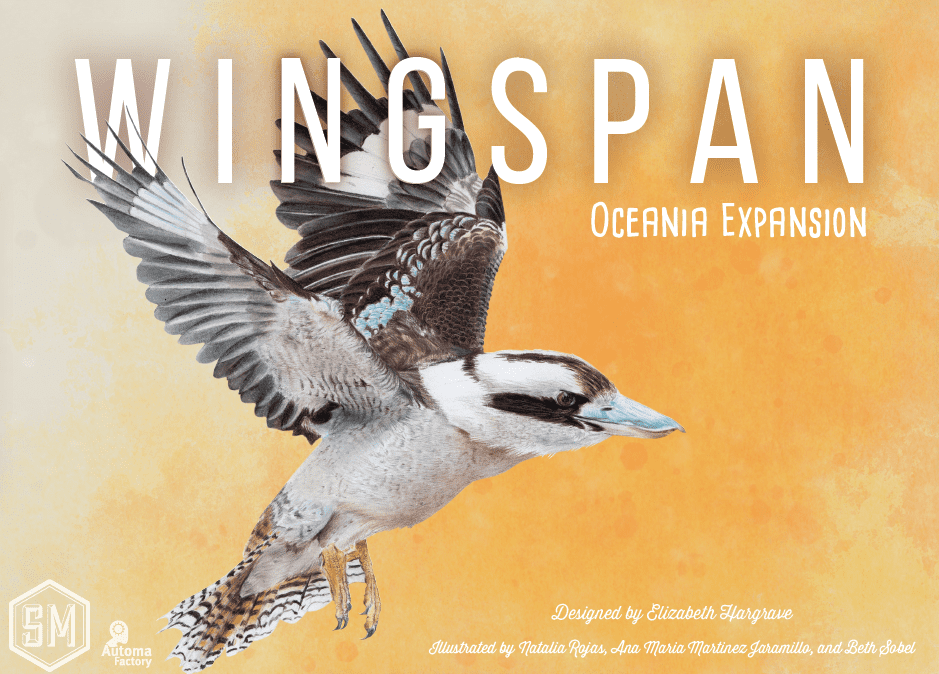
Wingspan: Oceania Expansion — How to Play
Stonemaier Games, 999 Games, Arclight Games · Board game · 2020Video: How to Play
Start here, then follow the written guide
Step by step
Game Objective
Welcome to Wingspan: Oceania! In this game, you and your fellow players are ornithologists, each aiming to attract the most impressive collection of birds to your personal nature reserves. As you attract birds, they form an ecological chain, helping you gather food, produce eggs, and ultimately attract even more birds. The game concludes after four rounds, and the player who has accumulated the most points by the end of the final scoring will be declared the winner!
Setup
- Place the grey Bird Tray in the center of the table.
- Shuffle all 170 + 95 Bird Cards (turquoise, feather backs) to form a deck next to the Bird Tray. Reveal and place 3 cards into the 3 slots in the tray.
- Create a Supply next to the Bird Tray with all 103 Food Tokens + 69 Nectar Tokens and 75 + 15 multi-coloured Eggs.
- Place the Birdfeeder in the middle of the table, and roll the 5 Food Dice (from Oceania, not base) into the Birdfeeder.
- Place the Goal Board in the middle of the table. You can choose to place it Green side up for more player competition or Blue side up for less. The green side is the default. Players should agree on which side to use.
- Shuffle the 8 + 4 (double-sided) Goal Tiles, and draw 4 of them (random side up), placing one on each of the Goal Tile spaces on the Goal Board. Ensure everyone understands the Goals for each round.
- Shuffle the 26 + 5 Bonus Cards (green backs) and place them face down as a deck next to the Bird Tray.
- Each player takes the following items:
- 1 Player Mat (use the Oceania player mats).
- 8 wooden Action Cubes of their chosen player color (R/Y/G/B/P).
- 2 Bonus Cards (drawn from the Bonus Card Deck).
- 5 Bird Cards (drawn from the Bird Card Deck, not the Bird Tray display).
- 5 Food Tokens, one of each type (Invertebrate, Seed, Fish, Berry, Rodent).
- Each player decides how many Bird Cards from their hand to keep, discarding 1 Food Token for each Bird they keep. Any remaining Bird Cards are discarded. You may look at your Bonus Cards when picking your birds. Each player gains 1 nectar.
- Each player chooses one Bonus Card to keep from the 2 they were dealt, discarding the remaining card to the Bird Card discard pile.
- Randomly select a First Player and give them the First Player token.
Course of Play
The game is played over 4 Rounds. In each Round, players take turns performing one action until they have used all their available Action Cubes. Once all players have used all their Action Cubes, the Round ends.
A Player’s Turn
On your turn, you must choose and perform one of the four possible actions, which are also printed on your Player Mat.
Actions and How to Play
Action 1: Play a Bird Card from your hand
- Select a Bird Card from your hand.
- Pay the bird’s Food Cost by discarding Food Tokens from your personal supply.
- You cannot use cached food on other Bird Cards for payment.
- A ‘Wild’ Food requirement can be paid with any Food Token.
- If the Food requirement has a “+”, discard both types of Food tokens. If it has a “/”, you choose which to discard.
- Some Birds have no Food requirements.
- Two Food Tokens of any type can be discarded to substitute for one Food Token of a needed type.
- When spending Nectar to play a Bird Card, place it to the left of the row, not back into the Supply.
- Place the chosen Bird Card in the Habitat row matching the Bird’s desired habitat (Forest, Grassland, Wetland). The Bird Card must be placed in the leftmost unoccupied space in that row. If a Bird Card depicts more than one Habitat, you may choose which of those depicted Habitats to place the bird in. You cannot exceed 5 Bird Cards per row.
- Pay the Egg Cost of the column you are placing the Bird into (if any) with Eggs from your Player Mat.
- Place one of your Action Tokens on the top left corner of your Player Mat to indicate that you used an Action.
- If the Bird Card has a “when played” benefit, receive it now. Other Bird Cards activate later, when triggered.
- You do not activate all the cards in the row like you do when performing Actions 2, 3, or 4.
Action 2: Gain Food and Activate Woodland Bird Powers
- Place an Action Token on the leftmost vacant space in the Woodland Row. You will activate this space.
- Determine how many dice-worth of Food you are receiving (check the space). Then, examine the dice in the Birdfeeder. For each Food you will be receiving, select a die in the Birdfeeder, take a Food Token of the matching type, and then place the die to one side of the Birdfeeder to show it has been used.
- Where there is a “/” on the die, you may choose which food to take.
- There is no limit to the number of Food tokens a player can have in their personal supply.
- The numbers and types of Food Tokens held by players are open information.
- Food tokens are unlimited. Use substitutes if the supply runs out.
- If the Bonus Action “convert 1 Bird Card to Food” icon is visible on the activated space, you may also discard one Bird Card from your hand to take an additional die from the Birdfeeder.
- You may only do this once per Action, and the Card discarded must be from your hand.
- Also note the new ‘pay 1 food to reset birdfeeder’ bonus action.
- If the Birdfeeder is empty, take all the used dice and re-roll them into the Birdfeeder.
- If you are about to gain Food for any reason, and there is only one choice of Food type in the Birdfeeder (including a single die), you may re-roll all five dice into the Birdfeeder before selecting dice. Faces with the “/” count as a unique face type and only match identical versions of themselves.
- You can still activate the Gain Food Action even if you have no Bird Cards in the Forest Row.
- If the Forest Row is full (5 Bird Cards), the reward for the Action is listed to the right of the row.
- Once Food Tokens have been gained, move your Action Token from right to left across the Bird Cards in the Forest row. Each time you reach a card with a “When Activated” power, you may activate its power.
- Finally, place the Action Cube to the left of the Forest Row to indicate the action is complete.
- A “skull and crossbones” icon indicates that the bird is a predator. If another player has a bird triggered by predation, let them know that your predator has hunted, if you used it.
- If a Bird Card caches a particular type of Food, place it on that card. These Food Tokens are worth 1 Point each at the end of the game. Cached Food cannot be spent during the Play a Bird action. If the bird provides a choice as to whether to cache or add food to personal supply, you cannot change your mind later.
- If an effect causes a player to “Tuck” a card, the card is placed under the Bird Card you activated. The tucked card is worth 1 Point at the end of the game.
Action 3: Lay Eggs and Activate Grassland Bird Powers
- Place an Action Token on the leftmost vacant space on the Grassland row.
- Determine how many Eggs you are receiving (and any bonus actions to take afterwards). The color of Egg you get is irrelevant.
- Distribute the Eggs you receive among any Bird Cards on your Player Mat that are capable of holding them (see the left bar on the Bird Card for Egg capacity), ensuring you do not exceed the egg capacity of the card.
- Any excess Eggs you cannot store on Bird Cards are lost back to the general Supply.
- The Grassland Bonus Action allows you to exchange any Food Token for one additional Egg, once.
- The Egg supply is unlimited. Use substitutes if you run out.
- Once Eggs have been gained, move your Action Token from right to left across the Bird Cards in the Grassland Row. Each time you reach a card with a “When Activated” power, you may activate its power. Finally, place the Action Cube to the left of the Grassland Row to indicate the action is complete. Each egg on a Bird Card is worth 1 Point at the end of the game.
Action 4: Draw Bird Cards and Activate Wetland Bird Powers
- Place an Action Token on the leftmost uncovered space on the Wetland row.
- Determine how many Bird Cards you are drawing from the icons on that space.
- Draw that number of Bird Cards from either the face-up Bird Card display or blind from the Bird Deck.
- The cards in the Bird Card display do not refill until your entire Action (including “When Activated” powers) is completed.
- If the space also has the “Egg → Card” icon, you may discard an Egg from your Player Mat to draw a Bird Card.
- Also note the new ‘spend 1 Food to reset the Bird Tray’ Bonus Action.
- Once Cards have been gained, move your Action token from right to left across the Bird Cards in the Wetland Row. Each time you reach a card with a “When Activated” power, you may activate its power.
Nectar
When paying food to play a bird, using an “any food” bird ability, or upgrading an action, nectar is a wild food. You can substitute nectar for any of the 5 other food types when playing a bird, discarding ‘1 wild food’ for a bird’s ability, or performing a Bonus Action.
- Some birds have nectar as a food cost. The normal rule that you can spend 2 food tokens as if they are any 1 food token also applies to nectar.
- The wild symbol always includes nectar.
- When bird powers refer to a specific food type, nectar is not a wild food.
Any nectar remaining in your personal food supply at the end of the Round is discarded. You cannot carry over nectar between Rounds.
- Nectar discarded at the end of the Round goes back to the Supply, not to one of the “spent nectar” spaces.
- This rule only applies to unspent nectar in your personal food supply.
- Do not discard the nectar on your “spent nectar” spaces or cached on your birds.
When spending nectar to play birds, use an “any food” bird ability, or towards a Bonus Action, place the Nectar tokens onto the “spent nectar” space for that habitat. You can put nectar onto your mat when:
- You spend nectar as part of a bird’s food cost.
- Exception: Nectar costs paid with [2 wild tokens = 1 Nectar] are not placed on the “spent nectar” space. The nectar never enters your supply.
- You spend nectar on a bird ability that has the [wild food] icon.
- Remember: If the bird ability lists a specific food, you must use that food. Nectar is not wild for bird abilities.
- You spend nectar to pay for one of the Bonus Actions printed on your Player Mat (e.g., resetting the birdfeeder or card tray, or gaining more eggs or cards).
You must put the nectar spent on the same row where you spent it: when playing a bird, put it in the row where you played the bird. Otherwise, put it in the row that you activated that turn. You may not trade away nectar using the [2 resources => 1 Resource you need] conversion. Nectar is already wild.
Once Between Turns Powers
Some Bird Cards have a “Once Between Turns” power, which is triggered by something another player does. Use the power as instructed on the card, but you cannot re-use that power until it has been your turn again. It does not matter if it hasn’t been your turn yet this round, or if it’s after your last turn this round – the power will activate provided it hasn’t already been used this rotation.
End of the Round
At the end of each Round, follow these steps in order:
- Remove all Action Cubes from your Player Mat and place them beside it, ready for the next Round.
- Discard all unused nectar.
- Score the end-of-round Goal for the Round you just completed. Use one of your Action Cubes to mark your score on the Goal.
- Green Scoring: Count the quantity you have of the targeted item on the Goal Board for the current Round. Arrange the players’ cubes according to how players rank for the targeted item. Players score the indicated points at game end. If players tie, place both cubes in the tied place, and do not award the next place. At game end, sum the points from the tied space and the empty space behind it, and divide by the number of tied players, rounded down, awarding to all tied players.
- Any player that does not have any of the targeted item scores 0 points.
- Any player in 4th or 5th place scores 0 points.
- Blue Scoring: Count the quantity of the targeted item each player has, and place their Action Cube on that space. Players score 1 point per targeted item at game end, max. 5 points. If they have none of the targeted item, they score 0.
- As a result of using an Action Token to score,
- Green Scoring: Count the quantity you have of the targeted item on the Goal Board for the current Round. Arrange the players’ cubes according to how players rank for the targeted item. Players score the indicated points at game end. If players tie, place both cubes in the tied place, and do not award the next place. At game end, sum the points from the tied space and the empty space behind it, and divide by the number of tied players, rounded down, awarding to all tied players.
More videos
More rules explanations from the community


Rules manual
Official PDF file
