
/pic6502975.png)
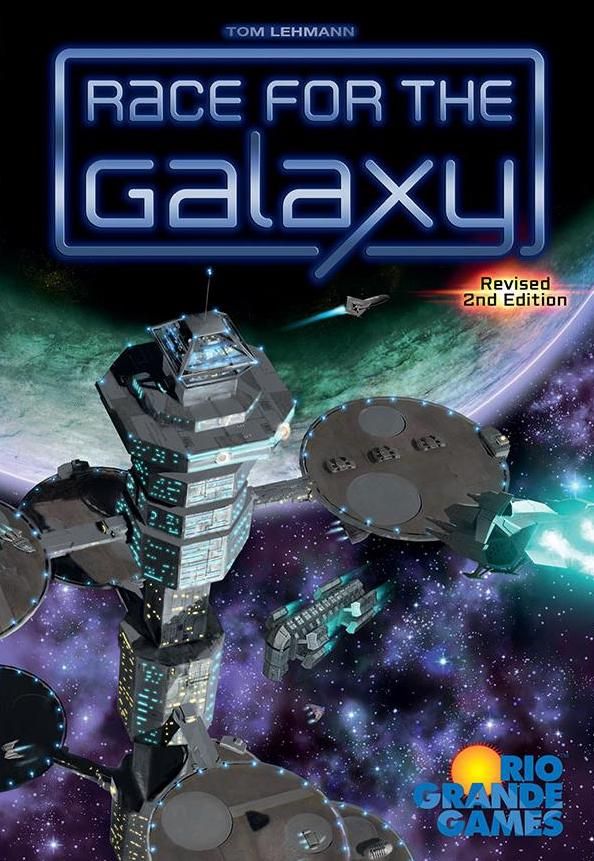
What is your question about Race for the Galaxy: Expansion and Brinkmanship?
Ask before downloading the manual: the assistant was trained on this file and answers instantly, citing the exact page.
Ask questions about the game
Ask anything about Race for the Galaxy: Expansion and Brinkmanship: rules, setup, components, complexity, price, or whether it fits your group.
Write your question first. You will create your free account to see the answer — it takes 20 seconds.
Full rulebook
Browse the manual or download the original PDFFull manual text available to read Open text
TOM LEHMANN
Solitaire Game Rules
This game uses the RFTG experienced 2-player rules, without goals or
takeovers. When using Set 3 cards and start worlds 12-15, the Prestige and
Search rules are required. The 2nd Edition start worlds −6 to −1, added a
decade after the solitaire game was developed, are not used.
The player plays against an “adaptable robot” opponent, using one of start
worlds 0-15, whose actions are abstracted. Its choices are determined by rolling
two custom dice whose placement on the mat is often affected by the player’s
action selections.
The robot’s start world determines how the robot faces (two faces on one
custom dice) behave during play. It also determines if any special mat tiles
replace the robot’s preprinted actions and responses on the play mat.
Set out 24 VP chips. Pick a difficulty (see chart). Put the indicated number of
6-cost development counters nearby. Shuffle and deal a start world to you and
the robot. Shuffle the other start worlds into the deck.
Use the black-edged credit, economy size, and (2) player action markers. Find
any mat and “robot =” tiles (possibly on the reverse of other tiles) to use based
on the robot’s start world, as shown on the back of the play or search mats.
Return the other robot tiles to the box. Flip the mat face up.
Place any special mat tiles used on top of their corresponding mat areas,
matching them by color. Place the grey “robot =” tile on its space (set the x2
“robot =” tile nearby if the robot start world is Old Earth). Place the credit
marker on 1 (0 if the robot start world is Ancient Race; 2 if it is Alpha Centauri
or Galactic Scavengers); the economy size marker on 0 (1 if the robot start
world is Earth‘s Lost Colony or Epsilon Eridani), and deal 4 cards (3 if the robot
start world is Ancient Race or Galactic Scavengers) face down to form the robot‘s
initial draw stack (see diagram below).
OVERVIEW
SETUP
1 game play mat
21 game counters and tiles
2 custom dice
Carefully remove the counters and tiles
from their frames before your first game.
The robot’s actions depend on your
action selections.
Different robot start worlds play
differently.
The robot as a RFTG player:
The robot’s hand of cards is represented
by a facedown stack of cards, from
which cards are flipped over during
play and either added to its tableau
stack or discarded.
The robot’s tableau is a stack of faceup
cards, initially containing just its start
world, where only the number of cards
in the stack and their VPs matter. 6 or
9 cost development counters (depending
on game difficulty) gained during play
also count as “cards” in this stack.
The robot’s tableau never holds any
goods; instead its credit and economy
size tracks are used to abstractly model
the robot’s Trade and Consume actions.
6-cost
difficulty counters
easy 1 @ 6 VPs
medium 2 @ 6 VPs
hard 3 @ 9 VPs
robot responses
to player actions
robot
dice row
military Settle
special mat counter
play mat
robot
draw
stack
credit
track
6-cost
counters
economy
size track tableau stack
(with start
world)
player
action
markers
robot
actions
“robot =“
counter
rftg_2e_arc1_solo-rules_221027.indd 1rftg_2e_arc1_solo-rules_221027.indd 1 27.10.22 22:0527.10.22 22:05
---
Sequence of Play. Each round consists of three steps:
1. The player selects their 2 actions normally, but marks them with player
action markers on the play mat (instead of using action cards).
2. Roll and place the dice (the robot's action selections) on the play mat.
3. Resolve actions for each selected phase, left to right, player first.
Round end: discard down to 10 cards (the robot has no hand limit) and
check for game end. If the game has not ended, repeat steps 1-3.
Place Dice. Put them on their matching spaces in the dice row of the play
mat; placing any single Explore, Develop, or Settle die face rolled on the
leftmost space of these respective pairs of spaces on the play mat.
The grey Settle and Produce die faces match the colored Settle and
Produce mat spaces.
If a face is rolled, read it as the face shown on the "robot =" counter.
Each "match" face rolled indicates a robot action that will match a player
action this round. If "match" faces are rolled on both dice, put the dice
on the spaces below both player action markers. If only one face is rolled,
put that die in the space below the rightmost player action marker (unless that
space already has a die in it, in which case this die goes below the other player
marker). If both player action markers occupy a pair of Explore, Develop, or
Settle spaces, shift the die left so that it is below the first of this pair of
spaces (unless the other die is in that space).
Examples. After the player selects Consume x2 and Produce and the
robot rolls Develop and , put the first die on the left-most Develop
space and the second die on Produce (the right-most unoccupied space
below a player action). If, instead, the player chose Explore twice and
the robot rolled Produce and , put the first die on Produce and the
second die on the left-most (first) Explore space.
Resolve Selected Phases. Do each phase selected either by a robot die or the
player, from left to right. Skip all unselected phases. In each phase, resolve the
player before the robot. As normal, the player does both the phase's action
and bonus if they selected it or just the action if only the robot selected it.
Resolve what the robot does for each selected phase as listed on the mat in the
two rows below the dice row. Use the top row if a robot die is present (a robot
action). Use the bottom row if no die is present and the action was selected by
the player (a robot response). Do not combine the rows when both the robot
and player select the same phase.
Robot Draws. Draw for the robot (in all phases) means to shift the specified
number of cards from the draw pile to the robot's draw stack without looking
at them.
Tracks. The robot's credit and economy size are marked by tracks. Its
maximum credit is 4 and its maximum economy size is 5; increases beyond
these numbers have no effect.
Flip to Find. Flip over cards one at a time from the robot's draw stack,
discarding all non-matching cards, until either the desired type of card is
found or the robot's draw stack is exhausted.
Place. Put the matching card on top of the robot's tableau stack.
After setting up the robot mat, deal six cards to yourself. Choose four of them
and discard the other two. Begin play.
PLAY
Robot response
(if the player selects a
phase where no robot
dice are present)
"Match" phase
selection
Robot = phase selection
Robot action(s)
(do both if both
robot dice are
present)
"
increase/decrease tracks
flip to find
robot drawsThThTh
Thffffiflfi Thffffi
ThThThTh ThThThTh?Th
+5+5Th
+1+1
+1+1
"
: :::
: :
:, )(
:, )(
"
=
rftg_2e_arc1_solo-rules_221027.indd 2rftg_2e_arc1_solo-rules_221027.indd 2 27.10.22 22:0527.10.22 22:05
---
Explore action: draw 1 card and increase the robot’s credit by 1 (draw 3 cards total and increase the robot’s credit by 1 if the robot selected both Explore actions).
Explore response: draw 1 card (even if the player chose both Explore actions).
Separatist Colony ( ) and Uplift Mercenary Force ( );
Imperium Warlord ( ) and Rebel Freedom Fighters ( );
and Alien Research Team ( ) draw more cards on Explore, as shown on their special mat tiles (which overlay the mat).
Develop action or response (for each selected Develop phase):
First, check to see if the robot has an unplaced counter and 2 or more credit (3 or more credit on response). If so, place this counter next to the robot’s tableau stack (where it will count as 1 card for determining end of game); decrease the robot’s credit by 2 (3 on response); and then skip the robot’s regular Develop action or response.
Otherwise, perform the robot’s regular Develop action or response:
Develop action: draw 1 card and then flip to find a development. If a non-6 development is found, place it. If a 6-cost development card is found and the robot has 1+ credit, decrease its credit by 1 and place it; otherwise discard it and continue flipping cards.
Develop response: if the robot has no credit, do nothing. Otherwise, flip to find a development. If one is found, whether or not it is a 6-cost development, decrease the robot’s credit by 1 and place it.
Examples: The robot, with 1 credit and 2 cards in its draw stack, rolls Develop. Transfer 1 card to the robot’s draw stack and flip over cards from it, one at a time. The second flip finds a non-6 development. Place it in the robot’s tableau stack. The robot ends with 1 credit and 1 card in its draw stack.
Later, the player selects Develop with both actions. The robot, with 4 credit, a 5 card draw stack, and 2 unplaced 6-development counters matches the first Develop (and rolls some other action). After the player resolves their first Develop, put a 6-development counter next to the robot’s tableau stack and decrease its credit by 2. Since it placed a 6-cost development counter, skip the robot’s normal Develop action and do not draw or flip any cards. After the player resolves their second Develop, resolve the robot’s response. Since it now has 2 credit, do not place its other 6-development chip (this costs 3 credit on response), but instead start flipping cards (since the robot has positive credit). After it finds a 2 cost development on its third flip, put it in the robot’s tableau stack and decrease its credit by 1. The robot ends with 1 credit and a 2 card draw stack.
Galactic Developers ( ) develops more efficiently and does not require credits on response to flip to find developments.
Rebel Freedom Fighters ( ) gains 1 prestige each time it places a Rebel development but can never place (or match on) any IMPERIUM IMPERIUM cards.
ROBOT ACTIONS / RESPONSES
on robot action
on robot response
:
:
:
:
:
:
::
: :
:, )(
:, )(
:::
:, )(
:, )(::
: :
:, )(
:, )(
::
: :
:, )(
:, )(::
: :
:, )(
:, )(
rftg_2e_arc1_solo-rules_221027.indd 3 27.10.22 22:05
---
Settle action (for each robot-selected Settle phase): draw 3 cards and flip to find a non-military world, placing it if one is found.
Settle response (for each player-selected Settle phase): if the robot has no credit, do nothing. Otherwise, draw 2 cards and flip to find a non-military world. If one is found, decrease the robot’s credit by 1 and place it.
Examples: The player selects Settle and the robot, with 0 credits, rolls two other actions. It cannot respond to the player so it does nothing during Settle.
Later, the player selects both Settle actions and the robot matches the first one (and rolls some other action). The robot has credit 2 and a 2 card draw stack.
After the player does their first Settle action, transfer 3 cards to robot’s draw stack and then begin to flip them over. On its fourth flip, the robot finds a non-military world. Place it in its tableau. After the player does their second Settle, transfer 2 more cards to the robot’s draw stack and, because the robot has positive credit on response, flip to find a non-military world. If it fails to find one after 3 cards, exhausting its draw stack, do nothing (the robot ends with 2 credit). If it does find a non-military world, place it and decrease its credit to 1 (since the robot is performing this Settle in response to the player’s action choice).
Epsilon Eridani, New Sparta, Separatist Colony, Imperium Warlord, Uplift Mercenary Force, and Rebel Freedom Fighters flip to find military worlds instead and, except Uplift Mercenary Force, do not need positive credit to Settle on response.
Uplift Mercenary Force receives draws based on the number of worlds in its tableau.
Rebel Freedom Fighters gains 1 prestige each time it places a Rebel world but can never place (or match on) any IMPERIUM IMPERIUM cards.
The Rebel Cantina flips to find either non-military or military worlds (whichever it finds first) when it settles.
The Alien Research Team places only Alien worlds, either military or non-military, on its Settle action; on response, it places either an Alien military world or any non-military world, whichever it finds first.
On response, Alpha Centauri does not need positive credit to Settle.
On Doomed World’s first Settle action: flip from the draw pile (not its draw stack) until a 3 or more VP non-military world is found, place it, and increase its credit by 2 and its economy size by 1. Discard this mat counter and the Doomed World start world from its tableau.
4
x1
x2
x1
x2,
x1 x1
rftg_2e_arc1_solo-rules_221027.indd 4 27.10.22 22:05
---
5
Consume: Trade action: increase the robot’s credit by 2 and give it VP chips equal to its current economy size.
Consume: 2x VPs action: give the robot VP chips equal to twice its current economy size and then increase the robot’s economy size by 1.
Both Consume actions selected by robot: give the robot VP chips equal to twice its current economy size and then increase its credit by 2 and its economy size by 1.
Consume response (if any Consumes chosen were selected only by the player): give the robot VP chips equal to its current economy size.
Examples: The player selects Consume 2x VPs as one action and the robot rolls Consume: Trade as one of its actions. The robot has 3 credit and economy size 1. Increase the robot’s credit to 4 (its maximum) and give it a VP chip. The robot does nothing in response to the player’s Consume 2x action (since it rolled a Consume action).
Later, the player selects both Consume actions and the robot rolls two other actions. The robot has economy size 3. Give it three VP chips. (Do this only once, despite the fact that the player selected both Consume actions.)
Old Earth ( ), after its first Trade action: replace its “robot =” counter with and discard its mat counter.
Damaged Alien Factory ( ), after every Trade action, if its “robot =” counter is currently , flip it over to its side.
The Alien Research Team ( ) gains +1 credit on Trade and, if it has at least one Alien world in its tableau stack, 1 prestige on Consume 2x (but no increase to its economy size).
Produce action: increase the robot’s current economy size by 1.
Produce response: the robot does nothing.
Examples: The robot rolls Produce as one of its actions. The robot has economy size 0. Increase its economy size to 1.
Later, the player selects Produce as one of their actions and the robot rolls two other actions. The robot does nothing.
Still later, the player selects Produce and the robot rolls Produce. The robot has economy size 2. Increase its economy size to 3.
Damaged Alien Factory ( ), after every Produce action, if its “robot =” counter is currently , flip it over to its side.
Rebel Cantina ( ) and Galactic Scavengers ( ) increase their credits by 1 on Produce.
x1
x2
x1
:x2,
:x2
x1 =
( )
=
x1
x2
x1
:x2
: :
x1
:x2
=
rftg_2e_arc1_solo-rules_221027.indd 5rftg_2e_arc1_solo-rules_221027.indd 5 27.10.22 22:0527.10.22 22:05
---
If you have any comments, questions, or suggestions, please write to us at:
Rio Grande Games, PO Box 45715,
Rio Rancho, NM 87174, USA
RioGames@aol.com
www.riograndegames.com
When using The Brink of War cards and prestige rules, the robot earns 1 prestige by placing a card with a prestige symbol (see prestige rules).
If the robot is either the Alien Research Team or Rebel Freedom Fighters, it can also gain prestige as shown on their tiles (described earlier).
The robot can tie for or become the Prestige Leader normally, gaining those benefits at the start of the round. If the robot is the Prestige Leader and earned prestige in the previous round, it gains 1 VP chip, 1 card (in its stack), and increases its credit by 1.
Each prestige chip held by the robot is worth 1 VP at game end. The robot never chooses search or a prestige bonus action.
PRESTIGE AND THE ROBOT
Round End. The player discards down to 10 cards (the robot has no hand limit) and then checks to see if the game has ended. If not, select actions for the next round.
Game End. The game ends normally, at the round end in which either the player’s or robot’s tableau is 12 or more cards — counting any placed 6-cost development counters as 1 card apiece towards the robot’s tableau total — or the 24 VP chips are exhausted (use extra VP chips to finish out the round) or, when using the Brink of War cards and prestige rules, if either the player or robot has 15 or more prestige.
Scoring. Add the robot’s VP (and, when using The Brink of War cards, prestige) chips and tableau VPs, scoring each 6-cost development card or counter as either 6 or 9 VPs, depending on the selected game difficulty. If a tie occurs, the robot’s final credits plus its economy size is its tie-breaker value while the player’s tie-breaker value remains cards in hand plus goods (as it is in the standard game).
ROUND / GAME END
Design, development, and rules: Tom Lehmann
Original graphics, development assistance: Wei-Hwa Huang
Graphics: Mirko Suzuki
Illustrations: Martin Hoffmann and Claus Stephan
Special Thanks: Wei-Hwa Huang for his robot simulator
SOLITAIRE GAME CREDITS
rftg_2e_arc1_solo-rules_221027.indd 6
27.10.22 22:05
---
PLAY MAT REFERENCE
III
01234 012345
II VII III IV
x2x2
IV
$$
I
+5+5I
+1+1
+1+1
?
x1
x2
x1
:x2,
: :::
: :
:, )(
:, )(
=
rftg_2e_arc1_solo-rules_221027.indd 7 27.10.22 22:05
---
ROBOT SETUP TILES
©2008-2021 Tom Lehmann / ©2008-2021 Rio Grande Games
rftg_2e_arc1_solo-rules_221027.indd 8 27.10.22 22:05
---
Why ask BoardGamesBot
Instead of flipping through the whole manual- Accurate answers Based exactly on this manual, with the source page.
- Save time Find the rule in seconds, without flipping 8 pages.
- Anytime Settle rules mid-game, straight from your phone.
- 100% free Create your free account and start using it now.
How it works
Three steps to the answer- 1 Ask your question Type your question about this game's rules.
- 2 Create your free account Takes 20 seconds — it only saves your history.
- 3 Get the answer The AI finds the exact rule and cites the manual page.
Expansion for
Published additional content
Manual published by the publisher · for rules reference only. More about the game on BoardGameGeek and Ludopedia .
