
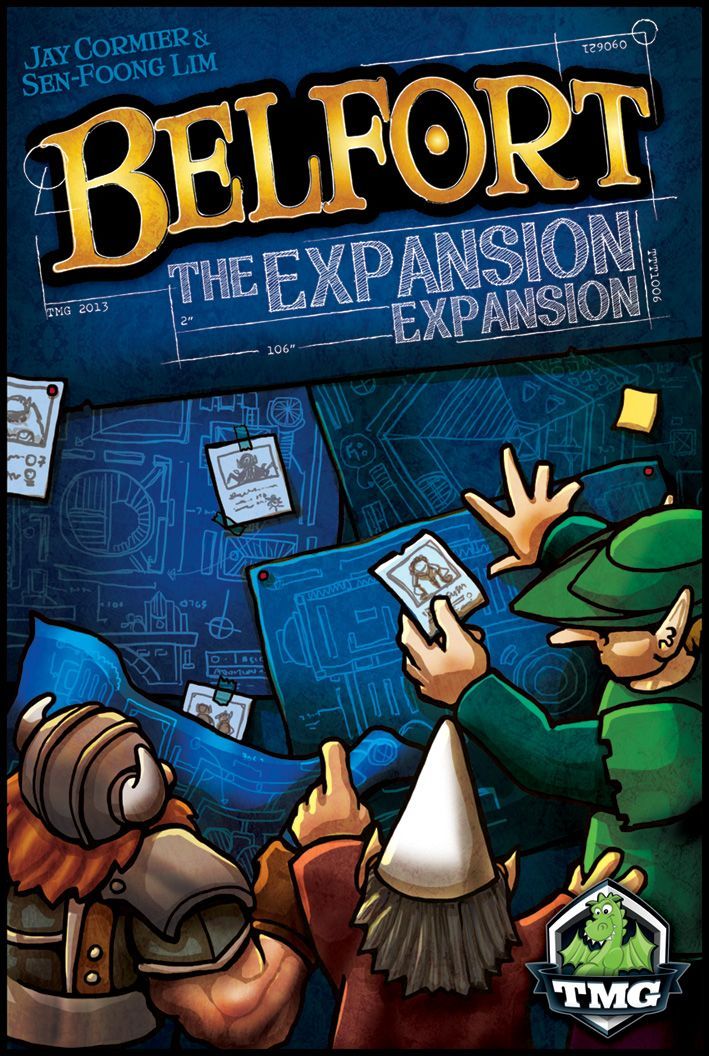
How to Play Belfort: The Expansion Expansion
Tasty Minstrel Games · Board game · 2013What do you want to do now
Ask anything about Belfort: The Expansion Expansion: rules, setup, components, complexity, price, or whether it fits your group.
Step by step
Objective do Jogo
In Belfort: The Expansion Expansion, players are Master Architects tasked with making their work stand out from the competition by adding additions to normal buildings in the City of Belfort. The King has cut a month from the project deadline, so players must work efficiently. To aid in this tighter schedule, players will license various Assistants to help them. The ultimate goal is to earn bonus points through these Expansions, though the specific victory condition is not detailed in the provided context.
Preparação (Setup)
Set up the game according to the usual instructions for Belfort, with three specific changes:
- Place the Calendar marker on the first month of the Calendar, instead of "next to" it. This means the game will have six rounds instead of seven.
- Place all Scoring Markers on the 6th space of the Score Track, instead of "near the start". This means players will experience the effects of taxes sooner.
- Include the new Guilds when determining which will be included in the game. Check the Guilds Appendix for details on the new Guilds.
Expansion Setup
- In a 2 or 3 player game, use only one of each Expansion Permit (ten total). Return all ten duplicate Permits to the box.
- In a 4 or 5 player game, use all twenty Expansion Permits.
- Stack the Permits on the top area of the Calendar board (on the "clip" of the clipboard). Players may examine the Permits deck at any time.
Assistant Setup
- Shuffle the Assistant tiles and lay out a display of random Assistants; one more than the number of players. Place the rest back in the box.
- Optionally, players may agree to select certain Assistants for their game.
- Find the Assistant tokens for any Assistant that needs them (if any) and stack the tokens in the token nest of the matching Assistant tile. Leftover tokens are returned to the box.
Fluxo do Jogo
The game progresses in rounds, with specific phases:
Calendar Phase
Every round, during the Calendar Phase, each player in reverse turn order will choose an Assistant, placing the tile (and any tokens it may come with) face up in front of themselves. There will always be one leftover Assistant each round. Place 1 Gold coin on top of the Assistant that was not chosen. If a Player chooses an Assistant that has Gold on top of it, they collect the Gold as well.
Actions Phase
Players can use their chosen Assistant in one of two ways during their turn in the Actions Phase: use its Specialty or get a new Expansion Permit.
Placement Phase
During the Placement Phase, players may place a Worker onto a plank of an Expansion Permit during the normal routine of placing Workers.
Scoring Phase
During every Scoring Phase, each player checks their own fully-expanded Properties and earns bonus points as applicable.
Ending the Round
At the end of the Round, before the next Calendar Phase, all players return their Assistant tiles (and tokens) face up to the display.
Ações e Como Jogar
Choosing Assistants
During the Calendar Phase, players choose an Assistant in reverse turn order. The chosen Assistant tile and any associated tokens are placed face up in front of the player. If an Assistant has Gold on it from a previous round, the player who chooses it collects that Gold.
Using Assistants
Players can use their Assistant in one of two ways during their turn in the Actions Phase:
- Use its Specialty: The player follows the instructions in the Assistant's Specialty text, then flips the Assistant tile face down to indicate that it’s exhausted for the round. Assistant Specialties improve as the seasons progress (Spring, Summer, Autumn values). Each Assistant tile tells you its Phase Clearance, which is a reminder of when its Specialty is used.
- Get a new Expansion Permit: The player flips the Assistant over (indicating it’s exhausted for the round), and then takes any Expansion Permit of their choice that remains in the deck. The new Permit is tucked under the relevant Property card so that the name and illustration of the completed Expansion is covered. A player may only do this during their own turn during the Actions Phase. A player may only choose a Permit if the relevant Property card is already built and in play on the table in front of them.
Expanding a Property
Expanding a Property is a 2-step process:
- Step one of Expanding (Placement Phase): During the Placement Phase, the player may place a Worker onto a plank of the Permit during the normal routine of placing Workers. Some planks show a fee, which is paid immediately upon placement. Gold, Wood, Stone, and Metal fees are paid back into the supply. Property card fees are paid into the discard pile.
- Step two of Expanding (Actions Phase): During their own turn in the Actions Phase, the player pays the cost shown on the Red Board to reclaim the Worker on the Permit’s plank and expand the Property. Then, the player slides the Property card down and left so that the Expansion name and illustration are showing. This Property is now fully expanded and its Bonus Scoring becomes active. If only one of a two-plank Permit’s planks has a Worker on it, the property cannot be expanded, and the Worker is reclaimed with no effect. If the cost on the Red Board cannot be paid, the property cannot be expanded, and the Worker is reclaimed with no effect. Red Board costs of Wood/Stone/Metal/Gold go back to the supply.
Losing Masters
Unlike in the base game, the Expansion includes ways to lose Dwarves/Elves. Players are permitted at any time to assess their unlocked Pubs/Gardens to determine how many Master Dwarves/Elves they are entitled to (1 Master Dwarf/Elf per unlocked Pub/Garden), then adjust their Worker tokens. If a player has more unlocked Pubs/Gardens than Dwarf/Elf tokens, once they gain a new Dwarf/Elf, they can immediately promote the new Worker to a Master if appropriate.
Fim de Jogo e Pontuação
End Game Trigger
The game will have six rounds instead of seven, as the Calendar marker starts on the first month. The specific end-game condition beyond the six rounds is not detailed in the provided context.
Scoring Expansions
During every Scoring Phase, each player checks their own fully-expanded Properties and earns bonus points as applicable. Examples of Bonus Scoring include:
- Bank+Treasury: Earn 1 point for every 3 Gold in your possession, up to a maximum of 4 points per Scoring Phase. Ignore remainders.
- Gardens+Pavilion: Earn 1 point for every 5 Wood found in the combined Build Costs of your built Property cards on the table in front of you. Ignore remainders.
- Blacksmith+Foundry: Earn 1 point for every 3 Metal found in the combined Build Costs of your built Property cards on the table in front of you. Ignore remainders.
- Gatehouse+Barracks: Earn 1 point for every Wall that you’ve built.
- Inn+Pool: Earn 1 point for every complete set of Workers (Dwarf + Elf + Gnome) you have.
- Keep+Chapel: Earn 1 point for each district in which you have at least one Property marker.
- Library+Archives: Earn 1 point for every 2 Property cards in your hand, rounding up.
- Market+Plaza: Earn 1 point for every Guild that you have built.
- Pub+Lodge: Earn 1 point for every 5 Stone found in the combined Build Costs of your built Property cards on the table in front of you. Ignore remainders.
- Tower+Scriptorium: Earn 1 point for every Expansion Permit (expanded or not) that you own.
Victory Conditions
Consulte o manual para detalhes sobre esta seção.
Dicas para Vencer
- Strategic Assistant Selection: Pay attention to the Gold placed on unchosen Assistants. Choosing an Assistant with accumulated Gold can provide a valuable resource boost.
- Timing Assistant Specialties: Consider the changing seasons when using Assistant Specialties. Their effectiveness (e.g., "X" values) improves as the seasons progress from Spring to Summer to Autumn, so timing their use can maximize their benefit.
- Early Expansion Planning: Since the game is shorter (six rounds), prioritize obtaining Expansion Permits for Properties you plan to build or have already built. This allows you to activate Bonus Scoring sooner and accumulate points over more Scoring Phases.
Rules manual
Official PDF file
Frequently Asked Questions
Quick answers about the rules
