

How to Play Cascadia: Landmarks
Flatout Games, Alderac Entertainment Group, CrowD Games · Board game · 2023What do you want to do now
Ask anything about Cascadia: Landmarks: rules, setup, components, complexity, price, or whether it fits your group.
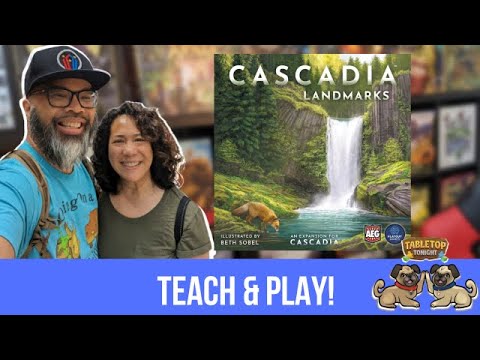
Video: How to Play
Start here, then follow the written guide
Step by step
Game Objective
Welcome to Cascadia: Landmarks, an expansion that enriches the Pacific Northwest experience with new habitats and unique geographical features. In this game, players will create sprawling habitats and strategically place beautiful natural Landmarks within them. These Landmarks not only give each environment its own distinct look and feel but also provide dynamic end-game scoring bonuses. The ultimate goal is to build the most impressive and well-scoring environment by the end of the game.
Setup
To set up Cascadia: Landmarks, follow these steps:
- Habitat Tiles: Determine the number of Habitat Tiles to use based on the player count, referencing the chart on page 2 of the manual. If playing with the Landmarks expansion, use the specified number of tiles, which includes extra initial Keystone Tiles.
- Starter Habitat Tiles: Distribute the Starter Habitat Tiles as in the standard Cascadia setup.
- Extra Keystone Tile: Each player receives one extra Keystone Tile to add to their environment before the game starts. To do this, flip over tiles from the subset being used until a number of Keystone Tiles equal to the number of players is revealed. Lay these out so all players can see them. Starting with the last player and proceeding counter-clockwise, each player selects one of these extra Keystone Tiles and adds it to their environment, provided it's a legal placement. Reshuffle any remaining revealed tiles back into the supply. For solo play, simply take the first Keystone Tile revealed.
- Landmark Scoring Cards: Shuffle each of the 5 Landmark Scoring Card decks (Forests, Prairies, Mountains, Rivers, Wetlands). Flip over a number of cards from each deck equal to the number of players (for solo play, flip over 2 cards from each deck). Place these cards in a tableau near the Wildlife Scoring Cards selected for the game, within easy view of all players.
- Landmark Tokens: Place Landmark Tokens for each habitat type, with the number of tokens equal to the number of players, near their respective Landmark Scoring Cards.
- Wildlife Tokens: Remove a number of each of the 5 Wildlife Token types equal to the number of players from the Cloth Bag.
- Personal Supply (Faster Play Option): If using the faster play rules, deal 5 random Habitat Tiles to each player, placing them face-up to the side of their play area. In order, place one of each of the 5 Wildlife Token types beside each player's Habitat Tiles, creating 5 pairs. This forms a personal supply of Habitat and Wildlife pairs for each player.
Game Flow
The game proceeds in turns, with players taking actions to build their environments. The core gameplay loop involves drafting and placing Habitat Tiles and Wildlife Tokens. The Landmarks expansion introduces new elements to this flow:
- Placing a Landmark: Any time you place a tile into your environment that adds a 5th, or greater, tile to any habitat corridor (a contiguous area of habitats), you may choose to place a Landmark Token of that habitat type onto the tile you just placed.
- Landmark Token Placement Rules:
- The Landmark Token must be placed onto the tile you just placed.
- You cannot place a Landmark Token for a Habitat type you already have. You may only place one of each type of Landmark.
- When you place a Landmark Token on a tile, you may no longer place a Wildlife Token on that tile.
- If you place a Landmark Token on a Keystone Tile, you do not gain a Nature Token.
- Selecting a Landmark Scoring Card: Once you have placed a Landmark Token, select one of the available Landmark Scoring Cards and place it next to your environment. This card will score points at the end of the game based on its goal or provide other bonuses. You will end the game with a maximum of 5 Landmark Tokens and their associated scoring cards.
- Faster Play Option: After playing your turn (drafting and placing a Habitat Tile and Wildlife Token), and once play has passed to the next player, you may choose to take an additional action between your turns. This action involves choosing one of the pairs from your personal supply and playing it into your environment. This can only be done once between each of your turns, and a total of 5 times throughout the game. You may spend a Nature Token to swap any two Wildlife Tokens in your personal supply before taking this additional action.
Actions and How to Play
The core actions in Cascadia: Landmarks are similar to the base game, with the addition of Landmark-related actions:
- Drafting and Placing a Habitat Tile: Players draft a Habitat Tile from the available display.
- Drafting and Placing a Wildlife Token: Players draft a Wildlife Token from the available display.
- Placing a Landmark Token: As described in the Gameplay section, if you place a tile that extends a habitat corridor to 5 or more tiles, you may place a Landmark Token of that habitat type on the newly placed tile.
- Selecting a Landmark Scoring Card: After placing a Landmark Token, you select a corresponding Landmark Scoring Card.
- Using Nature Tokens: Nature Tokens can be used to swap Wildlife Tokens in your personal supply when using the faster play rules.
Note: When a Landmark Token is placed on a tile, a Wildlife Token cannot be placed on that same tile.
End of Game and Scoring
The game ends as usual according to the base game rules. Scoring is then calculated, with the addition of points from Landmarks:
- Standard Scoring: Score all points as per the base game rules for Wildlife Scoring Cards and habitat configurations.
- Landmarks Scoring: Add your total score for Landmarks. This is the sum of the points earned by each Landmark according to its selected Landmark Scoring Card. Each card will have an explanation of how points are scored.
- Landmark Card Clarifications:
- Cards A-E: An animal is considered 'on' a habitat type if at least some part of the tile it is on is that habitat type.
- Card F: A Keystone Tile is considered a certain habitat type if at least some part of the tile is that habitat type.
- Cards G-H: Score for each corridor of a particular habitat type. For card G, a corridor of a single tile counts. For card H, a corridor must have at least two tiles to count.
- Cards I-J: These cards do not score points themselves but add to habitat corridor scoring. These additions count toward majorities for that habitat type but do not count as points toward any Landmark-specific scoring goals.
- Card K: Scores a maximum of 5 points. If there are 6 or more corridors of the habitat type, score 0 points. It is not possible to get negative points from this card.
- Card L: These cards have no conditions and simply score 3 points.
- Total Score: Add your Landmarks score to your other scores to determine your final total.
Victory Condition: The player with the highest total score wins.
Tips for Winning
- Strategic Landmark Placement: Carefully consider when to place a Landmark Token. Placing one on a 5th or greater tile in a corridor can grant you a valuable Landmark Scoring Card, but remember it also prevents placing a Wildlife Token on that tile.
- Synergize Scoring Cards: When selecting Landmark Scoring Cards, look for cards that complement your existing Wildlife Scoring Cards or your developing habitat patterns. Some Landmarks provide bonuses to other scoring areas, so keep these in mind.
- Utilize the Faster Play Option Wisely: If playing with the faster play rules, the ability to take an extra action between turns can be powerful. Plan your swaps of Wildlife Tokens in your personal supply to maximize the benefit of these extra placements.
More videos
More rules explanations from the community
In English
Rules manual
Official PDF file
Frequently Asked Questions
Quick answers about the rules
What is the objective of Cascadia: Landmarks?
How do you set up Cascadia: Landmarks?
How do you play Cascadia: Landmarks?
How does Cascadia: Landmarks end, and how do you score?
What are some tips for winning Cascadia: Landmarks?
Expansion for
Published additional content

