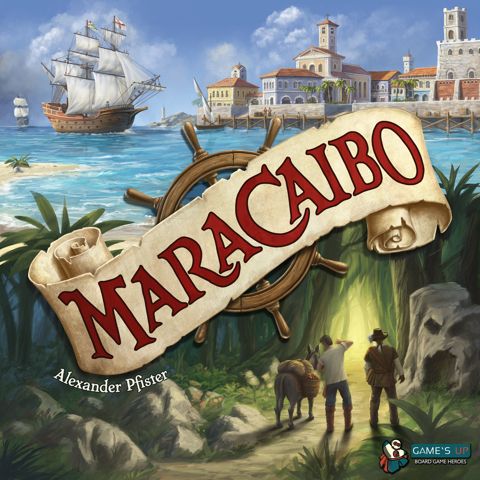
How to Play Maracaibo: The Uprising
Game's Up, Capstone Games, dlp games · Board game · 2021What do you want to do now
Ask anything about Maracaibo: The Uprising: rules, setup, components, complexity, price, or whether it fits your group.
Video: How to Play
Start here, then follow the written guide
Step by step
Objective of the Game
In Maracaibo: The Uprising, you find yourself at a crossroads in the Caribbean. European oppressors face an uprising from unfree and indigenous people, taking up arms for freedom. Your choice is whether to sail away and ignore the commotion, or to join the fray and help end the injustice. The game offers various play options, including a new campaign and several scenarios, each with different objectives and modules. For example, in the Cooperative in the Caribbean scenario, all players win if, after the fourth round, all ownership markers have been removed from all locations, and all players have more victory points than Jacques. In The Rescue scenario, which is also cooperative, all players win if, after the fourth round, all ownership markers have been removed, you have found and freed Luysa, and all players have more victory points than Jacques. If even one of these three requirements is not met, all players lose.
Preparation (Setup)
Before your first game with the expansion, add the new project cards to the base game’s B-cards. Add the new career card, the two new Automa cards for Jean, and the two new city tiles to those of the base game. Replace the base game’s quest tiles with those from this expansion. The new tiles match the new ship boards. Add scenario cards 74, 78, 79, and 193 to those of the base game. Use story cards 100 to 192 to form a new campaign. Punch out the new ship boards, fold them, and fasten them together with the adhesive strips. Punch out and discard the cardboard blanks from each ship board too. You can recognize this expansion’s components by the "U" symbol.
Changes to Game Setup (Applies to all games with the expansion)
- Give each player one of the new ship boards.
- In the upper left recess of each ship board, place a Combat Action Tile with the base game’s options face up.
- Immediately below it, place a Resistance Tile with the "Take 5 doubloons" action face up.
- The last recess is for a home port. In step 13 of game setup, each player will receive a home port to place in this recess.
- As usual, place two discs on each ship upgrade spot.
- Then, follow the setup instructions for the specific play option you chose.
Home Ports Module Setup
- Shuffle the home ports face down and deal 3 of them to each player.
- While choosing project and career cards, each player must also choose which 1 of the 3 home ports to keep, placing it in the corresponding recess on their ship boards.
- Once placed, add two discs to it (same as any other ship upgrade).
Specific Scenario Setup Examples:
Scenario: UNREST (cards 79/184)
- Place a French ownership marker on locations 2-7. Repeat for Spain (locations 8-13) and England (locations 14-19).
- Don’t add ownership markers to Legacy Tiles with new locations.
- Set the remaining ownership markers aside for use in rounds 2-4.
- Place the Quest Tiles as shown on the reverse side of the scenario card.
- If using scenario card 79: Shuffle cards 90-106 in with the B-cards (before counting out 40 cards). Place Legacy Tiles L1 and L30 on the board.
- Repeat three times: Reveal the top project card, and add the Legacy Tile corresponding to the indicated object on card 79 to the game board (first card for first column, second for second, third for third).
- Proceed with setup for the Home Ports, Freeing the Caribbean, and Resistance Tile modules.
Scenario: COOPERATIVE IN THE CARIBBEAN (card 74)
- Place Legacy Tile L1 on the board.
- Place ownership markers on locations as shown on card 74, depending on the number of players. Return any unused ownership markers to the box.
- Shuffle cards 90-106 in with the B-cards (before counting out 40 cards).
- Repeat three times: Reveal the top project card, and add the Legacy Tile corresponding to the indicated object on card 74 to the game board (first card for first column, second for second, third for third).
- Place Quest Tiles on the board as shown on the reverse of card 74.
- Proceed with setup for the Home Ports, Jacques, Freeing the Caribbean, and Resistance Tile modules.
Scenario: THE RESCUE (cards 193/185)
- Place Quest Tiles on the board as shown on the reverse side of the scenario card. Then place ownership markers on locations as shown on the scenario card.
- If using scenario card 193: Shuffle cards 90-106 in with the B-cards (before counting out 40 cards). Place Legacy Tile L1 on the board.
- Repeat three times: Reveal the top project card, and add the Legacy Tile corresponding to the indicated object on card 193 to the game board (first card for first column, second for second, third for third).
- Proceed with setup for the Home Ports, Jacques, Freeing the Caribbean, The Search, and Resistance Tile modules.
The Search Module Setup
- Place card 191 in the story card area next to the Quest Tiles.
- With 2 players, take the red hint of your choice (L38) and place it, face-down, on one of the green spaces.
- With 4 players, take the red hint of your choice (L38) and place it, face-down, on the left-most red space. The covered space is not available during the game.
- Mix up the remaining hints (L38) and stack 2 of them, face-down, in locations 2, 3, 6, 8, 10, 14, 15, 16, 17, 18, and 19.
- With 2 or 4 players, place only 1 hint in location 2.
- When playing solo, use card 192 instead of card 191.
Fluxo do Jogo
Maracaibo: The Uprising includes several play options (campaign as well as scenarios). Before each game, choose which option you want from those listed. You can choose to either play the campaign or a standalone scenario. Depending on how you want to play, you will need different expansion modules. You cannot freely choose which modules to use; they are defined by the option you choose to play.
Gameplay with Jacques (Cooperative/Solo)
Players play cooperatively, taking turns in clockwise order. Whenever all players have taken a turn (i.e., before the player with the Automa pile to their right takes another turn), reveal the top card in the Automa pile and resolve its effects.
Automa Card Explanation
Each Automa card shows a band with 7 areas. For the first Automa card you reveal, resolve only the first area. For the second Automa card, resolve only the second area, and so on.
End of a Round (with Jacques)
Perform interim scoring as usual. Then, Jacques scores victory points for each revealed Automa card as indicated in the upper left-hand corner of each card. If Jacques ended the round, he also scores 15 victory points. Shuffle the revealed Automa cards and add them to the bottom of the Automa pile.
Ações e Como Jogar
The game introduces several new modules and changes to existing actions. Players will use the rules for the modules defined by their chosen play option.
Home Ports Gameplay
- Home ports can be unlocked by removing both discs from them, just like any other ship upgrade.
- Each home port indicates an immediate bonus (beige), which lets you pay doubloons for victory points or influence, as well as an ongoing effect (red) which counts for you alone.
- You don’t have to use the immediate bonus when you unlock it, but if you don’t, you lose it.
- Note: If you are using the Freeing the Caribbean module, home ports which gain you influence score you 2 victory points per influence instead. "Genova" is not recommended in this case.
Home Port Specific Effects:
- Antwerpen: When performing a city action, you can choose not to deliver a good to the market (even if full) and instead remove a disc from the city’s market. If you do, take 3 doubloons and score 3 victory points. If the market is empty, you cannot use this effect.
- Bremen: New village action: Pay 2 tobacco to take 5 doubloons. Can be performed multiple times.
- Cayman Islands: You can use cards with sugar on them as any good or object.
- Genova: During income, gain 2 influence with the nation that currently controls the fewest locations. If tied, choose one.
- Kingstown, Port-Au-Prince, Yaquimel: When fighting with the indicated nation, new combat action: Reduce your combat value by 2 to take 4 doubloons and gain 1 influence with this nation.
- Grand Turk, Port of Spain, Rosseau: Whenever you end your movement at a location (village or city) with a corresponding ownership marker, take 2 doubloons.
- Nassau: Whenever you end your movement at a village and choose village actions as your main action, you may perform an additional village action. Not triggered by village actions from other sources.
- Oranjestad: New village action: Pay 2 corn to gain 3 combat points. Can be performed multiple times.
- Panamá: When moving your explorer at least 2 spaces, receive rewards from both the space you moved to and the second-last space. If the second-last space contains a quest, you may fulfill it.
- Porto: After delivering a good as part of a city action, immediately discard an identical good to gain 2 combat points. Only counts during city actions.
- Roatán: As soon as you unlock this ship upgrade, immediately place a figure at the start of the explorer track. From now on, you can split your exploration movement between your explorer and the figure, receiving rewards from both. The figure can never be ahead of your explorer.
Uprising Module Gameplay
This module changes the Combat action from the base game. After revealing a combat token, choose a nation and decide if you want to fight for or against that nation.
- If you fight for the nation, base game rules remain in effect.
- If you fight against that nation, the combat value remains the same, but any bonuses for most/fewest ownership markers are ignored.
- When fighting against a nation, you have only two new combat actions available: Liberate City and Liberate Village (as seen on L40).
- You can only perform each individual combat action once per Combat. You can increase the combat value by 1 for each figure returned to the general supply or combat point paid.
- When fighting against a nation, you cannot use base game combat actions (Influence/Annex/Displace) or other combat actions gained via project cards or ship upgrades.
- If you would gain influence from the combat token, score 2 victory points instead.
- You cannot both fight with and against a nation on the same turn.
Uprising Combat Actions:
- Liberate City: Reduce combat value by 6. Take 3 doubloons and score 1 victory point per occupied city. Remove one ownership marker of the nation you are fighting against from a city and place it on one of the four spaces on your Resistance Tile (if possible). Receive the corresponding reward. Can only be performed if an ownership marker can be removed.
- Liberate Village: Reduce combat value by 4. Remove one ownership marker of the nation you are fighting against from a village and place it on one of the four spaces on your Resistance Tile (if possible). Receive the corresponding reward. Score 3 victory points for each neighboring location with an ownership marker.
Resistance Tile Gameplay
- Whenever you liberate a location in the Caribbean, you may place the removed ownership marker onto one of the four square spaces on your Resistance Tile and receive the indicated reward.
- Ways to liberate a location: project cards with the depicted symbol, the village action of the Resistance Tile, Legacy Tile L40 from the Uprising module, or a combat action from the Freeing the Caribbean module.
- The base game combat action "Displace" removes ownership markers from the game, so do not place them on your Resistance Tile.
- You can only place an ownership marker on a space if none of the spaces next to it are occupied by ownership markers of the same nation.
- As soon as all four spaces are filled, immediately remove them from the game. Take 3 doubloons and score 1 victory point per combat token.
- You may place ownership markers on your Resistance Tile even if you haven’t unlocked the village action on the Tile yet. If unable to place, remove it from the game instead (no reward).
- When you unlock this ship upgrade, immediately take 4 doubloons. You also have a new village action: Reduce the combat value by 3 to remove an ownership marker from the village your ship is currently at (not a city). If placed on your Resistance Tile, receive that space’s reward twice.
Jacques Automa Gameplay
- Jacques adds a disc previously removed from the game to the indicated city's market, unless the market is full.
- Jacques claims a quest from one of the indicated locations. If none, he takes the topmost quest from the pile. If multiple quests, he takes from the location with the lowest number. If multiple at that location, choose for him.
- Jacques moves his explorer marker as many spaces along the explorer track as indicated. If he could reach a quest, he does so (potentially moving fewer spaces). Otherwise, he takes the shortest path. He ignores all explorer track effects.
- His explorer marker skips occupied spaces and can be skipped by others.
- Jacques does nothing. However, Jacques ends the round after each player has taken one more turn, if no other player ends the round earlier. He does not reveal another card. If Jacques ended the round, he scores 15 victory points.
- Exception for the fourth round: Jacques ends the game after each player has taken two more turns, if no other player ends the round earlier. He does not reveal another card. If Jacques ended the game, he scores 15 victory points.
Freeing the Caribbean Module Gameplay
This module changes the Combat city action from the base game. During Combat, you always choose a nation to fight against.
- Reveal a combat token and choose the nation you want to fight against. The combat value is as indicated for that nation, but any bonuses for most/fewest ownership markers are ignored
Rules manual
Official PDF file
Frequently Asked Questions
Quick answers about the rules
What is the objective of Maracaibo: The Uprising?
How do you set up Maracaibo: The Uprising?
How do you play Maracaibo: The Uprising?
Expansion for
Published additional content