How to Play Flamecraft
Cardboard Alchemy, Brain Games, CMON Global Limited · Board game · 2022What do you want to do now
Ask anything about Flamecraft: rules, setup, components, complexity, price, or whether it fits your group.
Video: How to Play
Start here, then follow the written guide
Step by step
Objective of the Game
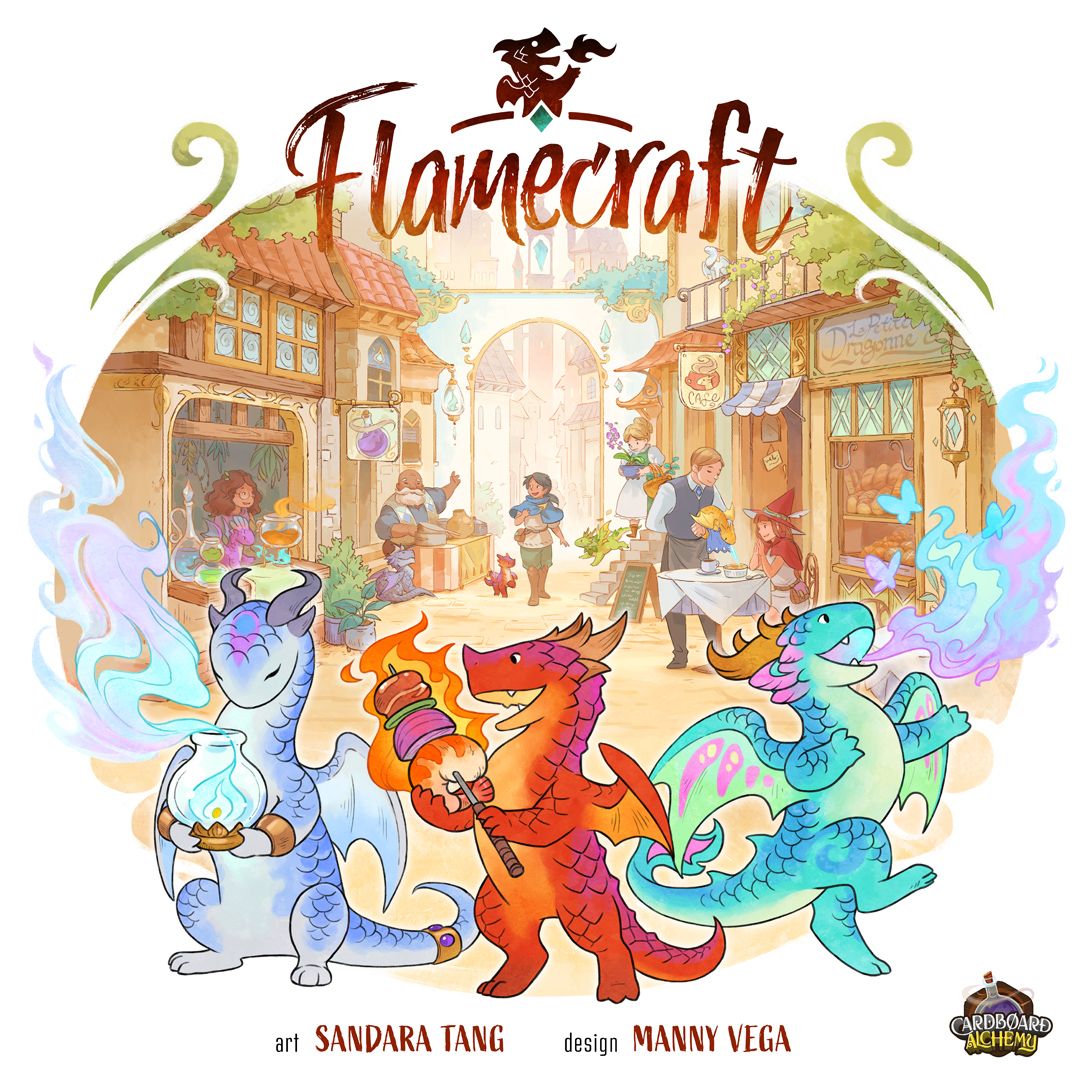
In Flamecraft, you are a Flamekeeper, skilled in communicating with dragons, finding them ideal homes, and casting enchantments to encourage them to create wonderful things. Your goal is to become the most storied and successful Flamekeeper in town! You'll grow your Reputation by visiting Shops to place Artisan Dragons, cast Enchantments, and satisfy the goals of your secret Fancy Dragons. The Flamekeeper with the greatest Reputation at the end of the game will be known as the Master of Flamecraft!
Preparation (Setup)
- Town & Starter Shops: Roll out the Town mat in the middle of the table. Place the 6 Starter Shops faceup on any 6 Shop spaces in Town. Place each Starter Artisan Dragon faceup on the Shop with the matching icon in the top left, covering the first slot along the bottom of the Shop.
- Goods & Coins: Place the Goods tokens in separate piles off to the side, accessible to all players. Place the Coin tokens in a pile on the Fountain.
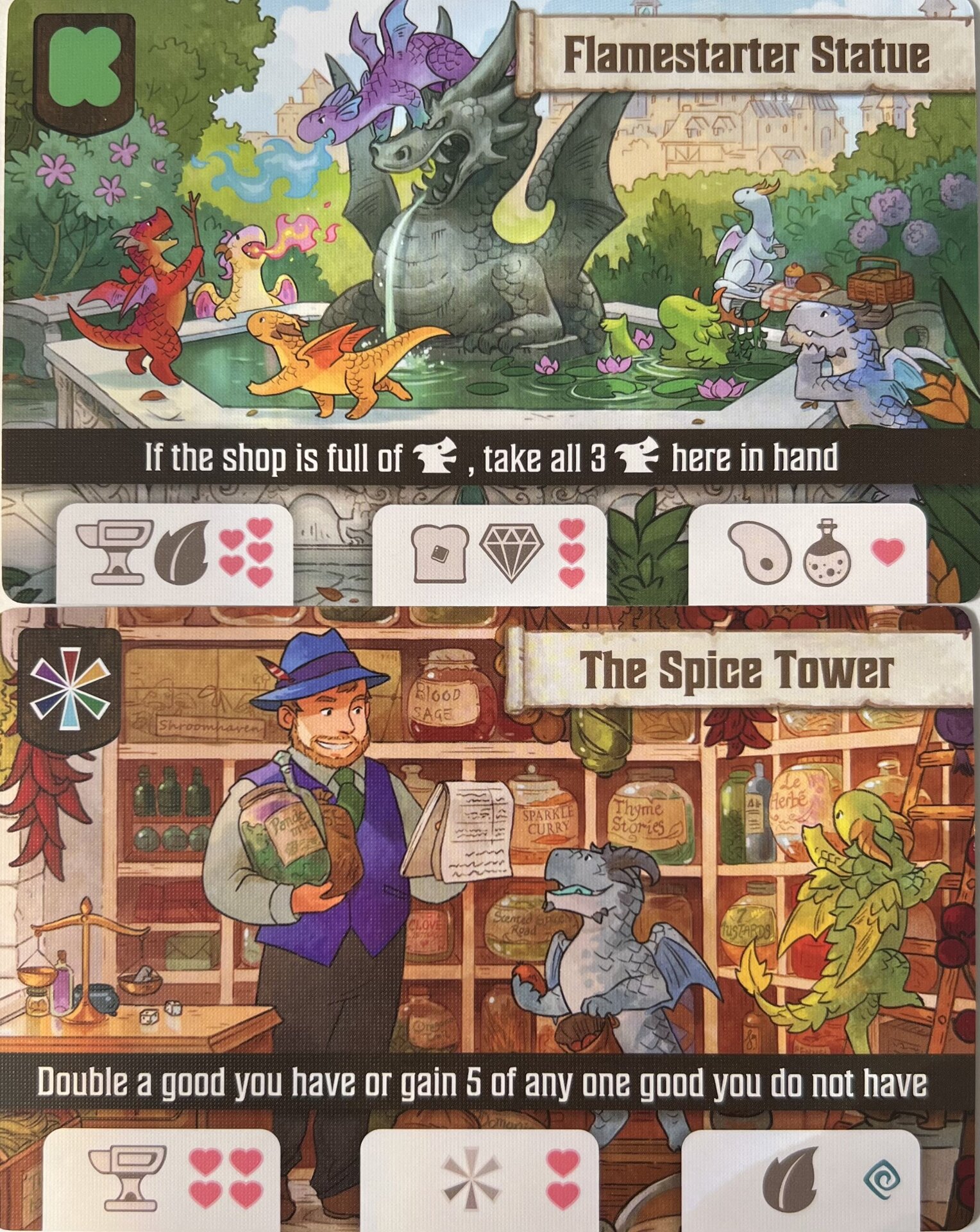
- Shop Deck: Sort the Shop cards into piles based on the icons in the top left corner (one pile for each of the 6 Goods icons, and a 7th pile for all other icons). Flip the 7 piles facedown and shuffle them separately. Take 1 card from each of the Goods Shop piles, and 4 cards from the 7th pile, to make a facedown stack of 10 Shops. This is the Shop deck. Shuffle the Shop deck and place it to the side of the Town mat.
- Artisan Dragons: If playing with 2 or 3 players, remove 12 Artisan Dragon cards (2 of each Goods type) for 2 players, or 6 Artisan Dragon cards (1 of each Goods type) for 3 players. Shuffle the remaining Artisan Dragons to make the Artisan deck and place it on the marked space next to the Fountain. Reveal the top 5 cards and place them faceup in the Park next to the deck.
- Fancy Dragons: Shuffle the Fancy Dragon cards together to make the Fancy deck and place it on the marked space next to the Fountain.
- Enchantments: Choose either the Purple or Golden Enchantment deck (Purple is recommended for your first game). Shuffle the chosen deck and place it on the marked space inside the Reputation track. Reveal the top 5 cards and place them in a faceup row next to the deck.
- Player Setup: Each player chooses a player token (dragon) and takes the matching-color Reputation marker (heart) and player aid card. Return all unused player components to the box. Gather the Reputation markers together and randomly reveal one to choose the first player. Then place all Reputation markers near the start of the Reputation track. Deal each player a hand of 3 Artisan Dragons. Deal each player 2 Fancy Dragons. Each player chooses 1 Fancy Dragon to keep and returns the unchosen Fancy Dragon to the bottom of the Fancy deck. If playing with 4+ players, the 4th and 5th players each take a Goods token of their choice to start.
Fluxo do Jogo
Players take turns in clockwise order, starting with the first player chosen at setup. On each player’s turn, they must move to a new Shop, then decide whether to Gather Goods or Enchant there. Play continues until the Artisan deck or Enchantment deck runs out.
Taking a Turn
On your turn, you must visit a Shop, then choose to either Gather or Enchant there. At the end of your turn, you must check whether to expand the Town, then discard down to your Dragons and Goods limit and refresh the faceup Enchantments and Artisan Dragons.
Visiting a Shop
At the start of your turn, choose a Shop anywhere in Town and move your player token onto the Shop card. You must choose a different Shop than you visited on your last turn. To move to a Shop that other players are visiting, you must give each of them 1 Good of your choice (or 1 Coin) from your personal supply. If you don’t have enough Goods (or Coins) to give 1 to each player, you must choose a different Shop to visit.
Ending Your Turn
After Gathering or Enchanting, take the following steps to clean up for the next player’s turn:
- Expand Town: Flip any new Shops you drew during your turn faceup.
- Dragons & Goods Limit: Return Dragons and Goods until you have no more than 6 Artisan Dragons and 7 Goods of each type.
- Refresh Park & Enchantments: Draw new faceup Artisan Dragons and Enchantments until there are 5 of each.
Ações e Como Jogar
Gathering from a Shop
If you choose to Gather from the Shop you visit, follow these steps in order:
- Gather Goods: Gain Goods, Coins, and Dragons from the Shop and from each Artisan Dragon and Enchantment there. When you Gather from a Shop, you gain 1 Good, Coin, or Artisan Dragon offered by the Shop, and 1 Good from each Artisan Dragon and Enchantment at the Shop. The icon in the top left corner of each card tells you what it gives you: an icon matching a Good means gain that Good; a rainbow icon means gain a Good of your choice; a Dragon icon means draw an Artisan Dragon of your choice from the Park or the top of the deck; a Coin icon means gain a Coin. Take any Goods and/or Coins you gain from the appropriate piles and place them in a personal supply visibly in front of you. Add any Artisan Dragons you gain to your hand. Coins are not Goods, so when you gain Goods of your choice, you may not choose to gain Coins.
- (Optional) Place a Dragon: You may place 1 Artisan Dragon from your hand into a Dragon slot with a matching icon, then gain the rewards on that slot. To place a Dragon at a Shop, the Dragon’s icon (in the top left corner) must match one of the icons on the empty slot where you want to place it. A Shop’s slots may be filled in any order. After placing your Dragon, gain the printed rewards on the slot you filled. If a Dragon slot has multiple icons, you may place a Dragon matching any of those icons. If a slot has a rainbow icon, you may place a Dragon with any icon. If you place an Artisan Dragon in the last empty slot at a Shop, you must draw a new Shop from the deck, without looking at it, and place it facedown on any empty spot in Town.
- (Optional) Fire Up a Dragon: You may use the ability of any 1 Artisan Dragon at the Shop. This may be a Dragon you placed, or a Dragon that was already there when you visited.
- (Optional) Use Shop Ability: You may use the Shop’s ability, if it has one. You may only use a Shop’s ability when you Gather from it, not when you Enchant it.
Enchanting a Shop
If you decide to Enchant the Shop you visit, follow these steps in order:
- Cast Enchantment: Choose an Enchantment card from the faceup row that matches the Shop’s icon. Pay its Goods cost to tuck it behind the Shop and gain the rewards on it. To Enchant a Shop, choose 1 Enchantment card from the faceup row that matches the Shop’s icon. Then cast the Enchantment by paying the Goods shown on it, returning them to the appropriate piles. You may pay Coins in place of any Goods (unless the Enchantment has a no-coins icon). If you spend multiple Coins, you may spend each of them as a different Good. Once you’ve paid the cost, gain the rewards shown at the bottom of the card, then tuck the Enchantment behind the Shop. Shops with a Dragon icon or Coin icon cannot be Enchanted. A Shop can have no more than 3 Enchantments on it. If a Shop has a rainbow icon, any Enchantment can be cast there. A no-coins symbol means you may not spend any Coins to pay the cost of this Enchantment. Some Enchantments show a set of Goods that can be paid multiple times to increase your reward. You can cast a variable Enchantment by paying only 1 set of the required Goods, but you will get 0 Reputation.
- (Optional) Fire Up ALL Dragons: You may use the abilities of any number of Artisan Dragons at the Shop, in any order. If firing up an Artisan Dragon lets you place a new Dragon at the Shop, you may also fire up that Dragon.
Earning Rewards
Players can earn a variety of rewards throughout the game by placing Artisan Dragons, Enchanting Shops, and fulfilling the goals of Fancy Dragons. Rewards include: Gain Reputation (advance your marker on the Reputation track), Draw a Fancy Dragon (draw a new Fancy Dragon from the deck), Draw an Artisan Dragon (draw a faceup Artisan Dragon from the Park or the top of the deck), and Gain Coins (gain this many Coins; Coins can be spent or gifted as any Good when paying for an action, they are wild). Unspent Coins are worth 1 Reputation each at the end of the game.
Fancy Dragons
Each player starts the game with 1 Fancy Dragon, and can draw more as rewards or by using abilities. There is no limit to the number of Fancy Dragons you can have. Each Fancy Dragon has a specific goal. If you fulfill a Fancy Dragon’s goal, it will shower you with Reputation and other rewards. Moon Dragons are only scored at the end of the game. When the game ends, reveal all your Moon Dragons and gain rewards from each of them whose goal you have fulfilled. Sun Dragons can only be scored during the game. If you have fulfilled a Sun Dragon’s goal, you may reveal it at any time on your turn to gain its rewards. If its goal requires you to spend Goods, return these to the appropriate piles. You can only score each of your Fancy Dragons once per game. Leave scored Fancy Dragons faceup in front of you. If an ability lets you score a Fancy Dragon during the game, you can’t score it again at the end of the game. You must turn in all your Coins before scoring your Fancy Dragons. This means you can’t use Coins to fulfill your Fancy Dragons’ goals.
Giving Gifts
Some abilities allow you to gift Goods, Coins, or cards to other players to earn Reputation or other rewards. Whenever you give gifts, take the indicated items from your personal supply and distribute them among other players however you like (unless noted otherwise). You may gift Coins in place of Goods. If an ability grants a reward for gifting other than Reputation, this comes from the general supply, not from the player who received the gift.
Artisan Dragon Abilities
Each Artisan Dragon has a fire up ability. All Dragons with the same icon have the same ability. If you choose to use an ability, you must resolve as much of it as you’re able to (unless part of the ability says “you may”). Whenever you use an ability to place an Artisan Dragon at a Shop, you must follow all rules for placing a Dragon (matching icon, gaining reward), unless otherwise noted.
- Gain 2 of 1 Good from this Shop or an Artisan Dragon here: The 2 Goods you take must be the same. You may use this to gain 2 of the Dragon's Good. If the Shop has a rainbow icon, you may take 2 of any 1 Good. You may not use this to gain Coins or draw Dragons. If an ability allows you to fire this up in a location other than a Shop, you may gain Goods from any Dragon in that location.
- Place an Artisan Dragon in Town: You may place your Dragon on any empty slot in Town with the matching icon (including at the Shop you are visiting). You gain the printed reward on the slot.
- Draw 1 Artisan Dragon: You may take any faceup Dragon from the Park, or draw the top card on the Artisan deck.
- Gain any 3 different Goods: You may choose any 3 different Goods.
- Swap this with another Artisan Dragon in Town and fire up the new Dragon: Ignore the icons on the Shop slots involved. This does not count as placing a Dragon and does not earn the reward on either slot.
- Gift a Good to another player to gain 2 Reputation: Gift any 1 Good from your personal supply to another player of your choice, then gain 2 Reputation.
Reserving Enchantments
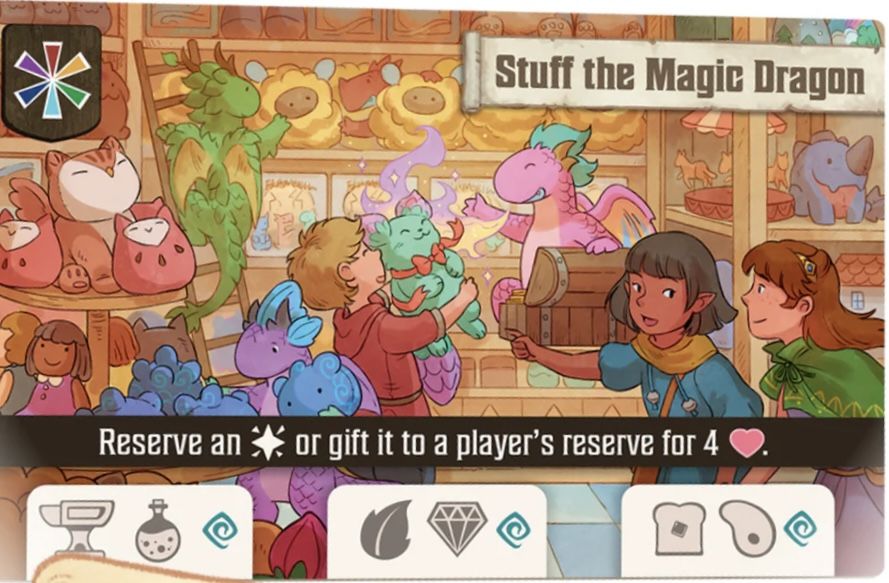
Some abilities allow you to reserve an Enchantment. When you do this, take an Enchantment of your choice from the row and put it faceup in front of you. When Enchanting a Shop, you may cast your reserved Enchantment instead of an Enchantment from the faceup row. Other players may not cast your reserved Enchantment. You are limited to 1 reserved Enchantment at a time. If you currently have a reserved Enchantment, you can’t reserve another one.
Fim de Jogo e Pontuação
End of the Game Trigger
The game ends when the last card in either the Artisan deck or Enchantment deck is drawn or revealed. Each player gets 1 final turn, including the player who triggered the game end.
End-Game Scoring
Once all players have had a final turn, players gain end-game Reputation as follows:
- Leftover Coins: Each player returns all Coins in their supply to the Fountain and gains 1 Reputation per returned Coin.
- Fancy Dragons: Each player reveals each Fancy Dragon with a Moon icon whose goals they’ve fulfilled and scores the indicated amount of Reputation.
Victory Condition
Whoever has the highest Reputation score wins!
Tiebreakers
In the case of a tie, the tied player with the most Artisan Dragons left in their hand wins. If still tied, the tied player with the most leftover Goods in their supply wins. If still tied, they share a well-deserved victory!
Dicas para Vencer
- Strategic Dragon Placement: When placing an Artisan Dragon, consider not only the immediate reward from the slot but also how its ability might synergize with the Shop's ability or other Drag
More videos
More rules explanations from the community
In English
-
 One Minute Overview of Flamecraft
-
 Learn to Play Flamecraft (and solo)
-
 How to Play Flamecraft
-
 How to play Flamecraft board game - Full teach + Visuals - Peaky Boardgamer
-
 How To Play Flamecraft
-
 Flamecraft - Tutorial & Playthrough
-
 All the Games with Steph: Flamecraft
-
 Flamecraft - How to Play - The Game Warrior | January 27, 2023
-
 How To Play Flamecraft - Learn Board Games
-
 How to play Flamecraft board game - Story of a game | s03 e12
-
 How to setup and play Flamecraft
Rules manual
Official PDF file
Frequently Asked Questions
Quick answers about the rules
What is the objective of Flamecraft?
How do you set up Flamecraft?
How do you play Flamecraft?
How does Flamecraft end, and how do you score?
What are some tips for winning Flamecraft?
Expansions
Published additional content


Other Games You'll Like
Based on mechanics and theme