
/pic8758257.jpg)
What is your question about Alhambra: Big Box (Second Edition)?
Ask before downloading the manual: the assistant was trained on this file and answers instantly, citing the exact page.
Ask questions about the game
Ask anything about Alhambra: Big Box (Second Edition): rules, setup, components, complexity, price, or whether it fits your group.
Write your question first. You will create your free account to see the answer — it takes 20 seconds.
Full rulebook
Browse the manual or download the original PDFFull manual text available to read Open text
Vizier’s Favour Page 8
Currency Exchange Cards Page 9
Bonus Cards Page 10
Squares Page 11
City Gates Page 12
Diamonds Page 13
Characters Page 14
Camps Page 15
City Walls Page 16
Thieves Page 17
Change Page 18
Street Trader Page 19
Treasure Chamber Page 20
Master Builders Page 21
Invaders Page 22
Bazaars Page 23
New Score Cards Page 24
Power of Sultan Page 25
Caravanserai Page 26
Art of the Moors Page 27
Falconers Page 28
Watchtowers Page 29
Building Sites Page 30
Exchange Certificates Page 31
Magical Buildings Page 32
Medina Page 33
Page 2 - 7
Page 34-36
EXPANSION MODULES QUEENIE EXPANSION MODULES
INSERT OVERVIEW
BASE GAME
---
• 6 starting tiles – Showing the famous Lion Fountain and the player color.
• 54 building tiles – 6 different kinds of buildings. These are the pieces you use to build your own Alhambra. Each tile has up to three wall segments.
• 1 game board – The top section shows the card display and holds the draw deck in the leftmost space. The bottom section is the building market and has four spaces for building tiles. Each space corresponds to a different currency.
• 1 scoring board – To mark each player’s score.
• 6 counters – Each player has a counter for the scoring board.
• 6 tile reserve boards with points tables
Players who have the most building tiles of each kind in their Alhambra at the right time – in the scoring rounds – are awarded points, the exact amount depending on the type of building. Players also receive points for the longest continuous wall built around their Alhambra.
The number of points awarded increases each scoring round. The winner is the player who has been awarded the most points by the end of the game.
The best master builders from Europe and Arabia want to demonstrate their skills. However, whether they are stonemasons from the north or horticulturalists from the south, they all want a proper wage and insist in being paid in their native currency. Employ the best teams of builders and ensure you have enough of the right currency, and with their help, you can construct towers, lay out gardens, erect pavilions and arcades, and build seraglios and ornate chambers.
Compete against your opponents to build the ALHAMBRA.
There are 6 different kinds of buildings. The table shows the prices of the buildings and how many of each of the buildings there are.
• 108 money cards in four currencies – Currency cards are used to buy buildings from the building market to build in your own Alhambra.
• 2 scoring cards – Are placed in the draw deck and are revealed to indicate a scoring round.
• 1 Tile dispenser tower
• 1 set of rules
Components
Object of the game
A game by Dirk Henn for 2-6 players
Wall
Price
Florin Dirham Denar Ducat
Step 1:
Step 2:
First scoring:
Second scoring:
Step 3:
Name Number Price
Pavilion 7x2-8
Seraglio 7x3-9
Arcades 9x4-10
Chambers 9x5-11
Garden 11x6-12
Tower 11x7-13
Chambers Arcades
Seraglio
Tower
Pavilion
Garden
Money cards in four different colours, with values from 1 to 9
---
• Put the game board, consisting of the building market and card display, in the middle of the table and the scoring board at the end of the table.
• Each player is given a starting tile, which they place on the table in front of them, and 1 counter in their player color, which is placed on the 0/100 space of the scoring board.
• The 54 building tiles are shuffled face down and then stacked in the tile dispenser tower.
• Four building tiles are taken from the tower and placed in order on the four numbered squares of the building market, beginning with square 1.
• Each player is given a tile reserve board with a points table which should be placed in plain sight in front of them. The points table shows how many of each type of building there are and how many points each will score.
• Set aside the two scoring cards and shuffle the deck of currency cards.
• Each player is dealt their starting money. One card at a time, deal currency cards face-up to a player until the total is 20 or more (the color of the currency is not important at this point). Continue doing this until all players have received their starting money. Players may now pick up their cards. From now on, the player’s hand of currency cards should be kept secret.
• The player with the fewest cards starts; if two or more players are equal, the player with the lowest amount of money starts. If the players are still equal the younger player starts.
• Finally, the four spaces of the card display are filled by drawing one money card and placing it face-up on each space.
• The rest of the money cards are divided into five roughly equal piles. Shuffle the first scoring card into the second pile and the second scoring card into the fourth. Then put the piles on top of one another with the fifth pile on the bottom, then the fourth, the third, the second and finally the first at the very top. The pile is placed on the leftmost space of the card display section on the game board.
Starting tile
Note: This ensures that no-one receives money totalling more than 28 or less than 20.
Note: This ensures that the two scoring cards do not come into the game too early, too late, or too soon after one another.
Getting ready to play
Building market
1st
2nd
3rd
4th
5th pile
1st scoring
2nd scoring
1st
2nd
3rd
4th
5th pile
---
4
Take money
Buy a building tile
Redesign the Alhambra
If a player buys a building tile, they must build it in their Alhambra at the end of the turn.
Position a building tile
The actions in detail:
Play proceeds in a clockwise direction, beginning with the starting player. The player whose turn it is must perform one of the three following actions:
Take money
A player can take any one of the money cards from the display, or several money cards if they do not add up to more than 5 (the currency does not matter).
Buy a building tile
A player can buy a building tile from the building market. They must play currency cards of the correct type, indicated by the currency above the tile, that total at least the price of the tile. But take care – no change is given!
The money used to pay for the tile is placed on a discard pile next to the game board.
Important: If a player can pay the exact amount, it is still their turn, and they may decide which of the three actions they would like to perform next.
While it is the player’s turn, no new tiles are placed on the building market. It is only at the end of a player’s turn that the empty squares are refilled with new tiles. Building tiles which have been purchased are placed next to the player’s Alhambra.
(They are built in the Alhambra only at the end of the turn)
Redesign the Alhambra
There are three ways in which a player can redesign their Alhambra:
• They may take a building tile from their reserve board and add it to their Alhambra (see rules for building on page 5).
• They may remove a building tile from their Alhambra and put it on their reserve board.
• They may exchange a building tile on their reserve board for one in their Alhambra. In that case, the new building tile must go in exactly the same place in the Alhambra as the one that was removed.
When redesigning the Alhambra, players have to follow all building rules.
It is not allowed to remove the starting tile or exchange it for another tile.
Example: you could take both the cards on the left or one of the other two.
Example:
You buy a building tile and pay the exact amount, thus having another turn. The tile is placed next to your Alhambra (not in the reserve).
You decide to buy another building tile and you manage to pay the exact amount again.
It is therefore still your turn and you decide to now redesign your Alhambra.
You can, for example, remove a building tile from your Alhambra and exchange it for one tile already lying on your reserve board.
This brings your turn to an end. You can now add your two newly bought building tiles to your Alhambra by placing them in the best possible position, or you can put them on your reserve board.
Example:
You want a garden for your Alhambra. The garden on offer costs 10 denar (blue).
You have two money cards of this currency in your hand and decide to buy the garden.
However, as you cannot pay exactly 10 (only 11), your turn ends here; you do not receive any change.
Price Currency
How to play
---
5
Note: The building market is always filled in ascending order
from 1 to 4.
The following combinations are NOT allowed:
A side with a wall is joined to a side without a wall.
The “on-foot rule” has not been followed: the tower cannot be reached from the starting tile without crossing a wall.
Putting the “Arcades” tile in the position shown would create an empty area completely surrounded by tiles.
The building tiles are not joined by at least one side.
Position a building tile
All purchased building tiles may only be placed at the end of a player’s turn, either in their Alhambra, or on the player’s reserve board. There is no limit to the number of buildings that may be on the reserve board.
If a player has bought multiple buildings in a turn, they may choose in which order to place them in their Alhambra or onto the reserve board.
Rules for building the Alhambra
The following rules apply when building the Alhambra:
• All building tiles must be the same orientation as your own starting tile (i.e. all roofs must point upwards).
• Adjoining sides must be the same i.e. they must either both have a wall or both not have a wall.
• Each building tile must be accessible “on foot” from the starting tile without crossing a wall and without going off the tiles.
• Each new tile must be joined to your Alhambra by at least one side (i.e. it cannot be joined just at a corner).
• It is not allowed to leave any “spaces” (i.e. an empty area surrounded on all sides by building tiles).
When all bought building tiles are either built in the Alhambra or placed on the reserve board, the turn ends.
The money card display is now refilled by drawing one card from the pile for each empty space. If the pile is empty, the discard pile is shuffled and used as the new draw pile. Each empty space on the building market is filled with a new tile from the tile dispenser tower.
End of your turn
The tile is oriented incorrectly.
---
Example:
The player with the most
chambers is awarded 4
points.
Example:
The player with the most towers
is awarded 13 points. The player
with the second highest number of
towers is awarded 6 points.
Example: Kim and Nina each have
4 towers. They share the points
for 1st and 2nd place: 13 + 6 = 19
points. The number is divided by
two and rounded down so they are
each awarded 9 points.
This wall would score points.
There are
no points for
internal walls.
This wall is
shorter and is
therefore not
counted
There are 3 scoring rounds during the game. The first two
take place when the scoring cards are drawn from the pile of
money cards. The third and
final scoring round takes place
at the end of the game.
When a scoring card is drawn, it is put in front of the next
player in turn order and the next card or cards are used to
fill up the display. Before the next player begins their
turn the scores are calculated. When scoring is over, the
player begins their turn.
In each scoring round, points are awarded to whomever has
the most of each kind of building. Players also earn points
for the length of the longest wall around their Alhambra.
The points awarded to a player are recorded on the scoring
board. Each player moves their counter one space forward
for each point that they have been awarded.
Points for the wall around your Alhambra
First players are awarded points for the longest continuous
wall around their Alhambra.
Each side of a tile with a wall segment on it counts for
1 point. No points are awarded for walls which are back-to-
back, i.e. internal walls.
Points for having the most of each kind of building
Points are awarded for each kind of building. Depending
on which scoring round takes place, players need to have
the most, second most or third most of a building type to
earn points.
If there is a tie, the points for the tied positions get added
(i.e. two players tied for second would sum the points for
second and third positions) and then split between the play-
ers, always rounding down.
Attention: Only buildings built in the Alhambra count, buildings
on the reserve board do not.
First scoring
The first scoring takes place when the first scoring card is
revealed.
Only the player who has the most of one building kind
built in their Alhambra is awarded points. How many
points is depicted on the card next to each building.
Second scoring
At the second scoring (after revealing the 2nd scoring
card) players who have the most and second most of a
building kind are awarded points. The points are shown on
the card.
Scoring
---
7
These are the points awarded in the 3rd scoring round.
Example: The player with the highest number of pavilions is awarded 16 points. The player with the second highest number of pavilions is awarded 8 points. The player with the third highest number of pavilions is awarded 1 point.
Third scoring
The third scoring takes place at the end of the game, when the building market can not be refilled any more.
Here players who have the most, second most, and third most buildings of a kind can earn points.
The points for each place are shown on the reserve board.
The game ends when – at the end of a player’s turn – there are not enough building tiles left in the tile dispenser tower to refill the building market.
The remaining building tiles from the building market are given to the players who have the most money of the respective currency in their hand (it does not matter how much the building costs). If two or more players have the same amount of money then that building tile remains on the building market. Building tiles given to players in this way may then be added to their Alhambras in accordance with the building rules.
The third and final scoring round now takes place.
The player who leads on the scoring board after this last round has won. If two players are tied the game is a draw.
The normal Alhambra rules apply with the following changes:
The deck normally contains three of each money card.
With 2 players, remove one of each card resulting in a deck of 72 cards.
There is an imaginary third player. Let us call him Dirk.
Dirk does not build an Alhambra but does collect building tiles. Dirk does not have any turns.
At the beginning of the game 6 building tiles are drawn from the tower and put to one side for Dirk – in full view of both players.
In the scoring rounds Dirk is awarded points for having the most of any of the different kinds of building but not for an external wall.
© Copyright 2003/2019 | Queen Games 53842 Troisdorf, Germany
Right after the first scoring round Dirk is given 6 more tiles. These are also drawn from the tower and placed with his others.
After the 2nd scoring round, Dirk is given more building tiles. This time he is not necessarily given 6 but is instead given a third of the tiles remaining in the tower (rounded down).
Only one rule is different for the two players: Whenever a building tile is bought, it can be given to Dirk instead of being placed in that player’s Alhambra or reserve board.
End of the game
Rules for playing with two players
---
VIZIER’S FAVOUR
“The Vizier’s favour” is a module which allows the normal order of play to be interrupted for a special move: the purchase of a building tile. But this has its price. The building must be paid for with the exact money but you do not get an extra turn!
Changes in setup
Before the game begins, each player receives the vizier token in their color which they place with the awake side up in front of them. (You can only use the vizier token when it is awake.) The viziers which are not needed are removed from the game.
Changes in game play
Winning the Vizier’s favour
Each time a player has completely finished their turn, any of the players may interrupt the normal order of play and make a Special Move by buying a building tile from the building market and building it. However, they can only do so if they meet the following conditions:
• their vizier must be awake (awaken side up)
• they must pay for the building tile with exact money.
A player who makes this special move does not receive the extra turn they would normally get by paying exactly. The player then turns their vizier over (asleep) – it is now no longer in play. The player takes the building they want, pays the exact price, and builds it according to the building rules or places it on their reserve board. The player does not have an extra turn.
The building market is then refilled so that there are 4 buildings. The normal order of play then resumes with the player who would have been next.
Components
• 6 vizier tokens
One side shows the vizier awake, the other side asleep.
Players now have a new possible action on their turn:
Action: Bring the vizier back into play
The vizier is turned over so that it is awake. It can now be used at any time for the special action.
Notes
• If several players want to use their vizier at the same time, the player who would be next in the order of play comes first. (The player due to play next would be the first – the player who has just finished their turn would be last.)
• The other players may then decide again whether they want to use their vizier.
• When the last building tiles are being distributed at the end of the game, the vizier can no longer be used.
• At game end, it does not matter if the vizier is awake or asleep.
• Using the vizier does not allow a player to take a square (see the “Squares” module, page 11).
awake asleep
---
9
CURRENCY EXCHANGE CARDS
“The currency exchange” are six new playing cards which can be picked up like money cards. They make it much easier to pay exactly since if you hold one in your hand you can pay with two currencies instead of one. Unfortunately, you can only use an exchange card once. After that, it is placed on the discard pile.
Changes in setup
When the money cards are divided into five piles at the start of a game, two currency exchange cards are shuffled into the 2nd, 3rd, and 4th piles.
Changes in game play
How do you get the currency exchange cards?
When the top card taken from the money pile is a currency exchange card, you place it (like any other card) face up into the card display. There are always a maximum of four cards showing, no matter whether they are currency exchange cards or money cards.
The active player may now take a currency exchange card instead of money. There is no limit to the number of currency exchange cards you can hold in your hand.
How do you use the currency exchange cards?
A building tile usually has to be paid for with the currency shown directly next to the building tile in the building market.
If the currency exchange card also shows this currency it can be played and the player can buy one building tile using any combination of the two currencies on the card.
Components
• 6 currency exchange cards, which show two different currencies.
Notes
• When all the cards in the money pile have been used, the discarded cards – including the used currency exchange cards – are shuffled and placed face down to make a new pile.
• At the end of each turn, any cards which have been removed are replaced with new ones so that there are four in total – even if this includes one or more currency exchange cards.
• When the last building tiles are distributed at the end of the game, the currency exchange cards can no longer be used.
Example: a player has the following four cards in their hand: 7 and 2 denars (blue), 9 florins (yellow) and the blue-and-yellow currency exchange card.
With these cards he could buy either the garden or the pavilion pictured. He can now choose: either he pays 9 florins and 2 denars for the garden or he pays 7 denars which is the exact money for the pavilion. In either of these cases he plays his currency exchange card which he must then discard. He is not allowed to use his currency exchange card twice.
---
10
Example: A player has the building tile showing the number 10 and a
garden without a wall; the player has added it to their Alhambra and
laid the matching bonus card face up in front of them. This player
would now have two gardens in a scoring round.
Changes in setup
The bonus cards are shuffled and dealt face down to all the
players as follows:
with 2 or 3 players, each player receives 3 bonus cards;
with 4 or 5 players, each player receives 2 bonus cards;
with 6 players, each player receives 1 bonus card.
Bonus cards which have not been dealt are set aside face
down.
Changes in game play
How the bonus cards work
On each bonus card, there is a picture of a particular buil-
ding tile.
Note: The 10 cards show the building tiles which do not have a
wall on them.
A player who adds a building tile to their Alhambra during
the game and also has the matching bonus card can play
this bonus card by laying it face up in front of him at any
time.
Once a bonus card has been played, it counts as an extra
building of that particular kind during the scoring rounds.
Components
• 10 bonus cards, which
show a picture of a particular building.
Notes
• If a player removes a building tile from their Alhambra
after having already played the matching bonus card, the player must pick up the bonus card again. Neither the bonus card nor the building tile on the reserve board would then count during a scoring round. Only when the building tile has been added to the Alhambra again can the matching bonus card be played and then count as an extra building in a scoring round.
• Once you have added the building tile to your own
Alhambra, you can play a matching bonus card at any time, including during a scoring round.
• It may be a good idea to only play a bonus card later on,
for example to leave other players in the dark as to who really has the most of that particular kind of building. You may then perhaps be able to spring a surprise during the third scoring round when there are the most points to be won.
BONUS CARDS
“Bonus cards” which have been played count as building tiles in the
scoring rounds. As they are not normally played until later in the
game, they can cause a few surprises when the scores for the buil-
dings are awarded. However, you can only play them when you have
added the building pictured on the card to your Alhambra!
---
Changes in setup
Sort the squares according to color. Shuffle each of the six
plies, and place them face down next to the building mar-
ket. Turn over the top tile of each stack.
Changes in game play
Players now have a new possible action on their turn: Action: Build a Square
You can take any one of the face-up squares from the six
piles. Then the next square in the pile is turned face up.
If all the tiles have been taken from a pile, this kind of
square is no longer available. A square does not cost any
money (and cannot therefore be paid for exactly, which
means there is no extra turn).
At the end of a turn, the square (together with other
building tiles if the player has just bought them) is added to
the player’s own Alhambra or placed on their reserve board
according to the building rules.
Each player is allowed a maximum of three squares, inclu-
ding those on their reserve board. The rules for redesigning
the Alhambra also apply to the squares.
Components
• 24 building tiles, which show six different squares.
There are squares in the six colors of the buildings in the base game.
Example: The player has already
used 3 squares and is not allowed
to take any more.
The purple square does not count, although it is joined to a tower,
it is separated from the tower by a wall.
The upper brown
square has two
neighbouring arcades
without any wall in
between and counts
as 2 extra arcades
when scoring.
The lower brown
square has one
neighbouring arcade
and therefore counts
as 1 extra arcade.
This Alhambra consists of 1 garden, 1 tower and 5 arcades.
Changes in scoring
• When scoring, a square may count as nothing or as up
to a maximum of three extra buildings of the same color,
depending on its position. If a square is joined to one
building of the same color it counts as one additional
building of this kind, if it is joined to 2 or 3 buildings
of the same color, it counts as 2 or 3 buildings of this
kind, as long as in each case there is no wall between the
square and the neighbouring buildings of the same color.
• The walls on the squares are scored in the same way as
usual.
There are 3 blue … 4 brown … 5 green
… 3 red … 4 white and 5 purple
squares.
SQUARES
There is a new kind of building for the Alhambra: the squares. If a
square is positioned skilfully, it can count as up to three buildings
of the same kind. But the squares are not only important for getting
the most buildings; they also help players to plan their walls better.
Unfortunately, each player can only use a maximum of three squares.
---
✔✔
✘✘
12
Changes in setup
Take one wooden city gate and one card for each player.
When the money cards in the base game are divided into
five piles at the start of a game, the city-gate cards are
inserted face down – spread out as evenly as possible – in
the 3rd, 4th, and 5th pile.
The wooden gates are placed near the building market.
Changes in game play
How do you get a city gate?
If the top card taken from the money pile is a city-gate
card, it is placed face-up next to the wooden gates or put on
the discard pile if another city-gate card is in play.
Another card from the pile is then turned over, until there
are once more four cards lying ready in the card display.
From now on a player can pick up the city-gate card
instead of a money card (or a currency exchange card from
the “Currency Exchange” module, page 9).
How do you use a city gate?
Placing a city gate does not take a separate action. Instead,
when a player who has a City Gate card is placing a buil-
ding tile in a position where a path back to the fountain
cannot be traced (and thus normally would be illegal), a
wooden gate is placed over the newly- created double wall.
A path can be drawn through the city gate, allowing the
tile to be placed legally. Discard the city gate card from the
game.
Components
• 6 wooden city gates
• 6 city-gate cards
Notes
• A player can hold several city-gate cards in their hand.
• A player can use several city-gate cards in one turn.
• The city-gate card can also be used during an action
where the player redesigns their own Alhambra.
• Once a city gate has been played, neither the city gate nor
the two building tiles lying under it can be redesigned.
The use of a city-gate card enables players to lay buildings in places
which were previously illegal.
The city gate “opens” the city wall so that the “on foot” rule is
fulfilled again.
CITY GATES
“The city gates” enable players to place buildings in areas of their
Alhambra which were previously not legal. Whereas players used to
have to make sure that no city wall blocked the way to the new buil-
ding, a city gate can now be used to provide the necessary access.
---
13
Components
• 10 Diamond cards showing diamonds with values from 3 to 9.
Changes in setup
The diamond cards are shuffled together with the other money cards. The players then receive their starting money and the game continues according to the rules of the base game.
Changes in game play
How do you get diamonds?
Players obtain diamonds in the same way as other money cards.
How are diamonds used?
The diamonds are a new (fifth) currency in the game. They can be used to buy any tiles from the building market. Diamonds may replace any other currency; however, they may not be combined with any other currency.
Notes
• Diamonds cannot be used together with the currency exchange cards [page 9].
• Diamonds do not count when the remaining building tiles in the building market are distributed at the end of the game to the players who have the most money in the various currencies.
• It is allowed to pay “characters” [page 14] with diamonds.
DIAMONDS
A new (fifth) currency has entered the game: “diamonds”! Diamonds can be used to buy any building tile, no matter what currency the building market requires. However, the diamonds cannot be combined with money cards of other currencies when paying for a building tile.
Example: a player has the following two diamond cards in his hand: 5 and 4, and now has the choice of either paying the exact amount for the red building, i.e. 9 diamonds; or the player can buy the brown building or the light-blue building by paying more than the necessary amount.
The player may not combine diamonds with the yellow currency to buy the tower.
---
14
Components
• 10 character cards, which depict a person.
Changes in setup
When the money cards of the base game are divided into the five piles at the start of a game, shuffle two character cards into the 2nd, 3rd, and 4th pile. The remaining character cards are set aside face down.
Changes in game play
How do you get character cards? If the top card taken from the money pile is a character card, the game is immediately interrupted and the card is auctioned off.
The player who is due to play next assumes the role of auctioneer and makes the first bid or passes. Every player must now in turn either increase the bid or pass. Players can only make bids which they can pay in one currency. Anyone who passes may not make any further bid for this card.
The player who makes the highest bid discards his money cards used for the bid, gains the character card, places it face up in front of him and may from now on make use of the effect of the card. Players may have any number of character cards.
If no one makes a bid for a character card, it is removed from the game. After the auction, play continues with the player who was auctioneer.
How do you use character cards?
The printed symbols on the cards show when and how often the characters’ can be used. A player may only use how often the characters’ can be used. A player in any one round. Cards with a crown symbol have an effect during scoring rounds and cards designated are removed from the game after they have been used.
Note: A player may not use any character cards if they decide to use their vizier [page 8].
The Rich Patron – When buying a building, the patron pays the exact amount, the player therefore gets the building for free and a bonus turn.
The character cards have the following abilities:
The Miser – if the player buys a building at a price of 10 or more, they may immediately pick up a face-up money card.
The Master Builder – provides the player with an additional redesigning action at the end of their turn (after laying any new buildings).
The Trader – enables a player to take several money cards if the total is not greater than 7 (instead of the normal rule of up to 5).
The Travelling Entertainer – The player must decide immediately, whether they would like to retain the entertainer card (value: 8 points) or exchange it. The card is exchanged for the top face-down character card in the surplus pile. The new card is laid face-up and can be used immediately.
The Wise Man – counts as an extra half building for one type of building in every scoring round. (The player chooses a type of building in every scoring round.)
The Dancer – may exchange a building in the building market for a new building (taken face down from the tower) before the player’s turn. The old building is returned somewhere to the tower.
The Moneychanger – can discard a currency card in order to take an available currency card of equal or lesser value from the market.
The Beggar– The player can, at the start of their turn, take the topmost money card from the pile, if they only have 0, 1, or 2 money cards in their hand. If this is not a money card, follow the rules for the type of card, and the player can take another card.
The City Watch – Every time points are awarded for walls the player receives 1 point extra for every 3 points scored.
CHARACTERS
Each of the “characters” has a different ability which they use in their owner’s service. These abilities enable players, for instance, to make new moves, win bonus points or get additional money cards. However, only a player who is able to make the highest offer will gain a character card.
---
✔✔
✘✘
✘✘
✘✘
✔✔
✘✘
4 points
1 point
1 point
4 points
15
Components
• 8 camp tiles, which show one or two bastions to reinforce the city walls of the Alhambra.
Changes in setup
The camps are shuffled together with all of the building tiles during setup.
Changes in game play
The camps enter the game just like the building tiles: they are placed on the building market and can be bought for the price shown on them, in accordance with the rules of the base game.
Positioning camps
Like other building tiles, camps must be placed either on the player’s reserve board or in the player’s own Alhambra at the end of their turn. The following changes are made to the building rules:
• Camps are positioned in the same orientation as the starting tile and the buildings.
• Camps can only be joined by their bastion to the city wall of another building tile.
• Camps can only touch one another with edges which do not have bastions.
• The “on foot” rule does not apply to camps.
Changes in scoring
The camps are included in every scoring round.
No points are awarded for camps themselves, but they give extra points for buildings in a straight line in the direction of the arrows. The extra points are scored by counting the buildings joined together in a straight, uninterrupted line in the direction of the arrow.
Note: interior city walls do not interrupt the line.
Each of these building tiles results in 1 point.
Note: starting tile and squares [from the “Squares” module page 11] are counted as buildings in this case.
For camps with two arrows, points are awarded in both directions.
Notes
• Points are awarded for city walls with a bastion in exactly the same way as for city walls without bastion.
Price 2 bastions Direction of scoring
Not allowed: Placing a bastion against another bastion or a green side.
Allowed: green side against a green side and bastion against a city wall.
Not allowed: A green side, or bastion, against a side of a building without a city wall.
Example: 4 points are awarded for the camp on the left; the opposite one counts for the same amount again. The bottom camps awards two points. A total of 10 extra points are awarded in this example.
CAMPS
There is a new type of building for the Alhambra: “the camp”.
Placed correctly, a camp gains an extra point in each scoring round for each building tile joined in a direct line with it. The building rules for the camps are somewhat different – they are built outside the city walls.
---
Changes in setup
When the money cards are divided into five piles at the start of a game, two city-wall cards are shuffled randomly into the 2nd, 3rd, 4th, and 5th piles. The wooden city-wall segments are placed ready next to the building market.
Changes in game play
How do the city wall cards enter the game?
If the top card taken from the money pile is a city-wall card, it is placed face-up next to the board. (Several cards may be lying face-up next to the board at any one time).
A new card is drawn from the deck to bring the total up to 4 again.
Players now have a new possible action on their turn:
Action: Build a city wall
A player may take any face-up city wall card. They then build the wall(s) on any tile, using one or two of the wooden city wall segments, in the pattern shown on the card.
It does not matter whether the tile has been newly bought, is in the Alhambra, or is in the reserve.
Players are not allowed to build over the printed walls.
The new city walls are treated as part of the tile for the rest of the game.
Components
• 8 city-wall cards, showing a particular segment of wall.
• 12 wooden wall segments, which can be added to a player’s own Alhambra wall.
Notes
• Players can build city walls on any appropriate building tile of their Alhambra, including on the starting tile.
• During scoring, the city walls count the same as the printed walls on the building tiles.
• After building a city wall, the Alhambra must still be built according to the building rules.
• During the building of a city wall, it does not matter whether the tile the wall is positioned on has a printed wall or not, as long as the player does not build over the walls depicted on the building tiles.
• Wooden city gates [page 12] can only be used to build over printed walls.
CITY WALLS
The “City Walls” module enables players to add to, or close holes in, their city walls. To use a city-wall segment, the player first has to acquire the corresponding city-wall card.
---
17
Components
• 12 thief cards, 3 in each of the 4 currency colors.
Changes in setup
The thieves are shuffled and dealt face-down to all players:
With 2 and 3 players each player receives 4 thieves, with
4 players 3 thieves, and with 5 and 6 players
2 thieves.
Thieves which have not been dealt out are removed, face-
down, from the game.
Changes in game play
How to use the thieves during the game?
Every time a turn is completely over, a player may inter-
rupt the normal order of turns and, as a special turn, use
their thief by picking up one of the face-up money cards
in the currency depicted. The thief that has been played is
then removed from the game.
Exception: A player cannot use a thief before his own turn.
Notes
• A player may play several thieves at the same time. After
each thief is used, the card taken is replaced so that there are 4 face-up money cards once more.
• A player may only take one money card for each thief.
Players are not allowed to take several money cards with a combined value of up to 5.
• If several players want to take a certain money card at the
same time, the player who is first in the order of play has priority. (The player whose turn it is would be the first - the player who has just ended his turn would be the last in this order of play. Note: the player whose turn it is may not play a thief.)
• If a player wants to play the Vizier [page 8], and another
wants to play a thief, the order of play decides in this case as well. But a player is allowed to first play a thief and then the vizier. (Note: the order of play is determined as above. A player is allowed to play a thief and then a vizier. The player whose turn is just ending may only play a vizier page 8)
THIEVES
“The Thieves” are twelve news cards which can be picked up and
allow players to gain a currency card on other players’ turns. After
using the thief, it is removed from the game.
---
18
Changes in setup
Place all of the coins in the bag and place it near the players.
Changes in game play
When is change given?
A player who pays too much when buying a building is entitled to change. For every two units of money paid in excess of the building cost, the player takes one coin from the bag.
Components
• 24 coins in the 4 currencies, each with a value of 1
• 1 bag
The coins lie in front of the players. They have a value of 1 and are used like money cards of the corresponding currency. If a player uses coins to pay, the coins are returned to the bag once they have been used.
Notes
• The bag may be empty at some point during the game. In this case no change is given.
• It is permitted to deliberately pay far too much in order to obtain more coins.
• Players also receive change if they pay too much to obtain character cards [page 14] or to buy a camp [page 15].
• Change is also given if too many diamonds are paid [page 13].
• Players also receive change if they pay too much using an exchange certificate [page 31].
• When, at the end of the game, the building tiles remaining in the building market are distributed to the players who have the most money in the corresponding currency, the players include the coins when adding up their money.
Example: A player pays 17 of the blue currency for the garden although it only costs 10. She has paid 7 units too much, and may therefore take 3 coins from the bag.
CHANGE
The “Change” module makes small change part of the game. If a player pays too much for a building, they now receive change. The player can buy buildings with the coins, just as with the money cards, making it easier to pay the exact amount for a building.
---
19
Components
• 42 wooden citizens, 7 in each of the 6 building colors
• 6 trader tiles
STREET TRADER
The “Street Traders” module allows citizens to gain entry to the buildings of the palace. Extra points are awarded for them during the scoring rounds. Skill in placing the trader tiles is required, as every time a street trader has to make way for a building, a citizen of the right color can move in.
Changes in setup
Before the building tiles are placed in the building market, each player is given a trader tile and a citizen of each color. The player secretly chooses three of these citizens and places them on his trader tile. All other citizens go to form the general supply next to the building market. Each player places their trader tiles with the three selected figures on any side of his starting tile.
Changes in game play
Wie kommen die Bewohner in die Gebäude?
If a player builds a building where a trader tile has been placed (either through building a new building or by redesigning), the trader tile is first set to one side. If the color of the building matches the color of a citizen on the trader tile, the player can place this citizen on the building tile. The player then chooses a new citizen from the supply and places it on the trader tile. If the general stock has been exhausted, no new citizen can be taken. If the color of the building does not match any of the colors of the citizens on the trader tile, the player can exchange a citizen from the general stock for one of the citizens on the trader tile.
Changes in scoring
Points are awarded for citizens in sets based on the number of different colored citizens in the Alhambra during scoring.
A set consists of:
• 1 color = 1 point
• 2 colors = 3 points
• 3 colors = 6 points
• 4 colors = 10 points
• 5 colors = 15 points
• all 6 colors = 21 points
In both cases, the trader tile is, at the end of the turn (after the building placement) placed on an empty square again next to any building tile of the player’s own Alhambra.
Example: A player has a total of 3 red, 2 white, 2 green and 1 blue citizen in his buildings. He therefore has three sets, which gives the following points: 10 points are awarded for the “red-white-green-blue” set, which uses 4 different citizens; 6 points are awarded for “red-white-green”, which uses 3 different citizens; and 1 point is awarded for “red”, made up of one citizen. Overall the player is awarded 17 points.
Notes
• Several citizens of the same color can be on the trader tile, but only one of these citizens may move into a building at any one time.
• A building can be built where a trader tile is positioned even if the color of the citizens does not match the building color. In this case, no citizen moves into the building.
• If a building with a citizen is dismantled, the citizen is returned to the general stock.
• The trader tile may be placed in any empty space, as long as it is orthogonally adjacent to a tile.
• Citizens may not be placed on squares [page 11].
---
20
Changes in setup
Place the treasure chamber in the playing area. All 42
treasure chests are placed in the bag, and 4 chests are
drawn and placed in each room of the treasure chamber.
Changes in game play
How do players get the treasure chests?
Players now have a new possible action on their turn:
Action: Buy treasure chests.
When buying treasure chests, a player can take the four
chests from any of the rooms in the treasure chamber. To do
this, a player must pay at least 8 units in any combination
of currencies.
Attention: Players do not get an additional turn when paying
the exact amount.
Components
• 42 treasure chests,
5x blue/red, 7x brown/white, 9x
green/purple
• 1 treasure chamber
with 3 rooms
• 1 bag
Example: The player whose turn it is wants to buy treasure chests. He
pays 3 units of the orange currency, 3 units of the blue currency and
4 units of the green currency. He takes the 4 treasure chests from any
one of the rooms in the treasure chamber. He does not receive any
change.
If not all chests can be distributed among a player’s own
buildings, the rest of the chests are given to the player
to the left who now has the opportunity to distribute these
chests among their own buildings.
If chests are still left over, they are passed to the next
player. Chests which cannot be placed by any player are
returned to the bag.
Now the emptied room of the treasure chamber is refilled
with 4 chests taken randomly out of the bag. Should there
not be enough chests left at this point, the room remains
empty. From now on, no chests are replaced any more.
Changes in scoring
The color of the chests does not play any role in the scoring; only the quantity is relevant.
In the first scoring, the player with the most chests is
awarded points according to the scoring chart on the
treasure chamber board. In the 2nd
scoring players with the
most and second most treasures gain points. During the
final scoring three players are awarded points. In case of a
tie, the same procedure is used as that for awarding points
for buildings:
Where do treasure chests go?
The treasure chests must be distributed between buildings
of the corresponding color during the turn in which they
are bought. Only 1 chest can be put in a building at any one
time. A chest can also be put in buildings which were bought
during this turn; chests cannot, however, be put in buildings
which are on the player’s reserve board.
TREASURE
CHAMBER
Enemies approach! The Caliph’s “Treasure Chamber” must be
cleared and the treasure taken to safety. The treasure chests are
placed in buildings of the same color. This earns players extra points
in the scoring rounds.
Notes
• If two players are playing, treasure chests which are not
able to be placed are always first passed on to Dirk (our
virtual 3rd
player), where they are placed in matching
buildings. Any chests left over are then passed on further.
• If a building containing a chest is removed, the chest is
returned to the bag.
• Chests may not be placed on squares [page 11].
---
21
Components
• 16 master-builder cards, 4 money cards in each of the currencies with an additional function.
Changes in setup
The master-builder cards are shuffled, and 2 cards are secretly given to each player. Then, each player is given their starting money.
When the money cards from the base game are divided up into five piles, 3 master-builder cards are shuffled into the 3rd pile and 3 into the 5th pile. If there are 6 players, only 1 master-builder card is put into the 5th pile.
If there are fewer than 5 players, some master-builder cards are left over and are removed from the game.
Changes in game play
How do players get master-builder cards?
Players get master-builder cards in the same way they get other money cards.
How do players use master-builder cards?
The master-builder cards have two different functions:
As money
Each master-builder card is a normal money card with a value of “3” (in the different currencies). All rules concerning money (e.g. taking cards with a total value of “5”) apply to these cards as well.
For building
As an alternative to using the cards as money, the master-builder cards allow a player to have an extra action at redesigning their Alhambra at the end of their turn (after placing any buildings which have just been bought).
Only 1 master-builder card per turn can be used for redesigning the Alhambra.
In contrast to normal money cards, master-builder cards are removed from the game after being played (no matter how they have been used).
Example: A player has two master-builder cards (in the yellow currency) and another card (9 units of the yellow currency) in his hand. He can now buy the purple building or he can keep his master-builder cards for a later turn.
Notes
• The Master Builder, [a character card from page 14] can be used together with 1 master-builder card at the end of a turn.
MASTER BUILDERS
The “master-builder cards” make it easier to redesign an Alhambra.
This is not only an advantage in the base game. It also makes attractive combinations possible when playing with other modules such as “squares”, “bazzars” or “street trader”. The cards can also be used as money, making them very flexible.
---
1st Scoring
2nd Scoring
22
Changes in setup
The invasion cards are shuffled and set aside face-down.
The scout cards are also shuffled and the top two cards are
then turned face-up.
Changes in game play
The invasion cards
An invasion card shows what direction an attack on the Alhambra is coming from. If a player has building tiles which are unprotected from this direction (i.e. the edge of the tile does not contain a wall), then points are deducted from his score. The bottom of the invasion card shows how many points are deducted during the three scoring rounds for each side of a building which is unprotected.
The invasion takes place
Directly after a scoring round, the top invasion card is
turned face-up, showing what direction the Alhambra is
being attacked from. Each player’s Alhambra is compared
with the direction of the attack, with each player’s
buildings being considered to be pointing north (i.e. all
roofs always point north).
Invasion after the 1st scoring
For each side of a building tile, including the starting
tile, which is unprotected from this direction (i.e. it does
not have a wall along the edge), 1 point is deducted from
the player’s score (but a player’s score cannot go below
zero).
Invasion after the 2nd scoring
2 points are deducted from the player’s score for each
unprotected side.
Components
• 4 invasion cards, which show
what direction the invaders are approaching from.
• 6 scout cards, which can be
used to scout out the attacks.
Invasion after the 3rd scoring
3 points are deducted from the player’s score for each side unprotected from the main direction of the attack. 1 further point is deducted for each side which is unprotected from the two neighbouring directions.
Example: The invasion after the 1st scoring
affects a total of 3 unprotected sides of this
Alhambra. 3 points are deducted from the
player’s score. After the 3rd scoring, the sides
which are adjacent to the main direction of
attack are also affected. Twelve points are
deducted in this case.
The scout cards
Anyone who buys a building which matches the face-up
scout card and pays for the building exactly, receives the
scout and can use it to look at the top card of the pile con-
taining the invasion cards.
The invasion card is returned to the deck face-down and
the scout card is discarded.
Two new scout cards are turned over after the
1st scoring and two more after the 2nd scoring; any scouts
still lying face-up are removed from the game.
Notes
With “Vizier” [page 8] and “The Rich Patron” [page 14], the exact money is paid. This also enables the scout to be used.
Variation with face-up invasion card
The current invasion card is turned face up. The scouts are not used.
INVADERS
Our Alhambra (and our points) are in danger, as buildings with
missing walls are unprotected, causing the player to lose points.
---
1
0
0
23
Example:
The bazaar has 6 neighbouring
buildings as 2 adjacent areas are
empty. 4 of these buildings are of
a matching color with the bazaar.
There are neighbouring buildings
of all 3 of the bazaar’s colors.
This produces the following
number of points: 4 buildings x 3
colors = 12 points.
If the purple building in this ex-
ample were not there, the number
of points awarded would be far
lower: 3 buildings x 2 colors = 6
points.
Components
• 8 building tiles, which show
different bazaars. Each bazaar
shows one particular type of
currency and the colors of
3 types of building.
Changes in setup
The bazaars are shuffled in with the building tiles and placed in the tile dispenser tower.
Changes in game play
If a bazaar is drawn from the tile dispenser when the buil-
ding market is being filled, it is placed face-up next to the building market. More building tiles are drawn until there are 4 buildings on the building market.
The bazaar can now be bought just like any other building
tile. The coin on the tile shows the currency required.
The price is the same as that of the building tile of the cor-
responding currency on the building market. A bazaar can
only be paid for with the exact money. The player then
has another turn.
Bazaars are placed or redesigned using the same rules as
the buildings from the base game.
A building counts as being of a matching color if the color
is shown on the bazaar.
The number of matching buildings neighbouring the
bazaar is multiplied by the number of matching colors
involved.
This is the number of points awarded to the player for this
bazaar.
Changes in scoring
Points for bazaars are only awarded in the 3rd
scoring.
To decide how many points are to be awarded for a bazaar, a player must add up the number of neighbouring buildings of a matching color (a maximum of 8 buildings). Buildings diagonally adjacent to the bazaar are also counted as neighbouring buildings.
Notes
• A building can, if it is situated in the right position, count
towards the points awarded for several bazaars.
• The number of points awarded for a bazaar is not influ-
enced by walls.
• Points are never awarded for neighbouring bazaars and
squares [page 11].
• Any number of bazaars can lie on offer next to the
building market.
• If the building which is needed to decide the price is not
on the building market (it has just been bought), the cor-
responding bazaar cannot be bought at that point.
• Unsold bazaars are not divided up between players at the
end of the game.
• Bazaars can be bought with “Vizier” [page 8] and “The
Rich Patron” [a character card from page 14].
• If “the street trader” [page 19] has to make way for a
bazaar, the citizens may not move into the bazaar. A citi-
zen may be exchanged as usual.
This bazaar costs 4 Florin.
BAZAARS
“The Bazaars.” If they are carefully build they can score up to 24
extra points for neighboring buildings of the same color, but only on
the last scoring round.
---
24
Components
• 18 score cards, each with a different sequence of the 6 building types.
• 1 points indicator, with slots for holding 3 cards.
Changes in setup
The 18 score cards are shuffled face down. 3 cards are picked at random and placed face up, one after the other from left to right, into the 3 slots on the points indicator. The remaining cards are removed from the game.
Note: The two score cards from the base game are included in the usual manner and trigger the corresponding scoring when they are drawn.
Changes in scoring
When a scoring occurs, points are awarded for each building type in the same manner as the base game, although the value of each building type has changed.
Note: The winning points of the score cards and reserve tableaus of the base game are not taken into account.
Overview for the module: Power of Sultan
The card shows all 54 building counters sorted by the structure of the walls. The 6 colors represent the 6 building types. The numbers in the boxes indicate the price.
Example: Chamber 9 with a wall on the lower edge of the counter.
Overview for the module: Art of the Moors
The card shows the 44 building counters with a monetary value of 6 or higher, sorted by monetary value. The 6 colors represent the 6 building types. Each box also shows the position of each wall.
Example: Tower 10 with a wall on the left-hand edge of the counter.
1st scoring 2nd scoring 3rd scoring
NEW SCORE CARDS OVERVIEWS
The overview card provides a synopsis of the building tiles from the base game on its front and rear sides. One overview shows the buildings sorted by their walls, the other by their prices.
The “New Score Cards” module completely revises the 6 building types from the base game. The number of points awarded for each building type changes with each scoring round.
---
25
* [See page 24 “New Score Cards” , overview “Power of sultan”]
Components
• 8 sultan cards
• 8 marker cubes
• 6 extra tiles with the symbols
of the 6 building types
• 6 overview cards*
Changes in setup
Once the money cards from the base game have been
divided into five stacks, 3 sultan cards are shuffled into
the 1st
pile, 2 into the 2nd
, and 3 into the 3rd
pile. The extra
tiles are shuffled and placed face down next to the building
market. The marker cubes are placed next to them. Each
player is given one overview card.
Changes in game play
When a sultan card is revealed
Each revealed sultan card is placed face up next to the building market (several cards could be available at the same time). A player reveals an extra tile and marks the building shown in the top of the extra tile on the card with a cube.
Then they shuffle the extra tile back in
with the others. More money cards are
revealed until a total of
4 are face up.
Face-up Sultan cards can be bought like buildings for a
price of 7, with the required currency indicated on the card.
A player who pays the exact amount gets an extra turn.
The buyer lays out the card face up in front of them.
If the player does not like the building type marked on the
card, they can remove the cube and reveal an extra tile.
Now they have to mark one of the two shown buildings on
the extra tile.
Then they shuffle the extra tile back in with the others.
How is a sultan card used?
If a building tile is drawn when filling up the market (even
at the end of the game), a player with a sultan card on
which this building type is marked can take the building
free of charge and use it immediately in their Alhambra,
or keep it in reserve. The corresponding sultan card is
removed from the game. If several players have similarly
marked sultan card, the order of play applies, beginning
with the player whose turn it would be next.
Note: At the end of a turn, the money cards ought to be replaced
first, before the buildings are replenished.
If no player with an appropriately marked sultan card wants
the building, it is placed in the building market which is
then filled up further.
Special rule for 2 players:
After the first two scorings, Dirk receives building tiles which cannot be taken from him by the “Power of Sultan”. A building acquired by means of the “Power of the Sultan” can be given to Dirk.
Notes:
• The option “Vizier’s Favour” [page 8] can only be used
when necessary after the option “Power of Sultan”.
• No sultan cards can be bought with a vizier [page 8].
• Currency exchange cards [page 9], diamonds [page 13]
and coins [page 18] can be used to acquire sultan cards.
• The building tiles newly drawn by “The Dancer”
[character card – page 14] can be acquired by the “Power of Sultan”.
Example: If a player draws the arcade symbol, they must mark it or the chambers on the
sultan card.
POWER OF SULTAN
With the “Power of Sultan” module, the players are given the
option of acquiring building counters when it is not their turn. The
type of building which can be obtained is determined by the tile.
---
Changes in setup
The 8 cards are placed next to the building market in a stack, with the marker cubes next to them.
Changes in game play
Buying a caravanserai
A caravanserai card is acquired in the same manner as a building tile. Each player can hold a maximum of 2 caravanserai cards during a game.
The price of a card depends on the number of different building types the player has built in their Alhambra (buildings in reserve do not count). With 4 building types, the card costs 8, with five types 4, and if all types are included in the Alhambra, the card costs 2. The price must be paid in one currency, which can be chosen as desired. A player who pays the exact sum gets another turn.
A player who wished to build a caravanserai must have built four different types of buildings already in order to acquire the first, and 5 to get the second (only the 6 base game building types count).
The player buying a caravanserai picks one, places it face up in front of them, and places a marker on the “0” space.
Using the caravanserai cards
As the first action at the beginning of their turn, a player who has one or two caravanserai cards can move one marker one space forward.
The marker can only be moved forward or sideways (at a branch), but never backwards. It is permitted to leave the marker standing where it is.
Components
• 8 caravanserai cards
• 8 marker cubes
The position of the marker indicates the current value and type of currency that the card may be used as.
If the currency is spent, the marker is moved back to the zero (0) space and may be moved forward on a subsequent turn.
Players who have 2 caravanserai cards may only move at most 1 marker.
This example shows the flexibility of the caravanserais:
If no piece is moved, the player has 2 ducats and 3 denars at his/her disposal. Alternatively, Piece A could also be moved to 2 dirhams or 3 ducats.
If Piece B were to be moved instead, the player would have 3 ducats or 4 denars.
Notes:
• Caravanserai cards cannot be bought out of turn with a vizier [page 8].
• A caravanserai marker can only be moved on a player’s normal turn. If a player takes an action out of sequence (through the “Vizier’s Favour” [page 8] or “Power of Sultan” [page 25]) they may not move the marker.
• “The Beggar” [character card – page 14]: caravanserais are not counted with the money cards that the player has in their hand.
• When the remaining building tiles at the market are distributed among the players who have the most money in the corresponding currency at the end of the game, the current sum of each caravanserai is included in the total.
The arrows in the illustration indicate the directions in which the marker can be moved.
Starting position of the marker.
CARAVANSERAI
The “Caravanserai” is a kind of variable money card. Its value increases slowly and it can be used at any time. However, it requires many different building types to acquire.
---
27
Components
• 20 culture counters
• 20 marker cubes
• 10 docking strips
• 6 overview cards*
Changes in setup
The counters are stacked by the number on the reverse (brown) side. The marker cubes and docking strips are laid out too. Each player is given an overview card.
Changes in game play
Taking culture counters and marking
A player who owns two or more buildings with the same price (in the Alhambra or in reserve) and does not already have a culture counter with the corresponding price can take one at the end of their turn along with a docking strip. If this applies to several prices, the player can also take the other culture counters with the corresponding prices.
(If a player already has docking strips with free spaces, these should be used first before the player takes a new one).
Each new culture counter is attached to the docking strip face up with the value “0” pointing to the gem. The player now marks the number of buildings which have the same price by placing a marker on the corresponding culture counter, by placing the marker on the space with the appropriate number of black squares. If there are more than one with the same number of squares, the marker is placed on the one with the highest number above them.
Adjusting the markers that indicate the number of buildings
When newly purchased buildings are built into the Alhambra or kept in reserve at the end of a turn, the corresponding marker pieces are updated.
The Effect of the Culture Counters
Players now have a new possible action on their turn:
Action: Development of Culture.
If the player takes this action, all of their culture counters are turned counter clockwise by one position. A counter whose marker piece is standing on the section that points to the gem on the docking strip is not turned any further.
Notes:
• Only the buildings from the base game count.
• Each player may only possess a maximum of one of each type of culture counter.
• For buildings acquired outside a player’s regular turn [”Vizier” and ”Sultan”, (page 8 and page 25)] culture counters should be taken immediately and markers adjusted if needed.
• A culture counter can only be marked up to the highest value indicated. A player cannot receive more points than the number shown on the counter.
• All buildings with the price ”12” or ”13” are regarded as buildings with the same price.
Changes in scoring
The players receive additional victory points for the culture counters with every scoring. The number on the culture counter that points upwards (in the direction of the gem) indicates the number of points the player is to receive.
Special rule for 2 players:
Dirk does not get any culture counters.
A culture counter whose marker points to the gem may not be turned any further.
ART OF THE MOORS
The “Art of the Moors” module introduces culture counters into the game. They are acquired by having multiple buildings of the same value.
* [See page 24 “New Score Cards” , overview “The Art of the Moors”]
---
28
Changes in setup
Sort the 15 falcon tiles by falcon type and place them next
to the building market, with the back side up. Give one
scoring summary to each player.
Changes in game play
Players now have a new possible action on their turn: Action: Purchase and place one or more falcons
If chosen, this action is the only action possible this
turn! You can’t take this action as a bonus after making
an exact payment!
A falcon costs one money card of any color and
denomination. The player can chose among all still
available falcons.
During a turn, a player can purchase as many falcons
as they can afford, as long as they can be placed in the
Alhambra.
Each falcon must be placed (face up) on the intersection of
four building tiles of the player’s own Alhambra, provided
that at least one building of each of the two building
colors shown on the rear side of the falcon tile touches the
intersection.
Components
• 15 falcons, 5 tiles
each of 3 types: black, brown, and white
• 6 scoring summaries
Concerning the building colors. Only the colors of the buil-
dings in the base game are considered, and only
1 falcon can be placed at each intersection.
Falcons can be placed on starting tiles, but these do not
contribute any color. Falcons cannot be rebuilt or kept in
reserve. If one of the four tiles on which a falcon is placed
is rebuilt, that falcon is returned to the common supply. It
can be purchased again by any player.
Changes in scoring
Players with falcons earn additional points during each sco-
ring. The more falcons of a single type that a player owns, the more these falcons are worth.
Score the falcons of each type separately. The owner gains
points for each type:
1 falcon 2 points
2 falcons of a type 6 points
3 falcons of a type 12 points
4 falcons of a type 20 points
5 all falcons of a type 30 points
Notes:
• You may pay for falcons with diamonds [page 13] and
masterbuilder cards [page 21.].
Example: This falcon can be placed
at this intersection, as there is at
least one purple (tower) and one
green (garden) building at the
intersection.
Front side with 3 types of falcons
The back sides, showing the falcon’s
type and 2 building colors each
FALCONERS
“The Falconers” allows players to further develop their Alhambra by
placing falcons at the intersection of four buildings.
---
29
Components
• 18 Watchtower, 3 tiles each of the 6 building colors
Changes in setup
Sort the 18 watchtower tiles by color and place them next to the construction yard.
Changes in game play
Purchase and construct a watchtower
Each time that a player buys a building tile (from the base game), they may also purchase a watchtower of the same color (Note: there are only 3 watchtowers of each color). Both tiles must be purchased in the currency required for the building tile. Buying a watchtower increases the purchase price of a building
• by 6, if bought prior to the 1st scoring,
• by 4, if bought between the 1st and 2nd scoring, and
• by 2, if bought after the 2nd scoring.
If he pays the exact amount, he takes one more turn immediately.
At the end of his turn, he adds his purchased building and watchtower tiles to his Alhambra in any order he likes. Each watchtower must be placed with at least one of its short edges adjacent to a building tile of the same color, although not necessarily the tile purchased this turn.
Watchtower tiles have no specific orientation and can be turned any which way when added to the Alhambra.
Watchtowers cannot be rebuilt or kept in reserve.
A building tile touching a watchtower may be rebuilt only if the watchtower still touches at least one building tile of its color after rebuilding is complete.
Changes in scoring
Watchtowers have one edge showing a wall and count 1 point each when determining a player’s longest contiguous wall. Each watchtower that is part of a player’s longest contiguous wall additionally scores 2 points. If a player owns more than one longest wall of identical length, they may choose which wall to score.
Example: The examples shown above result in a) 4 points as neither watchtower is part of the longest wall; b) 11 points (wall 7 + watchtowers 4); c) 12 points (8 + 4).
Notes:
• A Watchtower cannot be purchased in combination with squares [page 11], camps [page 15] or bazaars [page 23].
The colors of squares and bazaars do not provide legal placement of watchtower tiles. Camps cannot be attached to watchtower tiles.
3 examples of how to legally place a tower and watchtower:
Open edges may not touch walls.
No tile can be placed adjacent to a watchtower’s long edge.
No gaps are allowed.
In order to meet the “on foot” rule, a path may be drawn through a Watchtower.
Additional rules for placing a watchtower
Following rules of the base game remain unchanged:
a) b) c)
WATCHTOWERS
“The Watchtowers” gives players new ways to build their walls, as well as earn extra points by building a watchtower in their longest wall.
---
30
Changes in setup
Shuffle the building site tiles with the front (construction
site) side face-up, then stack them and place them within
reach.
Changes in game play
A building site allows a player to buy a building tile for half-price, with the option to complete the building later.
Establishing a building site
The player pays at least half (rounded down) of a building tile’s cost and takes the tile. Such a purchase is never regarded as paying the exact amount.
The player takes 2 building site tiles, keeping the backs
hidden from other players, and chooses one of them to
place on top of the building tile just purchased, with the
construction side face up.
The other tile is shuffled into the stack.
Note: If only 1 tile remains, the player must take that tile.
The player can add this building tile to their Alhambra
or place it in their reserve. If added to the Alhambra, the
walls on the tile count during scoring, but not the unfinis-
hed building itself.
Components
• 8 building site tiles, 2 for each currency
Completing an unfinished building
On their turn, a player may choose to complete the building as an action, by paying the full amount for the building in the currency shown on the back of the building site tile. After completing the building, the building site tile is removed from the game.
Remember: The player can’t just pay the difference, but must
pay the full amount!
If the exact amount is paid, the player takes one more turn immediately.
At the end of the game
Before distributing the remaining building tiles, each player must reveal each building site tile in their Alhambra and discard all money cards of the currency shown on this tile.
Ignore all building site tiles in a player’s reserve.
Notes:
• The Vizier [page 8] cannot be used to set up a building
site.
• Camps [page 15] and bazaars [page 23] cannot be set up
as a building site.
• City gates [page 12] and walls [page 16] can be built on
building sites.
• You can pay with diamonds [page 13] when setting up or
completing a building site.
• For “Street Trader” [page 19] and “Treasure Chamber”
[page 20], residents and treasure chests can be placed on
completed buildings only, not on building sites.
• For “Art of the Moors” [page 27], only completed
buildings are scored, not building sites.
• A watchtower [page 29] cannot be purchased in
combination with a building site.
Construction site Back
BUILDING SITES
“Building sites” allow players to purchase buildings for half the cost,
but the building must be finished in order to count towards majori-
ties.
---
31
Example: The player pays 9 florins (yellow) for a 4 Arcade, overpaying
by 5 florins. They choose a blue currency token and mark on their
exchange certificate that they have a credit for 5 denars (blue).
Components
• 6 Exchange certificate boards
• 12 Currency tokens, 3 each of the 4 different currencies
Changes in setup
Give each player one exchange certificate board, which
players place in front of them.
Place a certain number of currency tokens in the center
of the playing area, depending on the number of players:
2 Players: 1 currency token of each color
3 Players: 2 currency tokens of each color
4 Players: 2 currency tokens of each color
5 Players: 3 currency tokens of each color
6 Players: 3 currency tokens of each color
Return any remaining currency tokens to the game box;
they are not used for this game.
Changes in game play
Storing money
If a player overpays when buying a building tile, they may take any one of the currency tokens from the center of the playing area.
They then place this marker on their exchange certificate
to mark the difference between what was owed and what
was paid. Only one currency token can be on an exchange
certificate at a time.
The player can use this credit when buying a building tile.
They must spend the complete amount, as if paying with a
money card in that amount.
Example: On his next turn, the player would like to buy a 12 Tower,
but has only a blue money card worth 8. They can use the credit on
their exchange certificate, overpaying for the tower by 1.
After using this credit, the player returns the currency token
to the center of the playing area.
The player can use the exchange certificate again at any
time, even immediately if they overpay when using the cre-
dit stored there.
Continuing the example above: The player may store the overpaid
1 denar on their exchange certificate immediately (with any currency
token available).
Players cannot store more than 6 money. If a player overpays
by 7 or more, no amount is stored, as the overpaid amount
must be marked exactly on the exchange certificate.
Notes:
• Even if played with the exchange currency module, [page
18] players can store money on their exchange certificate boards.
EXCHANGE
CERTIFICATES
“The Exchange Certificates” help players save money when they
overpay for a purchase. They don’t receive change in return, but they
do acquire a voucher for a future purchase.
---
Changes in game play
When a magical building is drawn from the tower, it is placed on the building market and offered for sale as usual. A player purchasing such a building may add it to their Alhambra according to the building rules, or store it in their reserve.
When adding a magical building to their Alhambra, the player may turn the tile in any direction; no matter if it was just purchased, taken from their reserve or if they are redesigning their Alhambra.
After a player has placed a magical building in their Alhambra they take the corresponding orientation tile and place it correctly on top.
Changes in setup
Shuffle the 6 Magical Buildings in with the other tiles and place them in the tile dispenser tower.
The orientation tiles are placed next to the building market.
Components
• 6 Magical buildings
• 6 Orientation tiles
Changes in scoring
For each scoring the magical buildings are considered a normal building of their respective type.
Option 1
Option 2
Example:
The player wants to augment their Alhambra by adding the magic pavilion to the left of their garden. Obeying the building rules, they may choose from two options when placing the magical building at this location.
MAGICAL BUILDINGS
The magical buildings have no orientation, meaning they can be built in the Alhambra in any direction that the player desires. During Scoring, they behave like normal buildings of that kind.
---
Example: Built Medinas
Player A Player B Player C Player D
3rd Scoring
-11 -11 -3 0
1st Scoring 2nd Scoring 3rd Scoring
1 negative point
2 negative points
3 negative points
Components
• 9 Medina tiles
Changes in setup
The 9 medina tiles are shuffled with the rest of the buildings and then stacked into the tile dispenser tower.
Changes in game play
When a medina tile is drawn, it is placed on the building market like any other building tile.
If purchased the same rules for building apply like any other building tile including placing in the reserve.
Changes in scoring
The Medinas are scored after all other building types have been scored. In the first scoring round the player who has built the fewest Medinas scores negative points. In the second scoring, 2 players will receive negative points, and three players in the final scoring.
If two or more players have built the same number of Medinas, the Medina who has the higher purchase price wins the tie. The player with the cheaper Medina gains the higher negative points.
Built Medinas 3rd Scoring
Player A -3
Player B -6
Player C -9
Special case: No Medinas built
All scoring rounds: Every player who has not built a Medina loses additional points:
Notes:
1st Scoring: All players without any Medinas split the 3 negative points (rounded up).
2nd Scoring: If two or more players have not built a Medina, the negative points for the first and second place are added together and then split between those players (rounded up).
3rd Scoring: If two players have not built a Medina, they split the negative points for the first and second place (rounded up), the negative points for third place stay the same. If three or more players have not built any Medina, 18 minus points are split (rounded up) between those players.
1st Scoring 2nd Scoring 3rd Scoring
Player with the fewest Medinas
-3 -6 -9
Player with the second fewest Medinas
0 -3 -6
Player with the third fewest Medinas
0 0 -3
Example: Player C has built the fewest Medinas and loses 9 points.
Player A and B have both built 3 Medinas. Since player A has the Medina with the highest price 8 she loses 3 points and player B loses 6 points.
MEDINA
No one likes to have a “Medina”, or an artisan’s square, right outside their door; however, you will need the artisans to avoid negative points.
---
Alhambra
27
31
2 3 4 5 6
6
24
28
8
19
9
11
3
13
10
20
12
34
---
14
+ X
19
16
17
18
15
21
3
23
8 4 2
26
22
24
25
7
35
---
Why ask BoardGamesBot
Instead of flipping through the whole manual- Accurate answers Based exactly on this manual, with the source page.
- Save time Find the rule in seconds, without flipping 35 pages.
- Anytime Settle rules mid-game, straight from your phone.
- 100% free Create your free account and start using it now.
How it works
Three steps to the answer- 1 Ask your question Type your question about this game's rules.
- 2 Create your free account Takes 20 seconds — it only saves your history.
- 3 Get the answer The AI finds the exact rule and cites the manual page.
Other Games You'll Like
Based on mechanics and theme
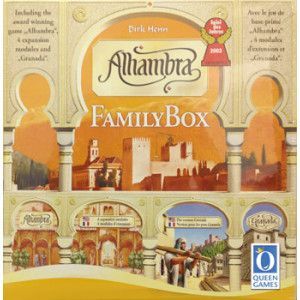



Manual published by the publisher · for rules reference only. More about the game on BoardGameGeek and Ludopedia .
