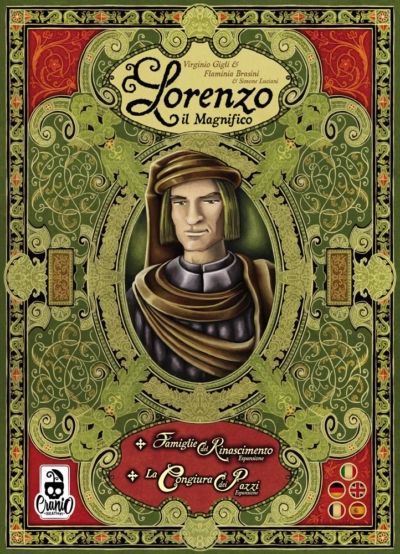
How to Play Lorenzo il Magnifico: Big Box
Cranio Creations, Delta Vision Publishing, Korea Boardgames · Board game · 2021What do you want to do now
Ask anything about Lorenzo il Magnifico: Big Box: rules, setup, components, complexity, price, or whether it fits your group.
Step by step
Game Objective
In Lorenzo il Magnifico: Big Box, players seek to expand their family's influence across Italy during the Renaissance. This is done by conquering new Territories, influencing new Characters, sponsoring new Buildings, and encouraging new Ventures. Players will also have the help of Leaders. The ultimate goal is to accumulate the most Victory Points by the end of the sixth round.
Setup
- Place the Board in the center of the table.
- Separate the Development Cards by type and period (color and number on the back). Shuffle each deck (consisting of 8 cards) separately. Create 4 different decks (one for each card type) by placing the third period cards at the bottom, the second period cards in the middle, and the first period cards at the top. Place the decks next to the board, near the Towers.
- Separate the Excommunication Tiles by period (number on the back), shuffle them separately, then draw one tile from each pile and place them in the appropriate space on the board. (Return the remaining tiles to the box.)
- Place the resources (wood, stone, servants) and coins next to the board. They form the general supply. Small resources count as 1. Large resources count as 5. Resources are considered unlimited. (If they run out, find a way to record the resources you receive).
- Place the 3 Dice next to the Board.
- In a 2-player game, place all Cover Tiles in the appropriate spaces (with the 3 and 4 symbol). In a 3-player game, place the 2 small Cover Tiles in the appropriate spaces (with the 4 symbol).
- Each player chooses a color and receives:
- A Personal Board.
- 1 Personal Bonus Tile. (In the basic game, all players use this side.)
- 3 Family Members of their color and the colorless Family Member with their color sticker.
- 3 Excommunication Cubes.
- 4 Marker Discs. Place 1 disc on each step 0 of the Victory Point Tracks, Military Point Tracks, and Faith Point Tracks, respectively. Place the last disc on the Turn Order Track.
- 2 wood, 2 stone, 3 servants.
- Randomly choose the turn order and place the marker discs on the Turn Order Track.
- The first player receives 5 coins, the second player receives 6 coins, the third player receives 7 coins, the fourth player receives 8 coins.
Setup for the Houses of Renaissance Expansion:
To play Lorenzo il Magnifico Houses of Renaissance, follow the base game setup with the following changes:
- Place the Special Tower Tile next to the board. Place the New Council Tile on the board, creating a new Council Row.
- In a 2-4 player game, use tile 234. In a 5-player game, use tile 5. Draw a remaining Special Development Card. Place the Adaptation Tile on the corresponding Tower on the board.
- Separate the Special Development Cards by Period (the number on the back) and draw 8 random cards for each Period. Prepare the Special deck as usual (third Period cards at the bottom, second Period cards in the middle, and first Period cards at the top). Place the Special deck next to the Special Tower Tile.
- Add the 3 new Excommunication Tiles to the base game tiles before drawing which ones will be used.
- Place the Special Tokens face down next to the supply.
- Each player chooses a color and receives the starting components of that color. Players DO NOT receive resources (wood and stone).
- The first player receives 0 coins, the second player receives 1 coin, the third player receives 2 coins, the fourth player receives 3 coins, and the fifth player receives 4 coins.
Family Tiles Auction (Houses of Renaissance Expansion):
Before the first round, players will hold an auction to determine which Family Tile they will receive. The auction also determines their starting resources.
- Draw a number of Family Tiles and Auction Tiles equal to the number of players.
- Randomly place each Family Tile on an Auction Tile. The Auction Tiles show 6 bidding lines, each with a bidding space and the related starting resources.
- Following the Turn Order, each player makes a bid. To make a bid, place 1 of your Family Members (it doesn't matter which one) on a free bidding space on an Auction Tile.
- Rules for placing your Family Member:
- If the Auction Tile is empty, you can place your Family Member in any space you wish.
- If the Auction Tile is already occupied by another Family Member, you must place yours in a higher bidding space. In this case, the other player must immediately move their Family Member to another bidding space (on the same or another Auction Tile), following the same rules. This may cause multiple movements.
- Bidding continues until each player has their Family Member on a different Auction Tile.
- Each player receives the Family Tile and the starting resources indicated by the bidding line where their Family Member is.
Game Flow
The game progresses in rounds, ending at the end of the sixth round. Each round includes an action phase and an end-of-round phase. In specific rounds (2, 4, and 6), a Vatican Report phase occurs.
Game Phases:
- Action Phase: Players place their Family Members in action spaces to perform various activities.
- Vatican Report: This phase occurs only in rounds 2, 4, and 6.
- Players must show their support for the Church through their Faith Points.
- Each period has a required amount of Faith Points: 3/4/5 Faith Points for Period 1/2/3, respectively. This is indicated on the Faith Point Track.
- There are 3 possibilities:
- If a player does not have the required Faith Points at the end of a Period (their marker on the Faith Track is not on the required step), they cannot support the Church and will suffer an Excommunication. Excommunicated players must place one of their cubes on the Excommunication Tile of the current period. From now on, they will suffer the negative effects of their excommunication. They leave their disc on the Faith Point Track where it is.
- If they decide to support the Church, they must spend all their Faith Points to avoid excommunication. However, the Pope will thank them with a certain amount of Victory Points. Players receive the Victory Points indicated on the step of the Faith Track they are currently on. Then, they move their marker back to the first step of the Faith Track. (Suffering an excommunication will give you negative effects for the rest of the game, but preserves your Faith Points.)
- At the end of the 6th Round, players who do not have the required Faith Points, after suffering excommunication, gain the Victory Points indicated on the step of the Faith Track they are currently on. Then, they move their marker back to the first step of the Faith Track.
- End of Round: At the end of the round, perform the following actions:
- Take all face-up Development Cards from the board. They will not be used again in this game.
- Change the Turn Order following the order of the Family Members placed in the Council Palace. The player who placed first becomes the first player for the next round. Place their disc on the first space of the Turn Order, and so on with the other players. If some players did not place a Family Member in the Council Palace, they remain in their relative order. Colorless Family Members also count for the Turn Order. If a player placed more Family Members here, the leftmost one is counted for the Turn Order. If there are no Family Members in the Council Palace, leave the Turn Order as is.
- Players then move their Family Members from the Board to their Personal Board.
Actions and How to Play
There are 5 different areas where you can place your Family Members. Different rules apply to action spaces in different areas.
Towers for Development Cards
- There are 4 Towers, each with 4 floors. On each floor, there is an action space that allows the player to take the corresponding card and, if present, some bonuses.
- Development Cards are of 4 different types: Territories (green), Buildings (yellow), Characters (blue), and Ventures (purple).
- All cards, except Territories, have a cost indicated in the upper left corner. When taking a card, you must always pay its cost.
- Most cards have an immediate effect (flash symbol in the middle of the card), which can grant resources, Points (Victory, Military, or Faith), or bonus actions (such as taking a card without placing a Family Member or performing a Harvest/Production action).
- Most cards have a permanent effect (bottom part of the card), activated in different ways depending on the card type.
Types of Development Cards:
- Territories:
- Have no cost, but require Military Points to be conquered.
- Must be placed in the first free space on the left in the bottom row of your Personal Board. The first 2 spaces are always available. The others become available with the increase of your military power.
- You do not spend Military Points, you just need to have them at the moment of placing the card.
- Their permanent effects are activated with a Harvest action.
- Provide Victory Points at the end of the game in relation to the total number of Territory Cards you own.
- Buildings:
- Always cost resources (wood, stone, servant, coin). You must spend the necessary resources and return them to the general supply.
- Must be placed in the appropriate spaces in the top row of your Personal Board, from left to right.
- Provide resources or allow exchanging one resource for another resource or Points.
- Their permanent effects are activated with a Production action.
- Characters:
- Always cost coins.
- Must be placed in a row next to your Personal Board (in the bottom right corner).
- Some immediate effects of Characters can give you the ability to perform a bonus action without using a Family Member.
- Their permanent effects are activated at specific times (usually when performing another action). Some give a bonus to the action.
- Ventures:
- Refer to the manual for details on this section.
Activating Permanent Effects (Harvest and Production)
- Harvest activates the corresponding personal bonus and the permanent effects of all Territories that have a value equal to or less than the value of your Harvest action.
- Production activates the corresponding personal bonus and the permanent effects of all Buildings that have a value equal to or less than the value of your Production action.
- The personal bonus is indicated on your Personal Bonus Tile next to your Personal Board. This bonus is activated when you perform a Harvest/Production action.
- All resources you wish to use to activate the exchange effects (those effects that exchange one resource for another) must already be present in your personal supply before starting the activation.
Harvest and Production Area
- Both areas are divided into two action spaces. The smaller action space on the left can only contain one Family Member. The larger action space on the right can contain any number of Family Members.
- The Family Member you wish to place here must have a value of 1 or higher.
- The second section (larger action space) gives a -3 penalty to the action value.
- Players cannot place two of their colored Family Members in the two action spaces of a colorless Family Member.
- The value of the Family Members you place here determines the value of the action. Their value can be increased by spending servants or by card effects.
Special Tokens (Houses of Renaissance Expansion)
- Special Tokens are a new type of resource, like wood, stone, servants, and coins.
- Whenever an action, an immediate effect, or a permanent effect gives you 1 or more Special Tokens, draw them from the supply and place them
Rules manual
Official PDF file
Frequently Asked Questions
Quick answers about the rules
What is the objective of Lorenzo il Magnifico: Big Box?
How do you set up Lorenzo il Magnifico: Big Box?
How do you play Lorenzo il Magnifico: Big Box?
Other Games You'll Like
Based on mechanics and theme