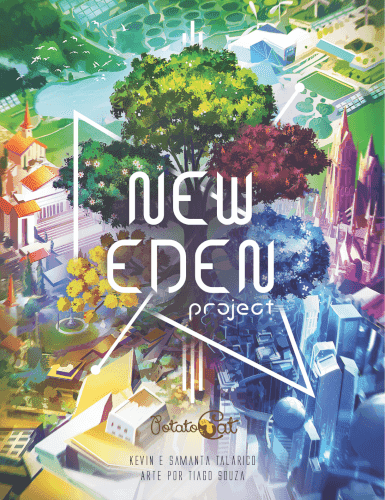
How to Play New Eden Project
Potato Cat · Board game · 2018What do you want to do now
Ask anything about New Eden Project: rules, setup, components, complexity, price, or whether it fits your group.
Video: How to Play
Start here, then follow the written guide
Step by step
Game Objective
In New Eden Project, players take on the role of an Emergency City Reconstruction (ECR) company with the goal of developing the best city project to win the bid. To do this, you need to connect City Part cards, meet the Bid Requirements, and leverage your artistic Epiphanies.
The game ends when a player places 10 or more City Part cards in their project. The winner will be the one with the highest number of points.
Preparation (Setup)
- Shuffle the common City Part cards, the 2 New Eden cards, and 1 Atomic Waste card into a single deck, called the Idea Pile. Place it face down in the center of the table.
- To the right of the Idea Pile, position the Inspiration Cost cards with the appropriate face for the number of players (2 or 3+) facing up, forming a row from left to right (A - B - C).
- Below each Inspiration Cost card, reveal the indicated number of cards from the Idea Pile to form the Purchase Row, which will have 6 cards.
- For 2 players: 2 cards below each Inspiration Cost card.
- For 3 or 4 players: 3 cards below card A, 2 below card B, and 1 below card C.
- Choose the Bid Category (game mode) to be used in the game and open the corresponding Bid Requirement cards above the Purchase Row.
- For the Populist Bid: draw 1 card A, 1 card B, and 1 card C.
- For the Military Bid: open all 5 D cards.
- For the Elitist Bid: perform the processes of both bids above. (For the first game, it is advisable not to play the Elitist Bid).
- Shuffle the remaining Epiphany cards (those not dealt) and form the Epiphany Pile. Place it face down in the center of the table, to the right of the Purchase Row.
- Each player receives:
- 1 Atomic Waste card: Place it face down near you. It will form your Saved Cards Pile.
- 1 6-sided die: Place it on the Atomic Waste card, with the 5-point face up. It will be your Inspiration Indicator.
- 2 random Epiphany cards: Set them aside for now. After the Epiphany Pile is formed, each player chooses one of the two received Epiphanies to keep and discards the other face up next to the pile, forming a discard pile.
- The player who most recently blew something up receives the First Player Token and starts the game.
Game Flow
The game takes place over an indefinite number of rounds, until at least one player places the 10th card in their city project.
In each round, 2 phases occur, always in the following order:
1 - Inspiration Phase
In this phase, players seek ideas and solutions for their projects. It is played in alternating turns, multiple times, until all players have no more actions to take. The player with the first player token starts.
Each player starts the phase with 5 inspiration points, marked on their inspiration indicator (6-sided die).
On your turn, if you have inspiration points to use, you:
- May perform the free discard action: Discard cards from your Saved Cards Pile. For each card discarded, add 1 inspiration point to your inspiration indicator. The maximum inspiration a player can have is 5 points.
- Must perform one of the four available actions, subtracting the spent inspiration points from your inspiration indicator.
When your inspiration points run out, leave the blank face of the die facing up.
If you have no inspiration points to use, you are forced to Meditate.
The Inspiration Phase ends when all players no longer have inspiration points to use.
2 - Projection Phase
At this point, players use the cards purchased in the previous phase to draft their projects and try to meet the game's Bid Requirements.
During this phase, players will follow 3 steps, always in the following order:
- Connect City Part cards and use Epiphanies: All players simultaneously project the City Part cards they have in their City Project. They can also use Epiphany cards.
- Save or Discard unused cards: After projecting cards and using Epiphanies, players can place a City Part card acquired this round in their Saved Cards Pile. Unused and unsaved cards must be placed in the Discard Pile.
- Check projects and end-game condition: If any player has projected 10 or more cards in their city project, the game ends immediately. Otherwise, the player with the first player token passes the token to the next player, clockwise, and a new round begins.
Actions and How to Play
Inspiration Phase Actions:
- Free discard action: Discard cards from your Saved Cards Pile. For each card discarded, add 1 inspiration point to your inspiration indicator (maximum 5 points).
- Buy 1 Card from the Purchase Row: Buy 1 available card from the Purchase Row, paying the cost indicated on the Inspiration Cost card above it (1, 2, or 3 inspiration points). Slide the cards in the Purchase Row one space to the right and reveal the top card of the Idea Pile in the leftmost empty space. The purchased card remains revealed near you.
- Buy 1 Epiphany Card: Take 2 cards from the top of the Epiphany Pile, paying 1 inspiration point. Choose one and discard the other. The purchased card remains in your hand and only you can see its content. You can only have 3 Epiphany cards in your hand. If you already have 3, you can still perform the action, but after the process, discard 1 of the 4 cards remaining in your hand.
- Refresh Your Mind: Spend 4 inspiration points to discard all cards from the Purchase Row. Reveal 6 new cards from the Idea Pile in the Row and take one for yourself. This card remains revealed, along with the cards you purchased this round. It is allowed to discard Epiphanies from your hand to make up the 4 points of cost; each Epiphany is worth 1 inspiration point.
- Meditate: Leave your inspiration indicator with the blank face revealed and end your participation in the round. Your actions, from now on, will always be Meditate.
In 2-player games, at the end of each player's turn, discard the rightmost card from the Purchase Row. Slide all cards to the right and reveal new cards until the Row has 6 cards.
How to Connect City Part Cards (Projection Phase):
- One Project per player: Each player has their own city project, and all cards placed must be connected to each other in some way. There are no limitations on size or number of cards.
- Card Orientation: Cards must always be placed upright (so that the text can be read), except with the use of special Epiphany effects that allow cards to be rotated 180º. It is not allowed to place City Part cards horizontally.
- Connect by Architectural Style and/or Location Type: Cards must be connected through their external connection icons (right, left, top, or bottom corners). It is only allowed to connect two cards if they have the same Architectural Style (color and crest) and/or Location Type (geometric shape).
- Wild Cards: Have generic color and shape, and can connect with any card. They do not have an Architectural Style or Location Type to validate Epiphanies and Bid Requirements.
- A single connection icon is an open connection. Two connection icons validly joined are a complete connection. A card corner without a connection icon is a wall.
- It is possible for a connection icon to touch a wall or an incompatible connection, as long as the cards in question are validly connected to others. In this case, the icons are still called an open connection.
- Do not move cards in your Project: Once a City Part card is placed in your project, it cannot be moved, except with special Epiphany effects.
- Card Replacement: New cards can replace cards already in your project, as long as their connections continue to validly link to the surrounding cards. If it is not possible to connect new cards due to a lack of open connections, you must replace a card to continue building, in order to open at least one connection. Place the replaced card in the Discard Pile and connect the new card to your project.
Using Epiphany Cards (Projection Phase):
- Validate Epiphany: To validate an Epiphany in your hand, your project must meet the requirements demanded by it. If this happens, reveal the Epiphany card and place it near your city project.
- Scoring and Activation: Epiphany cards are worth 2 or 5 points, according to the number indicated in their upper right corner.
- 5-point Epiphanies cannot be activated.
- 2-point Epiphanies can be activated, exchanging their points for an effect indicated in their upper left corner. If you choose to activate the effect, you will not receive the points.
- Activation Moment: To activate an Epiphany, it must have been validated. You can activate the effect instantly after validating it or in any subsequent Projection Phase.
- Reuse: Do not discard your Epiphany after activating it. If you want to validate a new identical Epiphany, you will need to use different cards in your project to meet the necessary requirements.
- Organization: It is recommended that validated Epiphanies be placed vertically and activated Epiphanies horizontally.
Saving or Discarding Cards (Projection Phase):
- After projecting cards and using Epiphanies, players can place a City Part card acquired this round in their Saved Cards Pile. There is no limit to the number of cards in this pile.
- City Part cards that were not projected and could not be saved must be placed in the Discard Pile.
End of Game and Scoring
The game ends immediately as soon as 10 or more cards are placed in a city project by any player. Players count their points and the one with the highest score is the winner.
Follow these steps for scoring:
- Bid Requirement Points: This score varies according to the Bid Category used in the game.
- Populist Bid (Requirements A, B, and C):
- Check how many stars you obtained through Bid Requirements and Epiphanies. Each fulfilled Bid Requirement grants 1 star. Activating 3 icons of 1/3 of a star in Epiphanies also grants 1 star (if you don't complete 1 star this way, the 1/3 star icons are not activated).
- Only 3 stars are required to activate the scoring of your cards. For each complete star you get beyond that, receive 15 points.
- Activate the potential score of all City Part cards in your project that require an equal or lesser number of stars than you achieved.
- Each City Part card whose potential score was not activated grants only 1 point.
- Military Bid (Requirements D): Score the City Part cards in your project according to the Underground Facilities they possess.
- Research Labs: Worth 3 points each, regardless of location.
- Residential Shelters: Score by orthogonal adjacency. The more shelters in sequence, the more points they are worth (1 shelter - 1 point; 2 shelters - 2 points each; 3 shelters - 3 points each; 4 or more shelters - 4 points each). Shelters do not need to be connected to each other to be considered adjacent.
- Medical Centers: Give 2 points for each orthogonally adjacent card. Cards do not need to be connected to the Medical Center. Regardless of how many Medical Centers are adjacent to a card, it scores only once. Medical Centers can give points to other Medical Centers.
- Communication Towers: Score by area covered. Multiply the greatest horizontal distance between two Towers by the greatest vertical distance also between two Towers. Include the Tower card to perform the count. Spaces without cards between Towers are also considered.
- Military Bases: Score by majority. The player with the most military bases receives the highest score, the second highest score, and so on. The player with the fewest military bases receives no points. Consult the table on Requirement D5 card for scoring.
- Elitist Bid: Perform and sum the scores from the Populist and Military modes.
- Populist Bid (Requirements A, B, and C):
- Epiphany Points
Rules manual
Official PDF file
Frequently Asked Questions
Quick answers about the rules
What is the objective of New Eden Project?
How do you set up New Eden Project?
How do you play New Eden Project?
How does New Eden Project end, and how do you score?
Other Games You'll Like
Based on mechanics and theme