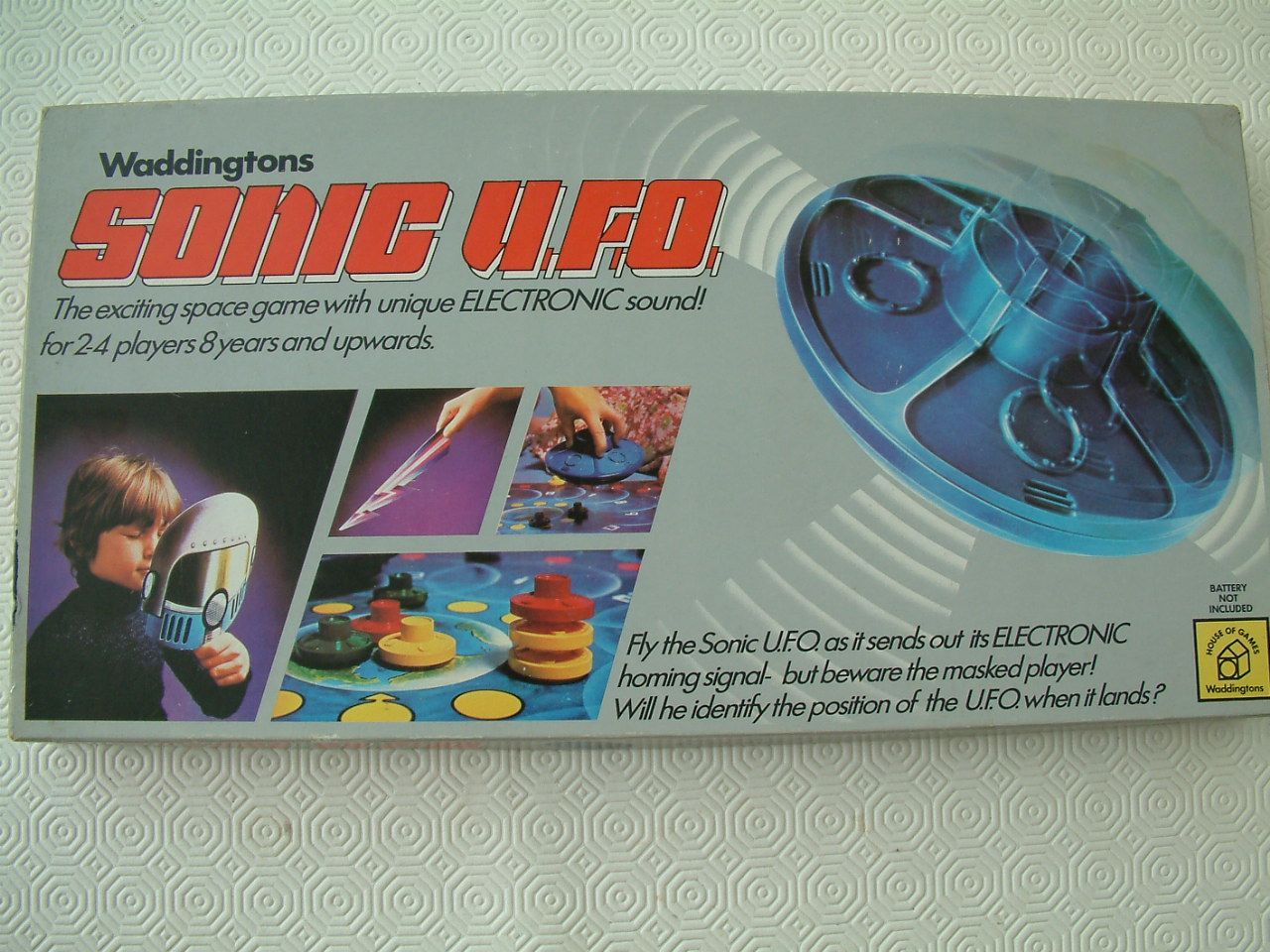
How to Play Sonic U.F.O.
Waddington Sanders Ltd., Waddingtons · Board game · 1979What do you want to do now
Ask anything about Sonic U.F.O.: rules, setup, components, complexity, price, or whether it fits your group.
Step by step
Game Objective
In Sonic Roll, one to four players race, jump, and spin through each Zone as Sonic and his friends, competing to stop Dr. Eggman from building his evil empire. Players must spend dice one at a time on a Zone Card or a Badnik to progress through the Zone.
If time runs out or any player loses all their lives, it's Game Over for everyone! At the end of each Zone, players can tally their Points to see who scored the most.
Preparation (Setup)
- Each player chooses a character to play as and takes the corresponding Character Dashboard (players may also choose to deal out Character Dashboards randomly).
- Choose a Zone to play and gather the Act Board, Zone Cards, and Badnik Cards for that Zone. For first-time players, it is recommended to start with the Green Hill Zone (GHZ).
- Find the Boss Attack Card with the name that matches the Boss on the back of the Act Board. Shuffle the Boss Pattern Deck and set both aside.
- Place the Act Board in the center of the play area, with the Act 1 side face up. Count out a number of Zone Cards based on the number of players to form the Zone Card Deck, then set aside unused Zone Cards: 1P/2P - 8 Zone Cards | 3P - 9 Zone Cards | 4P - 10 Zone Cards. Shuffle the Zone and Badnik Decks separately and place the decks near the Act Board along with 7 Time Tokens.
- Deal one Zone Card from the Zone Card Deck face up next to the top, middle, and bottom Route of the Act Board.
- Shuffle the Bonus Stage Tiles and arrange them in a 4x4 grid with the Blue Sphere side face up. Place the Chaos Emerald Cards next to them, face down in a pile.
- Shuffle the Power Up Deck and place it in the play area.
- Deal each player 1 Boost Token and 3 Life Tokens.
- The fastest player goes first, or choose a player randomly to start.
Game Flow
The actions in a player's turn are as follows:
ROLL ACTION STEP
- Choose a Roll Action and build a Dice Pool.
SPENDING STEP
- Spend a single die on a Zone Challenge or Badnik.
- If a player cannot play a die (and has no Boost Tokens or other way to change their Roll), they take Damage.
- Players can then choose to proceed to the Reroll Step or skip to the End Turn Step.
- If a player has no more dice in their Dice Pool, skip to the End Turn Step automatically.
REROLL STEP
- Reroll all remaining dice in the Dice Pool.
- May use Boost Token to reroll results.
- Check for Badnik Attacks.
- Repeat the Spending Step.
END TURN STEP
- If there are dice remaining in a player's Dice Pool, discard all of them and take a Time Token.
- Play passes to the player to the left.
Actions and How to Play
Roll Action Step
Players begin their turns by choosing one of the three Roll Actions available on their Character Dashboard. They then gather the dice listed in the Roll Action, perform the action's instructions, and create a Dice Pool.
Some Roll Actions have special effects that can change how a turn is played. Pay attention to these special abilities to get the most out of your Roll Action!
- ROLL - ROLL effects occur ONLY during the Roll Action Step when building a Dice Pool. They do not occur when dice are Rerolled.
- REROLL - REROLL effects happen at the start of the Reroll Step.
- SPEND - SPEND effects happen when a die of that color is spent.
- AVOID - AVOID effects can be used at any time to avoid taking Damage or changing a die's results.
Building a Dice Pool
To build a Dice Pool, players roll the dice shown in the Dice Action, then complete any Action Effects of the ROLL type. This leaves the player with their Dice Pool for the turn.
Some Dice Actions have you roll the dice shown multiple times. Pay attention to the icon. All dice shown in the Dice Action must be rolled each time to build a Dice Pool.
Once a Dice Pool is built, players can spend these dice to advance through Zone Cards and defeat Badniks.
Spending Step
Spending dice is the main action in Sonic Roll. Dice are spent one at a time from the Dice Pool, placing them on a Badnik or a Zone Card to complete its Challenge.
After a die is spent, the player MUST reroll ALL dice in their remaining Dice Pool before spending another die.
- Zone Cards: Are filled with Challenge spaces representing obstacles and hazards players must overcome.
- Badnik Cards: Are Dr. Eggman's robot army. They threaten players by rerolling dice, but can be quickly eliminated using the right die.
If a player fails to spend a die, they will take Damage and exit the Spending Step.
If a player spent the last die in their Dice Pool, their turn ends immediately, and play passes to the player to their left.
Otherwise, if a player has dice remaining in their Dice Pool after spending a die or taking Damage, they do one of the 2 following options:
- Reroll the remaining dice in their Dice Pool. They may then spend another die.
- Discard the remaining dice in their Dice Pool and skip to the End Turn Phase. Players must take a Time Token if they discard dice this way.
Reroll Step
After spending a die or taking Damage, a player with dice remaining in their Dice Pool can choose to skip to the End Turn Phase. OR... That player can keep going! Before they can spend another die, however, that player must reroll all remaining dice in their Dice Pool. Once they reroll, they may spend another die.
Dangers of Rerolling
When rerolling, players are open to Attacks from Badniks. If a player rolls a die that matches a Badnik's Attack, that player is attacked and takes that Attack's Penalty (usually Damage).
After a Reroll, the player must perform another Spending Step. If they cannot spend a die during the Spending Step, they must take Damage.
Boost Tokens
Boost Tokens can be spent during the Reroll Step to immediately reroll their entire Dice Pool again. This can be used to deflect Badnik Attacks or if a Reroll's results were undesirable. Boost Tokens cannot be used to avoid Hazard Dice.
A Boost Token can also be spent during the Roll Action Step. After the Roll Action has been completed and the Dice Pool built, a Boost Token can be spent to reroll the Dice Pool. The player will immediately skip to the Reroll Step, and their dice will become vulnerable to Badnik Attacks.
Dice Properties
- RUN (Red Die): Whenever a Run Die is used, the player may spend another die without having to reroll their Dice Pool. Players are not forced to spend another die and may choose to reroll or stop after each Run Die spent.
- JUMP (Yellow Die): Whenever a Jump Die is spent, that player immediately gains a Ring. This Ring is in addition to any other Rewards the player would gain from that Challenge or Badnik.
- SPIN (Blue Die): Spin Dice are useful when dealing with Badniks and are the safest to reroll against them. When a Badnik is defeated by a Spin Die, it will free the Small Animal trapped inside.
- HAZARD (Black Die): These dice represent danger. When rolled, the player takes Damage if the result matches any result in their Dice Pool. Hazard Die are not added to the Dice Pool, but are discarded after being rolled. Players cannot use Boosts when rolling a Hazard Die.
Characters and Special Abilities
- Sonic the Hedgehog:
- Special Ability: Insta-Shield. Once per turn, change a die to a [blue die symbol] and change its result by up to 1.
- Miles “Tails” Prower:
- Special Ability: Buddy Flight. At the start of your turn, place a die on 2. When any player spends a die, you may decrease this die to adjust results by that amount. Discard the die at 0.
- Knuckles the Echidna:
- Special Ability: Secret Passage. At the start of a Zone, place the Secret Passage near you. It is treated as a Route that only you can play on.
- Amy Rose:
- Special Ability: Piko Piko Hammer. May add 1 to a die's result when spent.
Zones and Challenges
Players can spend a die on a Zone Card to continue through the Zone. Each Zone Card has a number of Challenges that must be overcome to progress.
To complete a Challenge, a single die from a player's Dice Pool must be spent. A die spent on a Zone Card must follow 3 rules:
- It must be spent on the leftmost uncleared Challenge on any of the 3 available Zone Cards.
- It must meet the Challenge's clear condition.
- White spaces only require a die that matches the number shown. A die of any color can be used here.
- Colored background spaces require a die that matches both the number and color shown.
- Bumper: The first player to play on a series of Bumpers may play any number, but each subsequent Bumper in that series must match that number.
- It must be on the same Path as the previous die spent on that Zone Card. Follow the Path.
Players may freely switch between the 3 available Zone Cards they spend dice on during their turn.
Once a Challenge has been cleared, players receive that Challenge space's Reward. If the space has multiple Paths, players receive the Reward closest to the space where they played their die to clear the Challenge.
Finishing a Zone Card
Each Zone Card is next to a different Route on the Act Board. If a player completes the final Challenge on a Zone Card, they collect the Zone Card and receive that Route's Reward on the Act Board.
After enough Zone Cards are collected, the Act Board will flip to reveal the Boss for that Zone.
When a player clears the last Challenge on a Zone Card:
- That player takes the Zone Card to show they completed it.
- They receive the Reward listed on the Act Board for that Route.
- Draw a new Zone Card from the Zone Card Deck to replace the completed Zone Card.
If there are no more Zone Cards in the Zone Card Deck to replace it, flip the Act Board and begin the Boss Fight.
Badniks
Badniks are found throughout the stage and will try to stop Sonic and his friends from reaching the end. Each time a player rerolls, any Badniks that player has drawn will try to attack them!
Drawing a Badnik
When a player receives a Badnik Monitor Reward, they do BOTH of the following actions:
- Draw a Badnik.
- Choose any player with fewer than 3 Badniks to draw a Badnik.
If all players have 3 Badniks, no more Badniks can be drawn.
Badniks are placed in front of a player after being drawn and remain there to hinder that player until they are resolved.
Defeating Badniks
Most Badniks have two ways to be resolved:
- Destroy them by using a Spin Die to free the Small Animal inside. The player who destroys the Badnik gains an Animal Token Reward.
- Avoid them by using the appropriate die. This removes the Badnik, but does not free the Small Animal inside.
Once a Badnik has been destroyed or avoided, it is discarded.
When the Badnik deck is empty: Shuffle all discarded Badniks back in.
Badnik Attacks
Badniks are a threat to players when rerolling their Dice Pool. If a player rolls a result that matches an Attack from one of their Badniks, the player is attacked and takes that Attack's Penalty (usually Damage).
Badniks can ONLY attack a die that is being rerolled.
Dice that are being rolled for the first time that turn, such as dice used during a Roll Action to build a Dice Pool and dice that are added to a player's Dice Pool from a Reward or Chaos Emerald, are
Rules manual
Official PDF file
Frequently Asked Questions
Quick answers about the rules
What is the objective of Sonic U.F.O.?
How do you set up Sonic U.F.O.?
How do you play Sonic U.F.O.?
Other Games You'll Like
Based on mechanics and theme